With Hostinger Website Builder, you can sell digital goods such as e-books, software, or design assets. Once a customer completes a purchase, they automatically receive a secure download link via email. This allows for a fully automated delivery process for your digital content.
Add a digital product
To create a new product, go to the Store Management area:
-
Open your website in Hostinger Website Builder.
-
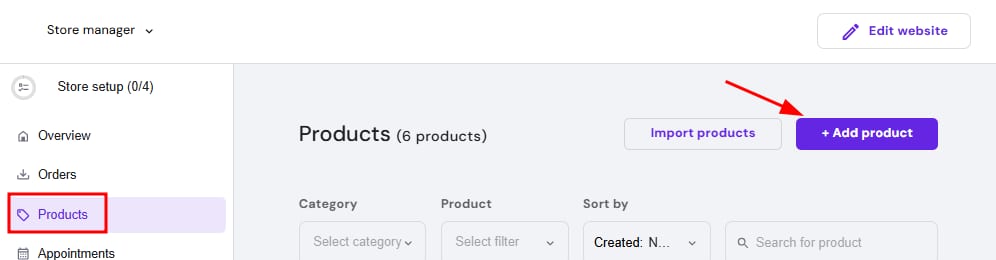
Go to Store → Products.
-
Click Add product.
-
Select the product type: Digital product.
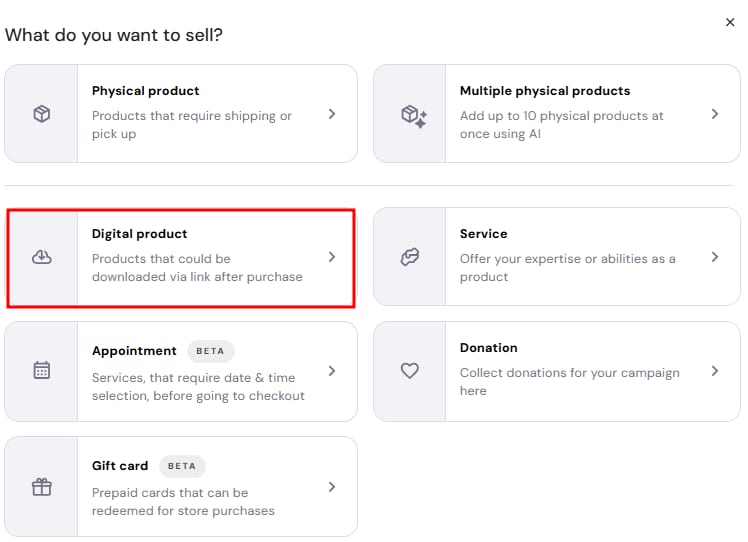
Once the product type is selected, it is fixed and cannot be changed.
Enter product information
After selecting the product type, complete the digital product details.
Basic information
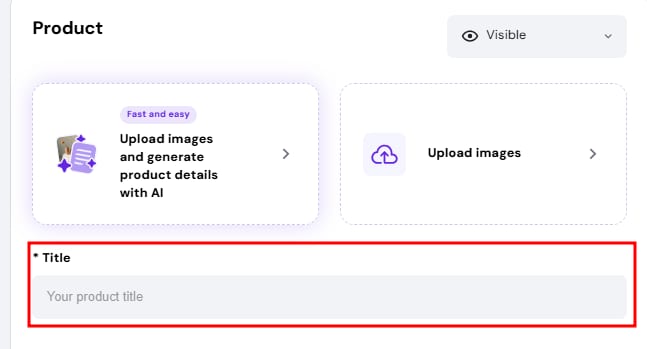
Add a product title. It will be used automatically as the product page title and meta title.
Then, optionally, you can add the following:
- Product subtitle.
- Product ribbon.
- Product description.
- Product images.
Pricing
Specify the product price:
- The minimum product price is 1 USD (or the equivalent in another currency).
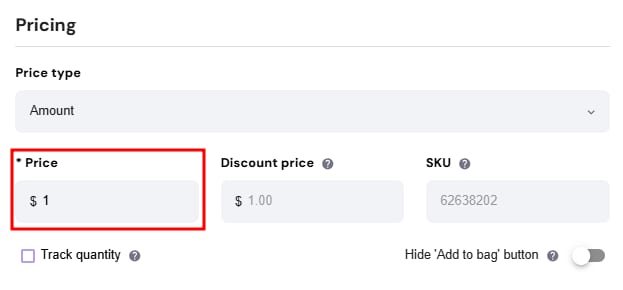
- Prices cannot be discretionary or set to zero.
You can also optionally add:
- Discount price.
- SKU number.
Inventory (optional)
- Track quantity: enable this option to manage stock levels.
Categories
- You can assign the product to a category to organize your store catalog.
Load the digital product
In the Digital product section, choose your delivery method:
-
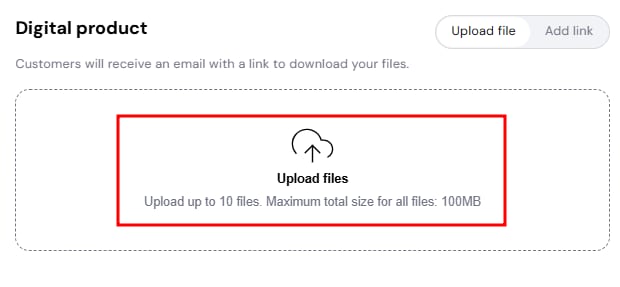
Upload file: Drag and drop your files directly. You can upload up to 10 files per product with a maximum size of 100 MB per product.
-
Add an external link: Provide a link from supported services to share content hosted externally or files larger than 100 MB.
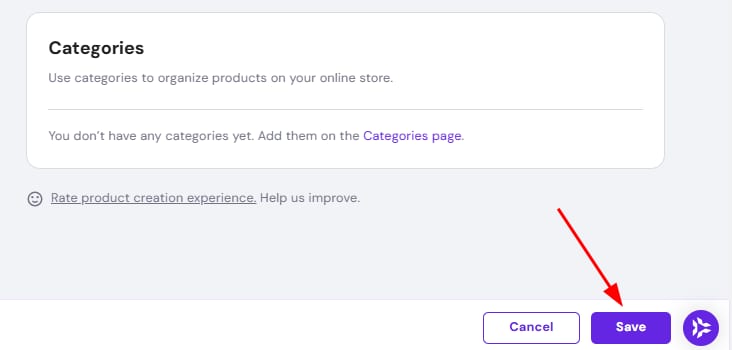
After adding all the product data, click Save at the bottom-right corner of the page.
Supported file types and links
Below are the direct file upload formats and third-party link options supported by Hostinger Website Builder.
Supported file types
For security reasons, only the following file formats are supported for direct upload:
- Documents and books:
.pdf,.doc,.docx,.txt,.rtf,.epub,.mobi,.azw,.azw3,.xls,.xlsx,.ppt,.pptx,.odt,.odp - Images:
.jpg,.jpeg,.png,.gif,.svg,.webp - Audio and Video:
.mp3,.wav,.ogg,.mp4,.mov,.avi,.wmv,.flv - Archives and Others:
.zip,.rar,.7z,.dwg
Supported external links
If your digital file exceeds 100 MB or is hosted on a third-party platform, you can provide an external link instead of uploading the file directly. Hostinger currently supports links from the following services:
- Cloud storage: Google Drive, Microsoft OneDrive, Dropbox, Box, pCloud, Sync.com, Tresorit, Proton Drive, and IDrive.
- Video hosting: YouTube.
When using external links, file security and access permissions are managed directly by the respective hosting provider. Ensure your link sharing settings are set to allow your customers to access the file after purchase. Note that if a file is blocked or restricted by the external vendor, Hostinger cannot override those policies.
Display the added product
After the product is created, a product page is created automatically. However, products are not shown automatically right away. To make the product available on your website, add Product sections to your website pages.
Your digital product is now set up and ready for your customers. You can further grow your online business by adding more items to your store catalog at any time.