Hostinger Website Builder comes with the feature of AI-generated images!
Using AI Image Generator
You can find tools for image generation in the section settings:

Or image element settings:
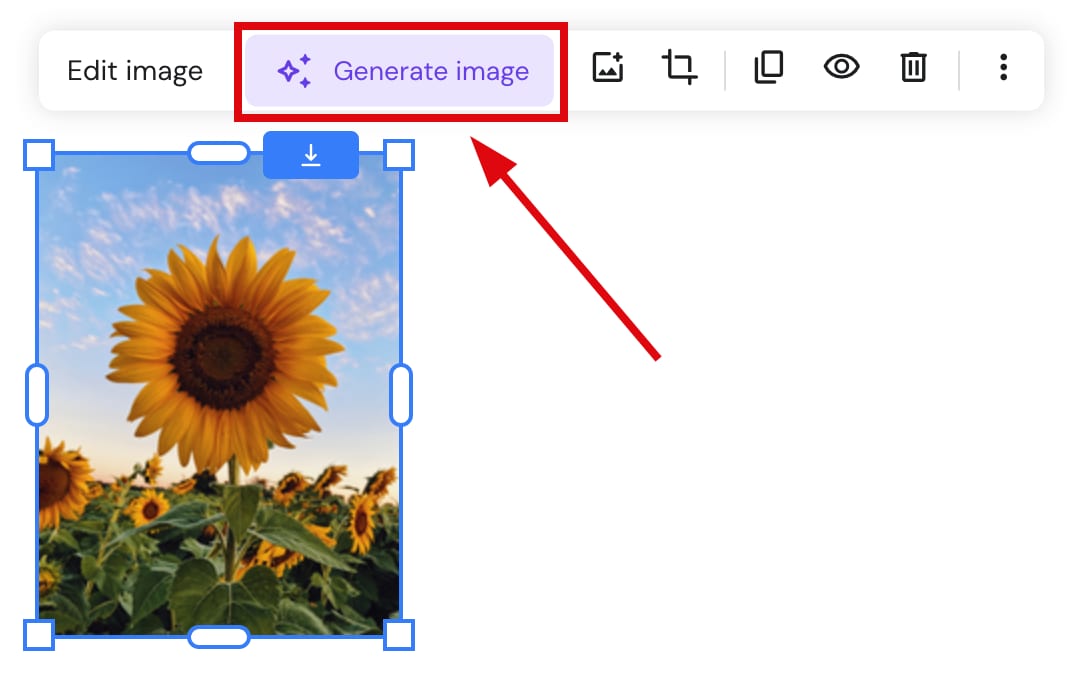
To use the tool:
-
Click on Generate image
-
Describe the visual you want AI to generate for you
-
Select the desired image style and click Generate image.:
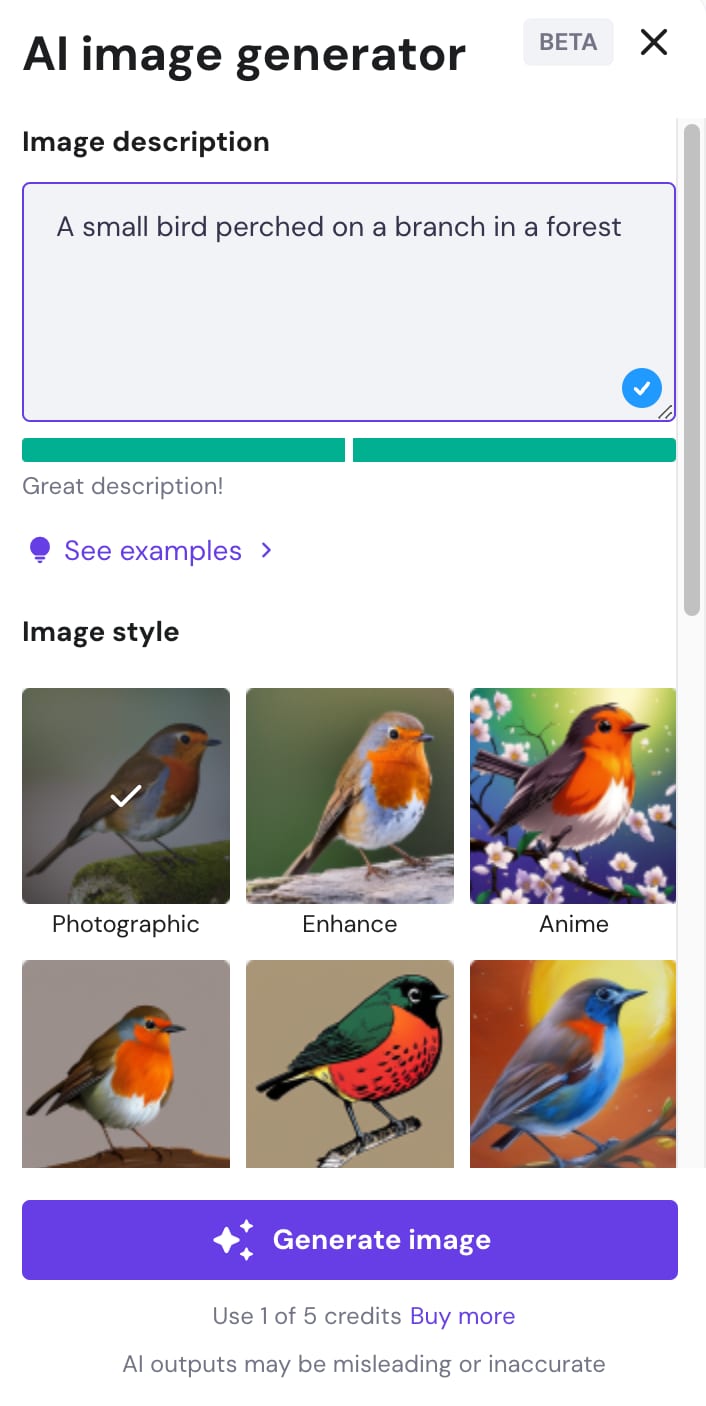
- A single image is generated based on your prompt. If the result doesn’t match your vision, click Back to form to adjust your prompt and regenerate.
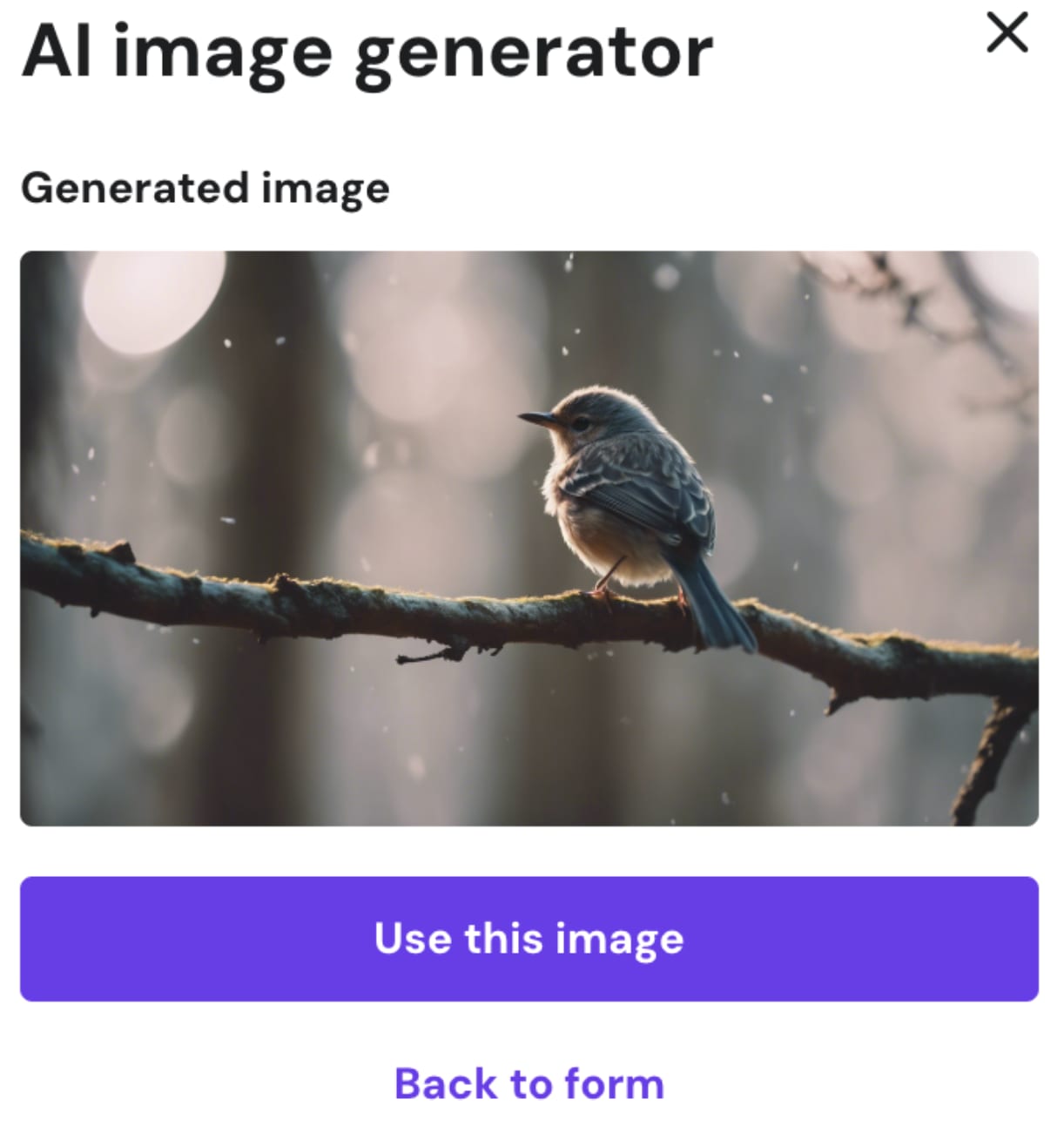
- Click Use this image to insert it into your site. Generated images are saved to and accessible from the media library.
Note: The generator produces one image per request. Regenerating with the same prompt may produce similar results — refine your prompt for different outputs.
AI Image Generator Credits
By default, initially, you get five free credits to try out our AI Image Generator. One credit is used to successfully generate one image.
Once you run out of credits, click on Buy more:
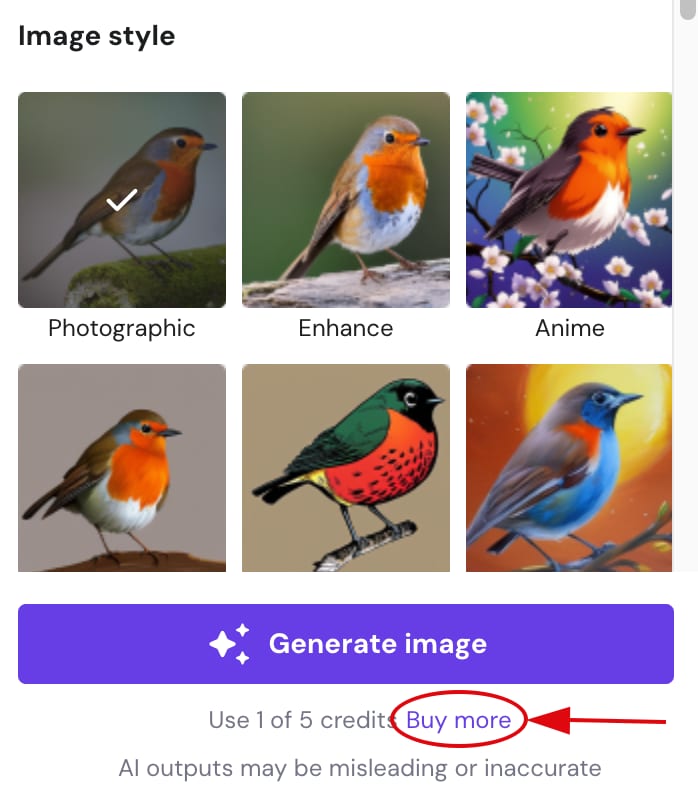
You can purchase 100 credits at a time, as many times as you want!