If you use Hostinger Website Builder to run your online store and want to sort products on your site, you’re in the right place!
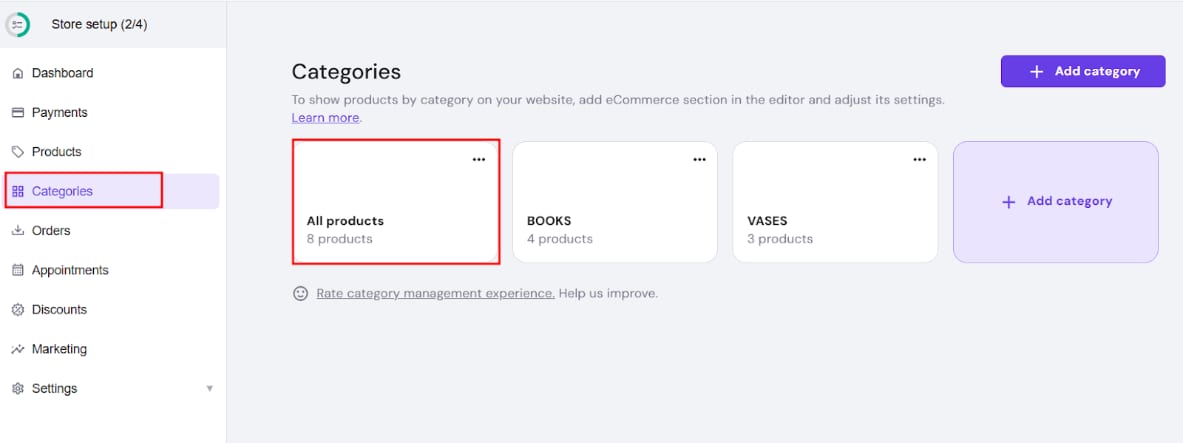
To sort your products, go to the store management area → Categories → All products:
Drag and drop products to reorder them:
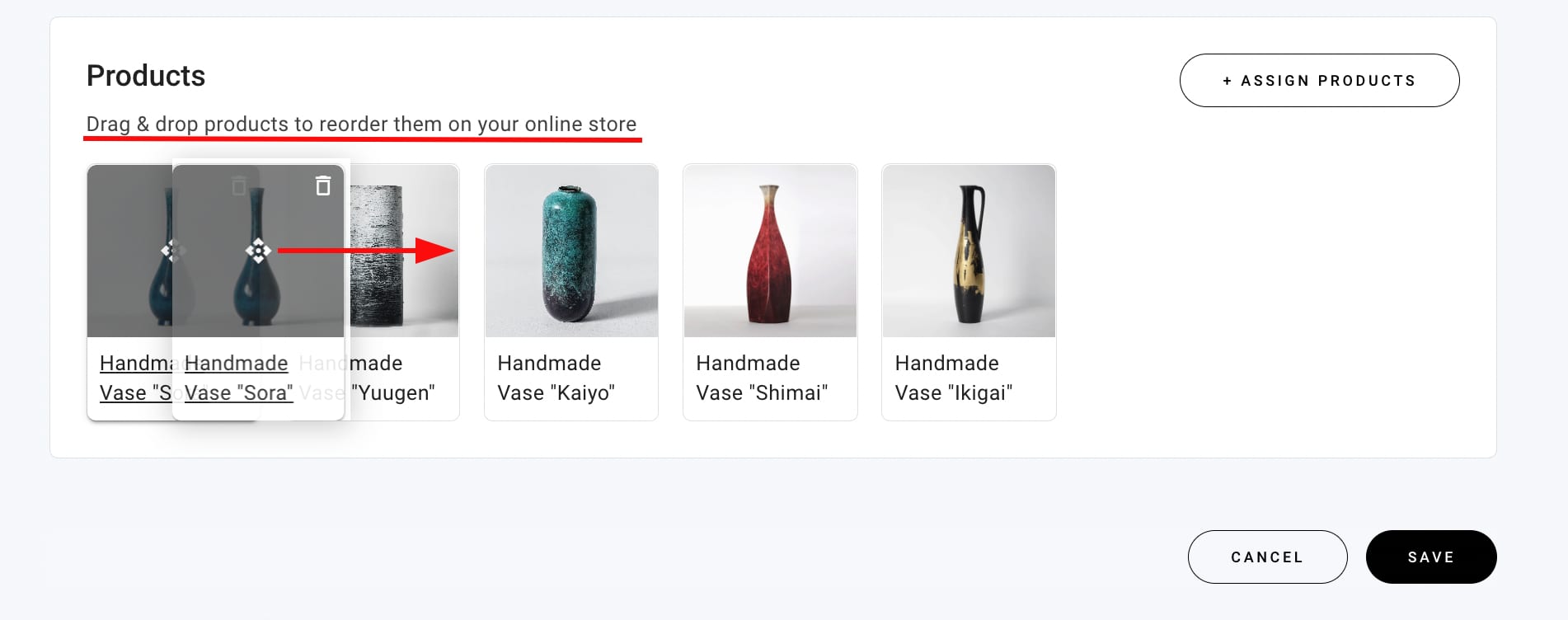
Once you save the changes, the products will be displayed accordingly in the product sections on your website.
You can sort products the same way in all your product categories 💡