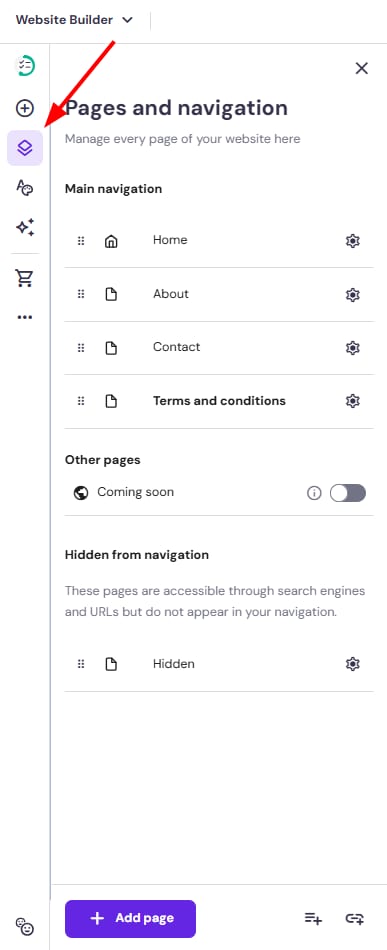
In Hostinger Website Builder, all your website pages are managed from the Pages and navigation panel on the left:
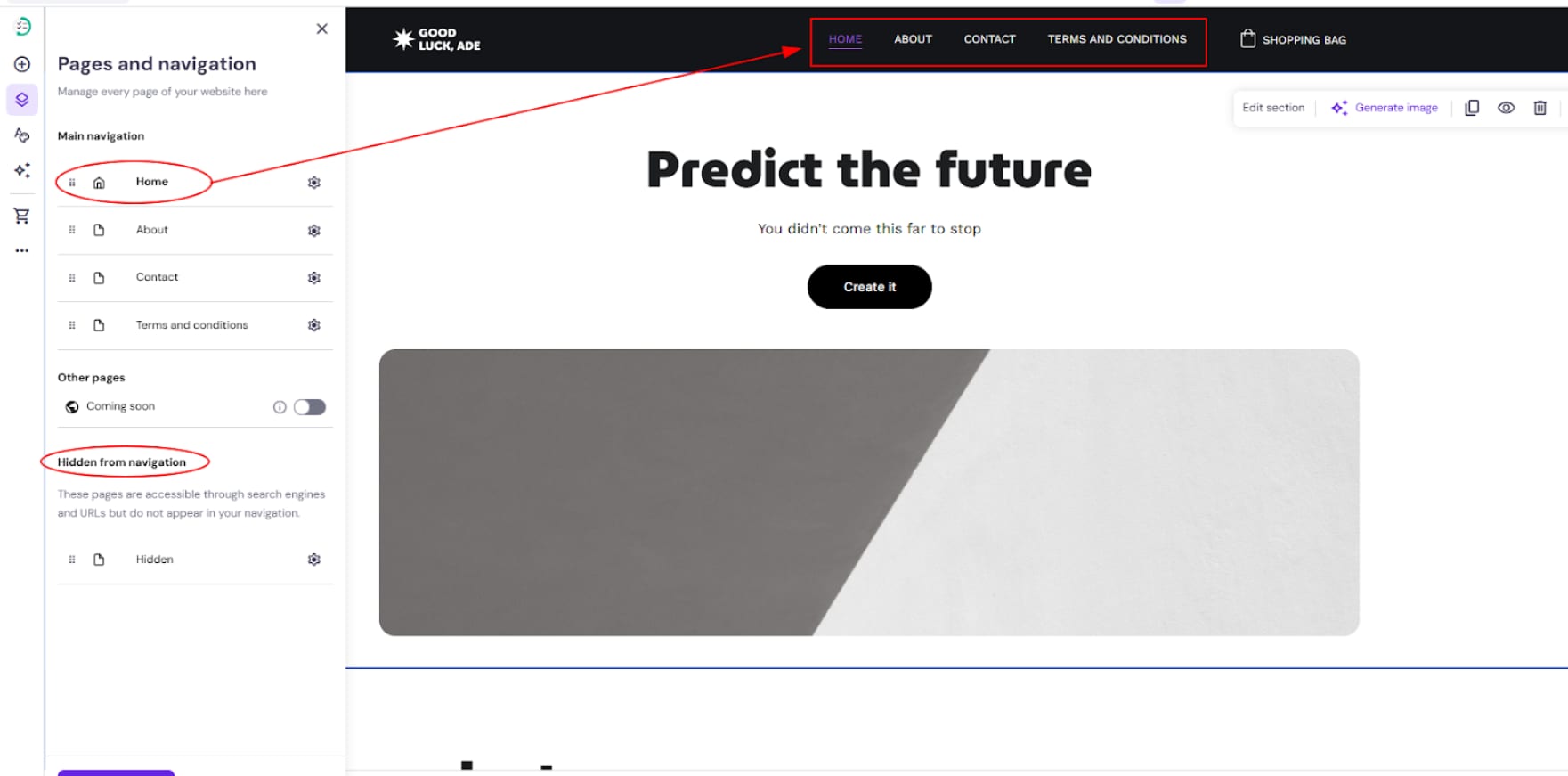
The pages under the Main navigation are visible in the website’s menu bar, and the pages under the Hidden from navigation are not shown there:
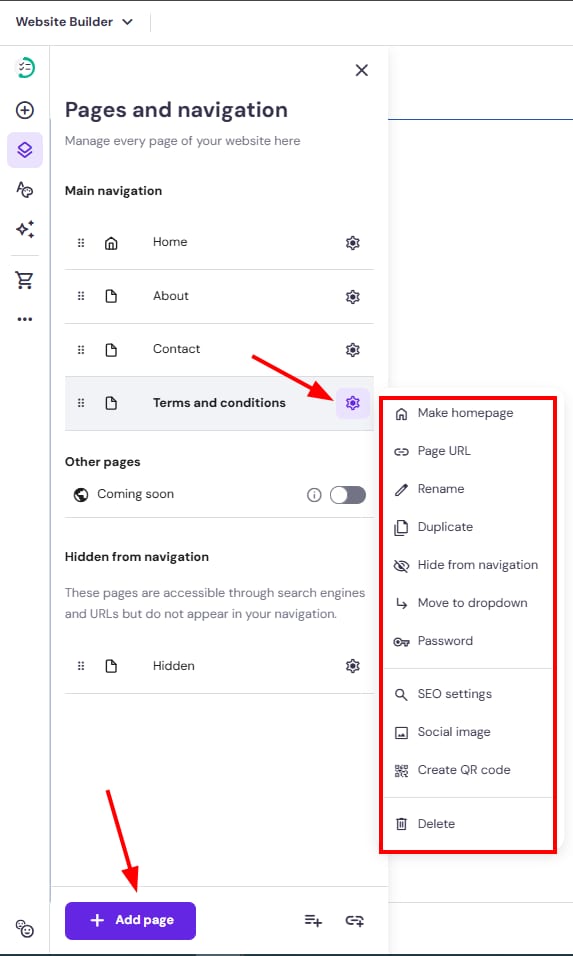
Within the Pages and navigation panel, you can do the following:
-
Make any page a homepage
-
Access the general and SEO settings of a page
-
Password-protect a page
-
Rename a page
-
Move a page to/out of a dropdown
-
Duplicate a page
-
Delete a page
-
Create a dropdown menu
-
Add links to the website’s menu bar
* Pages hidden from the navigation menu remain publicly accessible via their URLs and appear in search engines; you can hide pages from search engines in the SEO settings