Changing the permissions of the database user might be useful if you want to have custom preferences for some databases, for example, to make a database with read-only permissions.
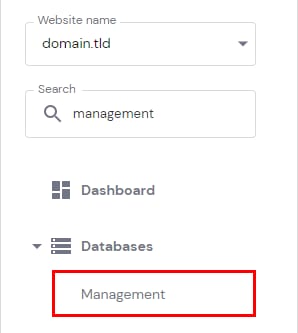
To change your database’s permissions, go to Websites → Manage, search for Databases Management on the sidebar and click on it:
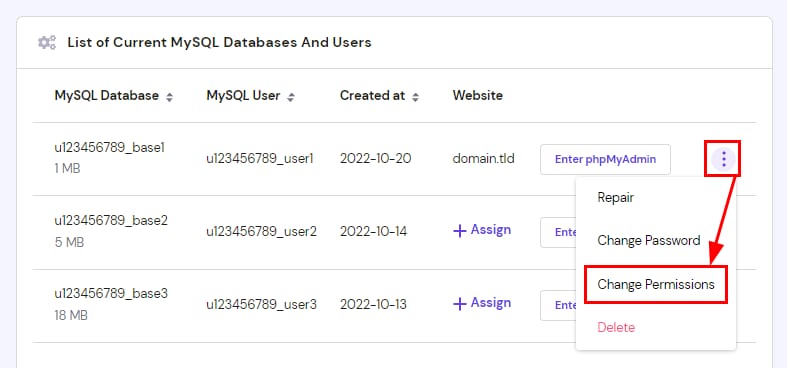
In the section List of Current MySQL Databases And Users, click on ⋮ button in front of the desired database and choose Change Permissions:
By default, MySQL user has all the permissions granted. You can revoke permissions by removing the checkmark next to the specific permission:
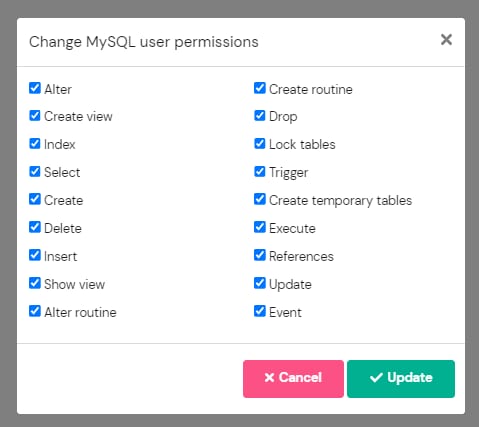
Once everything is ready, click on Update to apply the changes 😊
Additional resources: