Acquiring a unique domain name is the first step toward establishing your online identity and connecting it to your website. You can find the best name in seconds using the Hostinger AI Domain Name Generator or search for a specific domain manually.
Watch the video below or keep reading for detailed steps.
Find a domain name
If you already have a domain name in mind, follow these steps to check its availability:
- Log in to hPanel and navigate to the Domain Checker page.
- If you don’t have a Hostinger account yet, go to the Hostinger domain name search page.
- Enter your desired domain name in the search bar and click Search.
- If the domain is available, click Add to cart.
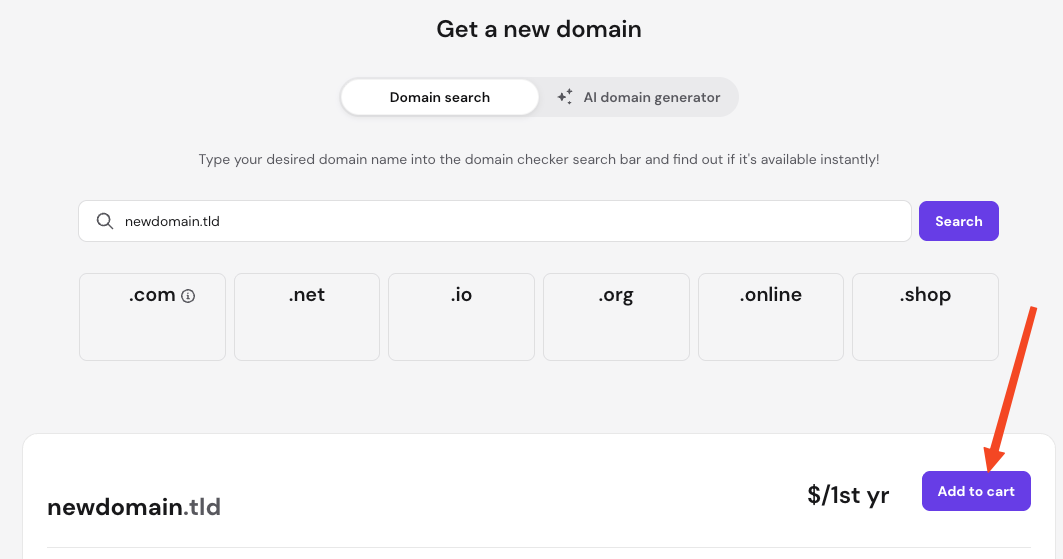
A list of alternative domain extensions (TLDs) also appears to help protect or expand your brand. If your preferred domain is unavailable, or if you want alternative options, click on Load more AI suggestions.
- If the domain is available, click Add to cart.
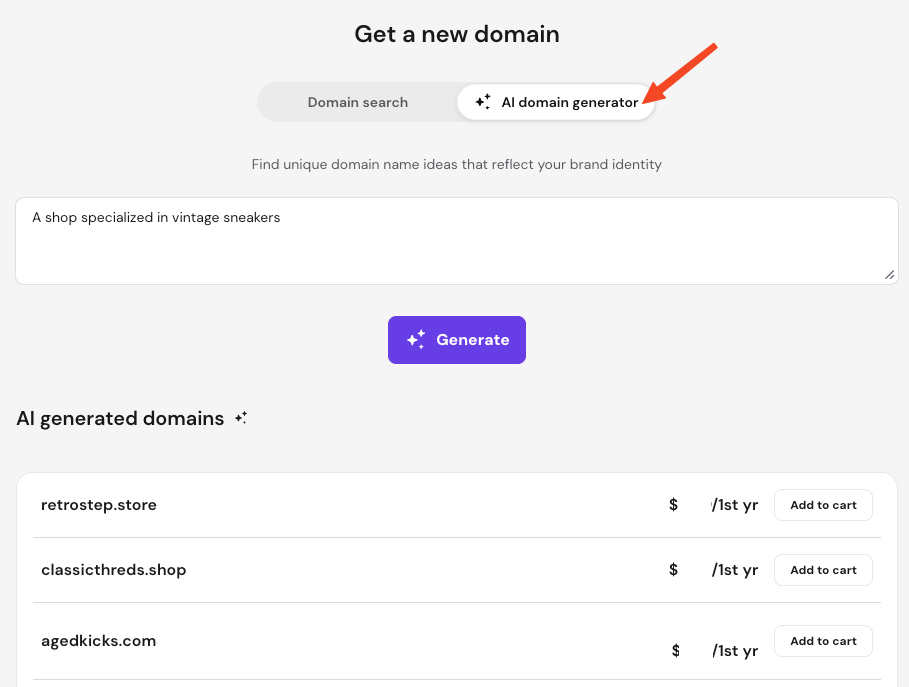
To generate ideas from scratch, use the AI domain generator tool, enter a description of your project, and click Generate.
Complete the domain purchase
You can buy one or as many domains as you want from the provided options.
- Click Add to cart next to the domain you want to purchase.
- Select your desired registration period from the dropdown list. Domain privacy protection is included automatically for free if the extension supports it.
- Optionally, you can add Domain Shield if available.
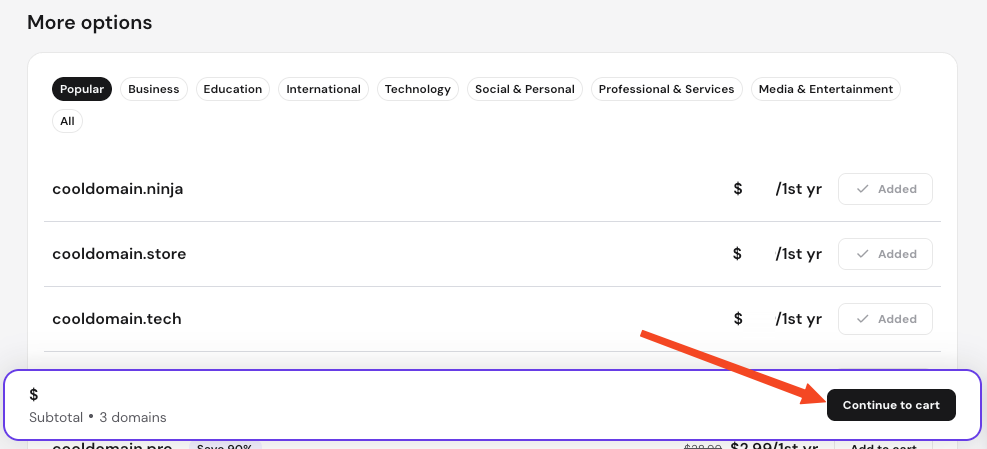
- To buy domains in bulk, close the cart side panel to return to the selection page, add additional domains to your cart, and then click Continue to cart.
- If you had already purchased a domain name, you will have the option to select the contact details from your profile, or add them after purchase.
- Select or add a payment method and click on complete the payment.
NOTES
- If the domain name is not available with your preferred TLD, you can still register it using a different extension.
- Ensure you double-check your domain for typos before completing the purchase.
- Premium domains are available for selected domain extensions.
- Some country-code top-level domains (ccTLDs) have specific registration requirements, (such as .com.au, .de, dk, .id, .it, .ma, .pk, .pt, and .tr). Meeting these requirements before purchasing prevents future service suspensions.
Register your domain
It is recommended to register your domain as soon as possible after purchase since the domain is not fully reserved until the registration process is finished. If you did not complete it right after purchase, follow these steps.
- Navigate to the Home page of hPanel and locate your domain order.
- Complete the registration. Depending on your account history, you will be able to select an existing contact profile or enter new contact details. Ensure to enter a valid email address.
- If you are registering the domain on behalf of a customer, ensure their contact details are used instead of your own.
- Confirm the details to complete the setup.
NOTES
- After registration, you must complete the mandatory domain verification process via the link sent to the registrant’s email address.
- If you registered the domain using a customer’s contact details, notify them to check their inbox for this verification email.
Connect the domain to a website
To use your new domain name, choose one of the following options based on your project:
- Connect to Hostinger hosting: Assign the domain directly to a PHP or HTML website, or connect it to a website built with Hostinger Website Builder or Hostinger Horizons.
- Park the domain: Use this option if you want to park the domain on an existing custom PHP or HTML website.
- Redirect or forward traffic: Redirect the domain to another domain or IP address. You can use domain forwarding if you do not have an active Hostinger hosting plan.
- Point to an external service: Point your domain to any external provider by updating your nameservers or configuring the DNS records according to their instructions.
Once you update the DNS records or nameservers, DNS propagation starts, which may take up to 24 hours to complete. If you point your domain to another provider using nameservers, its DNS zone moves to that provider and must be managed from their platform.
Your domain name is now successfully registered and ready to be connected to your online project.