When you add a website to a web, cloud, or Agency hosting plan at Hostinger using a custom domain, the domain name must be connected for the website to display in browsers.
If the domain is registered at Hostinger and is in the same account, it will be connected automatically within a few minutes. If the domain is registered with another provider, you will need to connect it manually.
While the domain is not yet connected, a notification will appear on your website’s dashboard in hPanel.
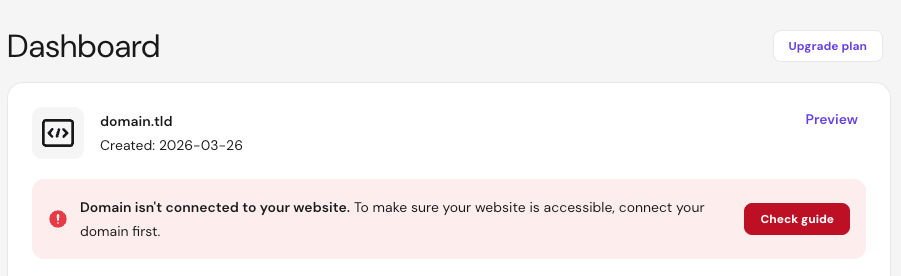
After a successful connection, the notification will go away after some time. If it remains after a few hours, it may indicate that DNS records are still propagating or that there is a configuration issue with your domain settings.
Common causes and solutions
- Recent domain registration New domains registered at Hostinger may take a few hours to fully activate. If you just purchased your domain, wait a few hours and the message should disappear automatically.
- DNS propagation is in progress: If you recently pointed your domain to Hostinger or updated its nameservers, it can take up to 24 hours for the changes to take effect worldwide. This process is called DNS propagation.
- Incorrect DNS records: If you pointed your domain using A/CNAME records instead of nameservers, ensure you used the correct values:
- For sites created with Website Builder, use CNAME records.
- For Hostinger Horizons web apps, refer to this article: Point a domain to Horizons.
- For other website types, check that the A record matches the IP address of your hosting plan details.
- Domain verification is required: Check your email for a verification link from Hostinger or your registrar. If a domain is not verified within 15 days of registration, it may be temporarily suspended. Once verified, the domain usually becomes active within a few hours.
- DNSSEC is enabled: DNSSEC (Domain Name System Security Extensions) may be enabled at your domain registrar. This security feature can prevent new DNS records from updating. You must disable DNSSEC at your provider within your domain management panel for the new records to work.
By checking these common connection issues, your website should become accessible shortly. Once the DNS records update and propagation finishes, the error message in hPanel will resolve itself, and your site will be live.