The IP address of your hosing plan is an identifier for the server where your files are stored. You will primarily need this information for the following tasks:
-
Pointing a domain: Creating or updating an A record at your domain registrar to connect your domain name to your Hostinger website.
- An A record (Address record) is a DNS setting used to point a domain or subdomain to an IPv4 address.
-
Remote connections: Configuring external applications or scripts for remote connections.
Before you start
- Websites created with Hostinger Website Builder do not use an IP address. Instead, they require a CNAME record to point the domain.
- If your website is created with Hostinger Horizons, an IP address is not available. You must use CNAME records to point your domain.
- For VPS, refer to this guide: How to find your VPS IP address at Hostinger.
- The steps below apply to WordPress, PHP, or HTML websites hosted on Hostinger web, cloud, or agency hosting plans.
How to locate your IP address in hPanel
- Go to hPanel → Websites.
- Click on Dashboard next to your custom PHP/HTML website.
NOTE
Websites created with Hostinger Website Builder or Hostinger Horizons do not have a hosting Dashboard, and they do not use a traditional hosting IP address. - Locate the Plan details page.
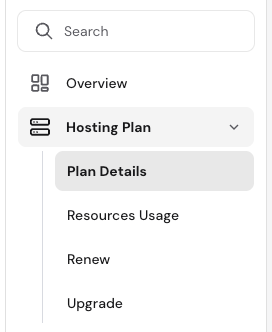
- On web and cloud hosting plans, select Hosting Plan → Plan details on the sidebar.

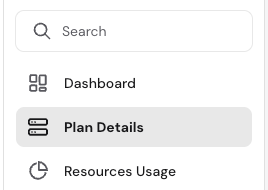
- On agency hosting, select Plan Details directly on the sidebar.

- On web and cloud hosting plans, select Hosting Plan → Plan details on the sidebar.
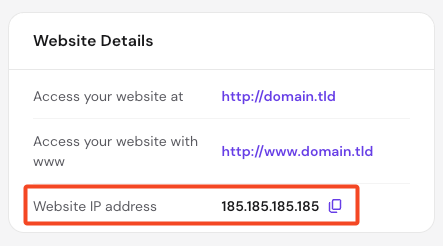
- The IP address will be displayed on the Website details card. This is the numerical value (e.g.,
185.185.185.185) you need for your A records.

Once you update your domain’s A record with your Hostinger IP address, the changes will not be applied immediately. This process is called DNS propagation and can take up to 24 hours to complete worldwide. During this time, your website might appear offline or point to the previous server.