Keeping auto-renewal enabled is recommended to prevent domain expiration and website or email downtime. However, you can disable the auto-renewal feature at any time to prevent your services from being automatically billed to your added payment method upon expiration.
How to manage auto-renewal in hPanel
To disable the automatic billing for your Hostinger services, follow these steps:
- Go to the Billing section in hPanel.
- Select Subscriptions from the side menu.
- Locate the service you wish to update.
- Click the toggle switch next to it to disable auto-renewal. You will be redirected to a page showing specific risks and warnings based on your product type.

- Review the information carefully and confirm your choice to complete the process.
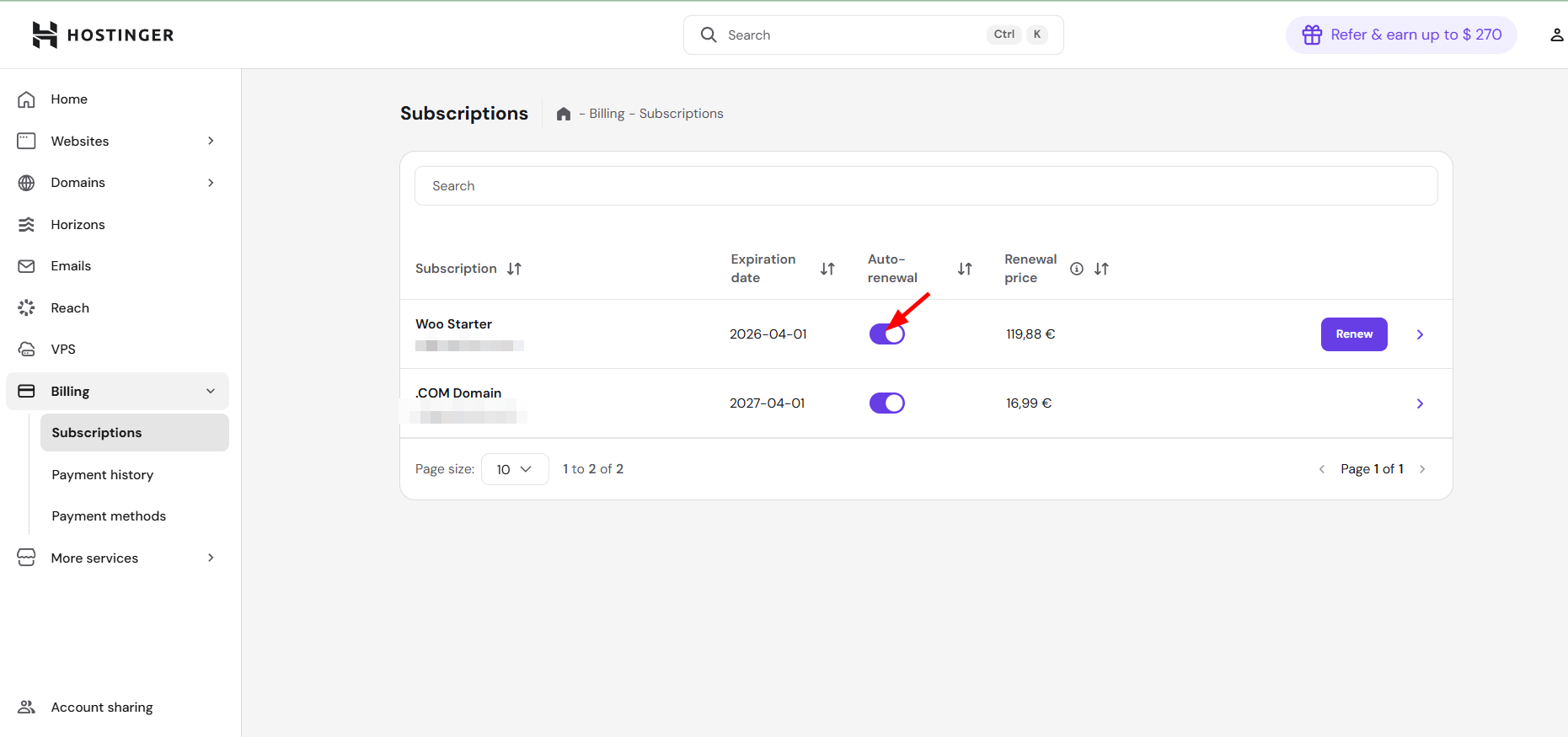
If you wish to re-enable the feature later, click the toggle switch again. A confirmation message will appear at the bottom of your screen.
NOTES
- Disabling auto-renewal does not affect your current service status; it will remain active until the expiration date.
- To change your billing cycle, you must have auto-renewal enabled.
- Disabling this feature does not refund or revert charges that have already been processed.
Handling unpaid invoices on monthly plans
If you have a pending invoice for a monthly hosting plan and choose to disable auto-renewal, the following actions occur automatically:
- Your pending invoice is voided (canceled).
- Your subscription is set to expire at the end of the current billing cycle.
- You retain the option to manually renew the service at any time before it expires.
When to get additional support
In most cases, you can manage your renewals directly. However, you may need further assistance if your invoice is already partially paid, if credits were applied to the invoice, or if you are on a billing cycle of one year or longer. For these specific cases, you can get support through Kodee, our AI-powered assistant.
By following these steps, you have successfully gained control over your billing preferences. Your services will remain active until their scheduled expiration date without further automatic charges.