Changing your billing cycle means selecting a different renewal period for your service. This determines how often you are charged.
For most hosting and email hosting plans, longer billing cycles usually result in a lower average monthly cost. Domains have a minimum renewal period of one year.
Before you start
Keep the following in mind before changing the renewal period for your service:
- The service must be active.
- One-time services (such as domain transfers) cannot have their billing cycle changed.
- Switching from a monthly to a yearly hosting plan does not qualify for a free domain.
- All billing cycles after initial purchase are billed at regular rate.
- OpenVZ VPS plans (legacy) only support monthly billing and cannot be changed.
- Any pending renewal invoice must be paid before you can change the billing period.
- When upgrading hosting, you can select either the current billing period or 12 months.
- If changing the billing cycle as part of a hosting upgrade, you can only select either the current billing period or 12 months.
Available renewal periods depend on the product type and are shown during the renewal process.
Change the billing cycle during manual renewal
Use this method if you want to renew the service now and change the billing cycle at the same time.
If a renewal invoice has already been issued, it must be paid before you can modify the billing period.
-
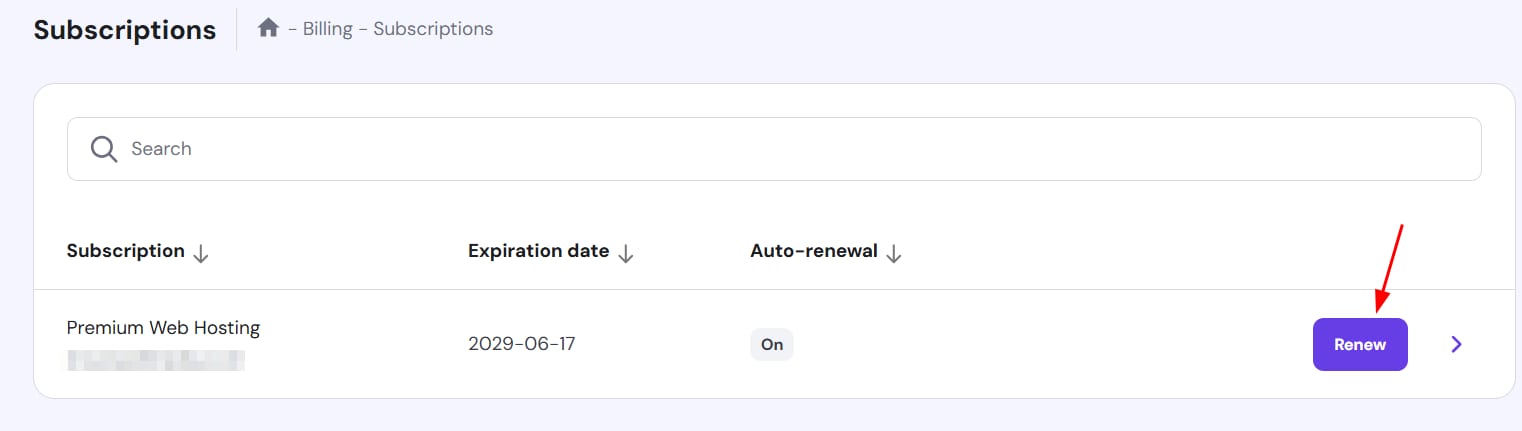
Go to Billing → Subscriptions in hPanel.
-
Locate the order, and click Renew.

-
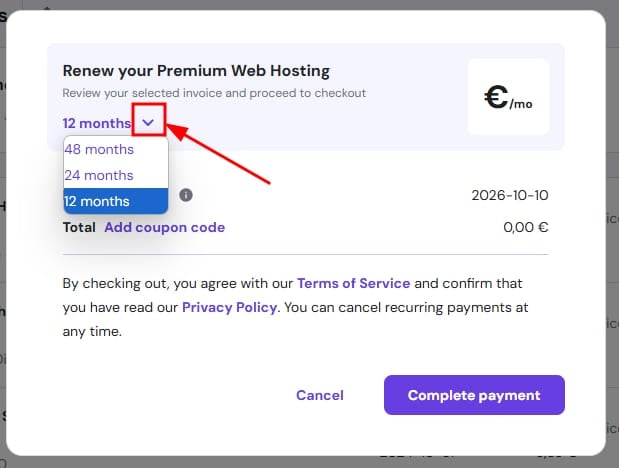
Select your preferred billing cycle from the dropdown list.

-
Complete the payment.
Once payment is completed, the new billing cycle takes effect immediately and the expiration date is extended accordingly.
Change the billing cycle with auto-renewal enabled
If auto-renewal is activated, you can change the billing cycle without renewing immediately.
-
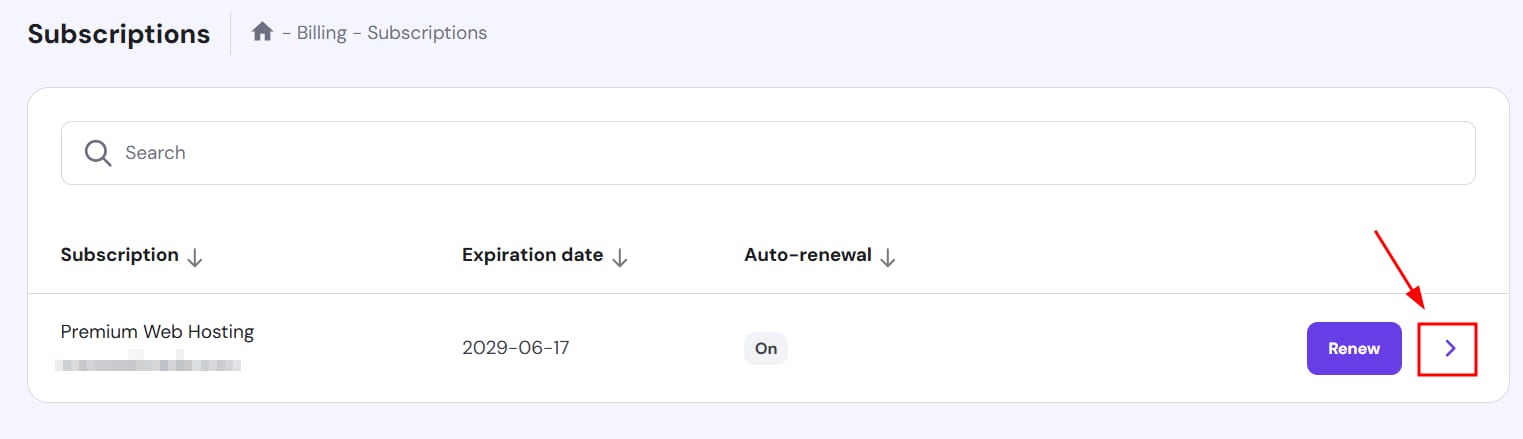
Go to Billing → Subscriptions in hPanel.
-
Locate the service, and click on the arrow next to the service (❯)

-
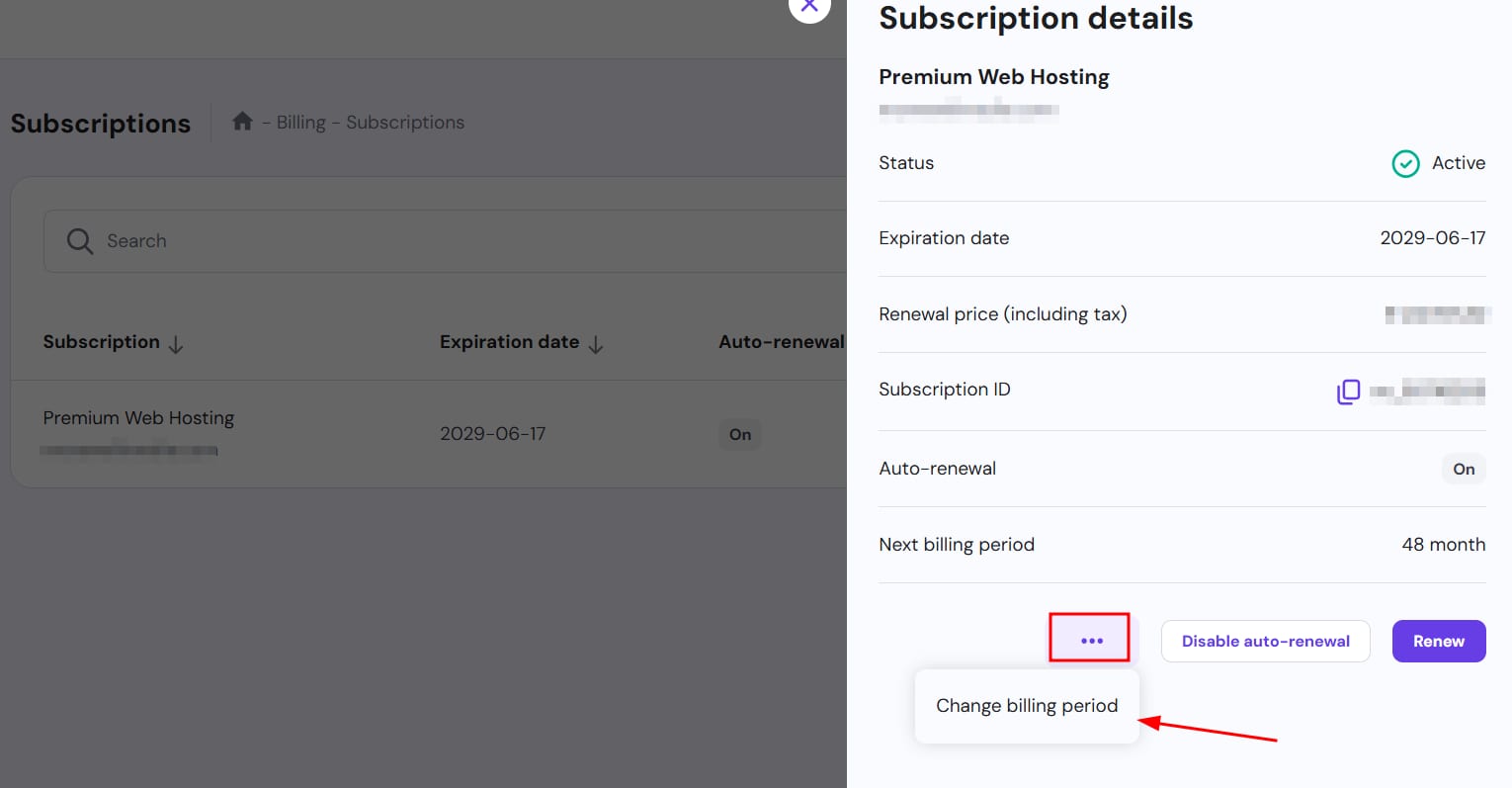
Click the three dots (⋮) and select Change billing period.

-
Choose the new billing cycle and click Change period.

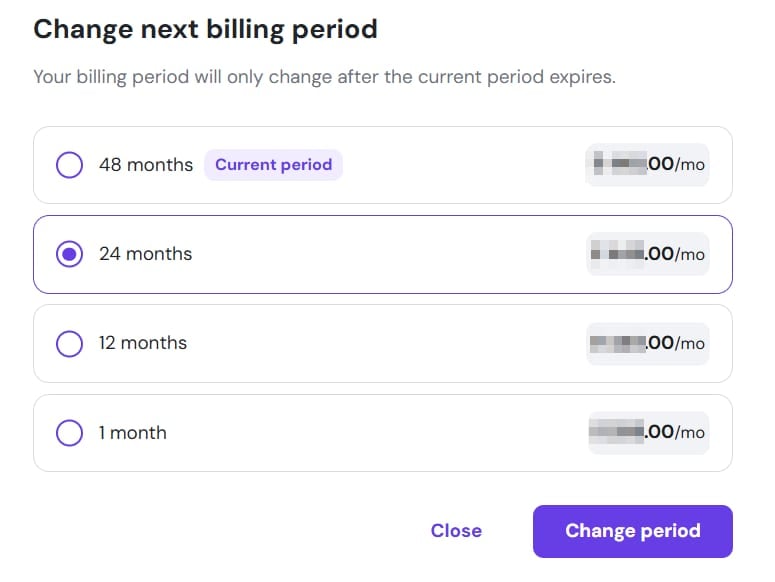
The updated billing cycle will apply at the next renewal. If you manually renew the service before the scheduled renewal date, you will only be able to renew using the current billing cycle.