Hostinger Reach email marketing is an integrated platform designed to help you manage your audience and automate campaigns. To begin sending emails, you first need to populate your contact list. You can add subscribers individually, sync them from your Hostinger Website Builder or WordPress forms, and perform a bulk import.
Adding contacts manually
This method is best for adding individual subscribers or small groups of contacts one by one.
- Go to hPanel → Reach.
- Locate your subscription and click Open Reach.
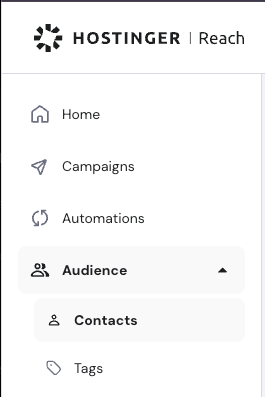
- Navigate to Audience → Contacts.
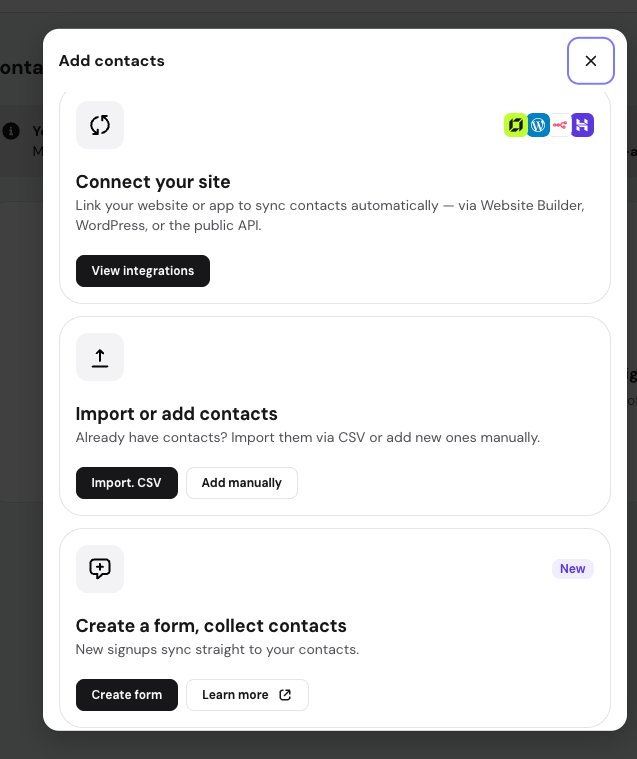
- Click Add contact.
- If no contacts have been added yet, the option will appear below Add contacts with option Add manually
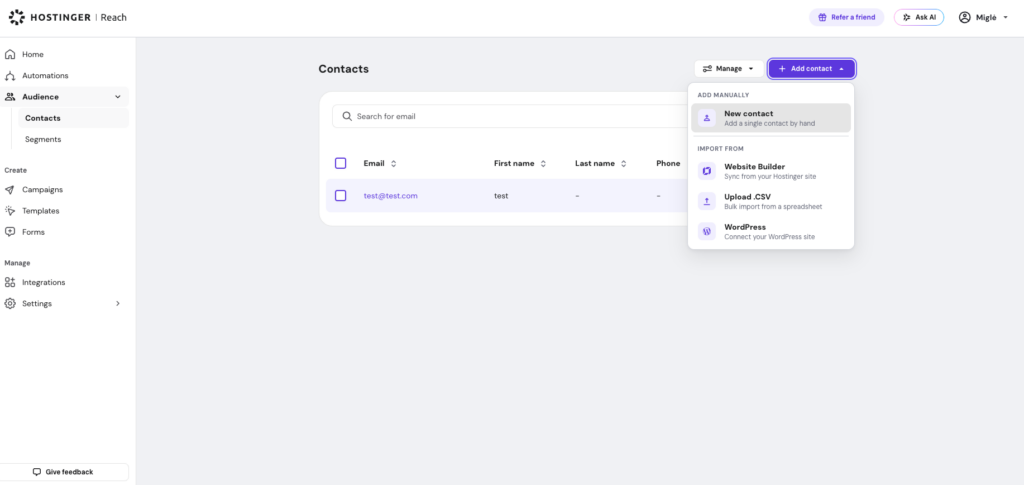
- If contact already exist, click New contact.
-
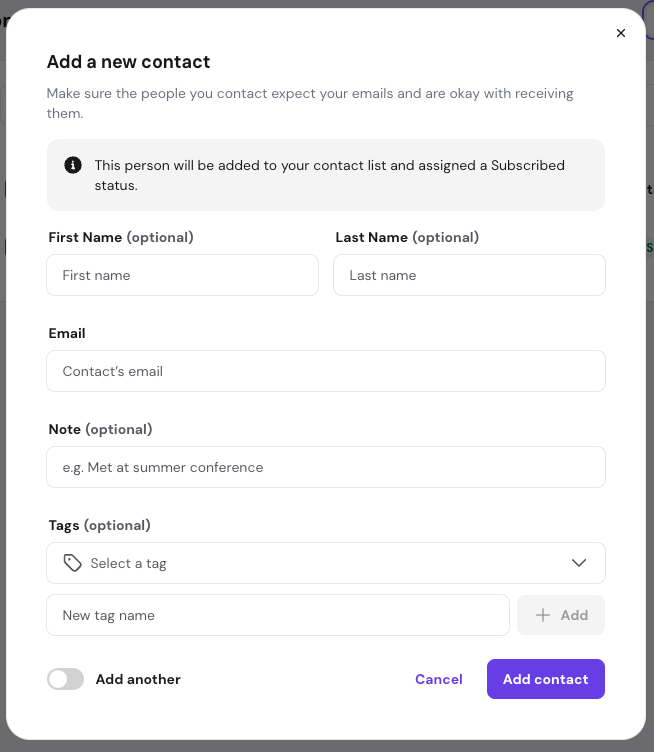
Enter the subscriber details. The email is required; the name, note and tags are optional. If you have any custom fields created, they will also appear here.
-
If you have more than one contact to add, toggle the Add another option to keep the form open.
- Click Add contact. The subscriber will be saved to your list.
- If no contacts have been added yet, the option will appear below Add contacts with option Add manually
Syncing with website form
If you use Hostinger Website Builder or WordPress, you can automate your lead collection by syncing your website forms directly with your email marketing lists:
- Open your Reach dashboard.
- Navigate to Integrations
- Select your website type from the dropdown: Website Builder or WordPress,
- Enter your website’s URL and click Connect site. Sites with a temporary domain are accepted here too — you don’t need to wait until your site is published with a professional domain to connect it.
- Once connected, Hostinger Reach automatically creates separate contact segments for each form on your site, making it easy to manage subscribers based on where they signed up.
Importing contacts via CSV
For large lists or migrations from other platforms, you can upload contacts in bulk using a CSV file. This method requires an Email column to ensure data maps correctly to your subscriber emails.
For detailed, step-by-step instructions on file requirements and troubleshooting, refer to our dedicated guide: Hostinger Reach: how to import contacts via CSV.
Collect contacts using lead forms
You can collect new contacts by creating lead forms in Hostinger Reach and adding them to your website or sharing as an URL. This is useful for newsletter signups, event registrations, downloadable content, waitlists, or any other place where you want visitors to leave their email address.
When someone submits a Reach form, their details are automatically added to your contacts list. You can also use forms together with segments, tags, custom fields, and automations to organize new contacts and send follow-up emails based on the form they submitted.
To learn how to create and publish a form, see Hostinger Reach: Form Builder Overview & Setup Guide
Sync contacts using API
You can also sync contacts to Hostinger Reach using API. This option is useful if you want to connect Reach with your own website, app, CRM, custom checkout, or another external system.
This option is recommended for advanced users or developers who want to build a custom integration with Reach.
To set up API access, go to Integrations → Reach public API in Hostinger Reach.
Whether you are adding a single email or syncing an entire database, Hostinger Reach provides flexible options to grow your audience. Once your contacts are added, you can begin segmenting them for targeted email campaigns.
NOTES
- You can store and manage more contacts than your current plan allows; however, your monthly sending volume remains limited by your specific subscription tier.
- To ensure high deliverability, only add contacts who have provided explicit consent to receive marketing communications.