Hostinger Reach email marketing is an integrated platform designed to help you manage your audience and automate campaigns. To begin sending emails, you first need to populate your contact list. You can add subscribers individually, sync them from your Hostinger Website Builder or WordPress forms, and perform a bulk import.
Adding contacts manually
This method is best for adding individual subscribers or small groups of contacts one by one.
- Go to hPanel → Reach.
- Locate your subscription and click Open Reach.
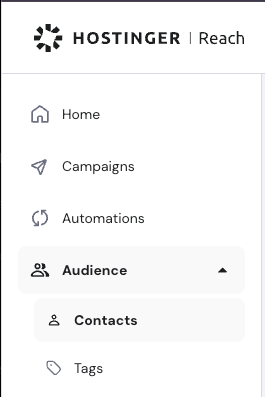
- Navigate to Audience → Contacts.
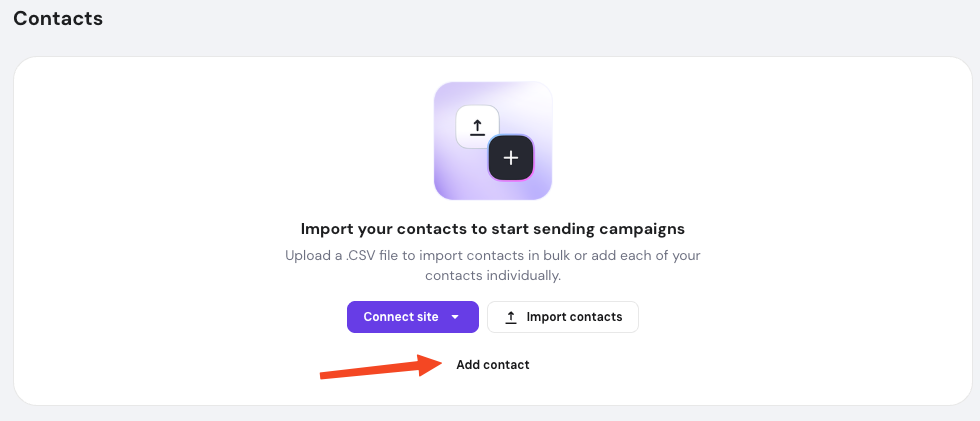
- Click Add contact.
- If no contacts have been added yet, the option will appear below Connect site and Import contacts.
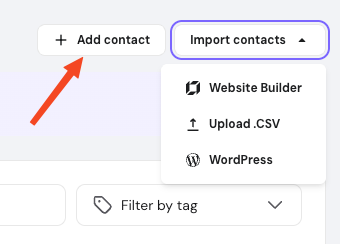
- If contacts already exist, click Add contacts.
-
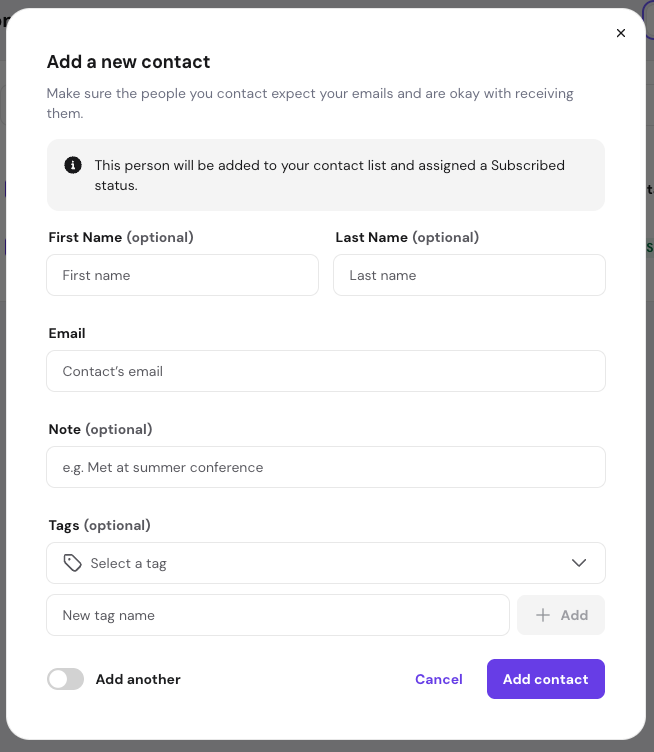
Enter the subscriber details. The email is required; the name, note and tags are optional.
-
If you have more than one contact to add, toggle the Add another option to keep the form open.
- Click Add contact. The subscriber will be saved to your list.
- If no contacts have been added yet, the option will appear below Connect site and Import contacts.
Syncing with website form
If you use Hostinger Website Builder or WordPress, you can automate your lead collection by syncing your website forms directly with your email marketing lists:
- Open your Reach subscription.
- Navigate to Audience → Contacts.
- Select your website type from the dropdown: Website Builder or WordPress,
- If no contacts have been added yet, click Connect site.
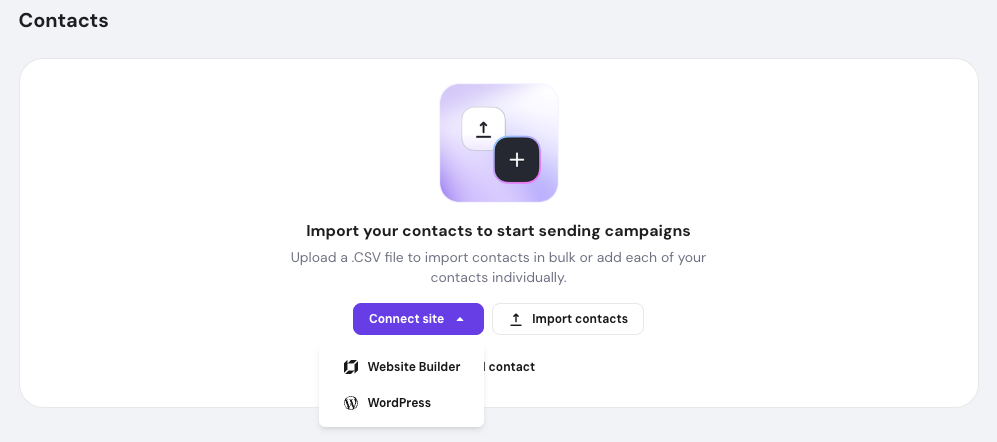
- If contacts already exist, click Import contacts.
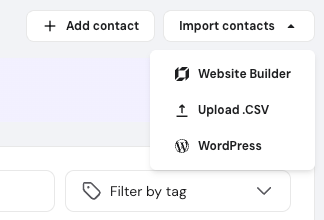
- If no contacts have been added yet, click Connect site.
- Enter your website’s URL and click Connect site.
- Once connected, Hostinger Reach automatically creates separate contact groups for each form on your site, making it easy to manage subscribers based on where they signed up.
Importing contacts via CSV
For large lists or migrations from other platforms, you can upload contacts in bulk using a CSV file. This method requires an Email header to ensure data maps correctly to your subscriber emails.
For detailed, step-by-step instructions on file requirements and troubleshooting, refer to our dedicated guide: Hostinger Reach: how to import contacts via CSV.
Whether you are adding a single email or syncing an entire database, Hostinger Reach provides flexible options to grow your audience. Once your contacts are added, you can begin segmenting them for targeted email campaigns.
NOTES
-
You can store and manage more contacts than your current plan allows; however, your monthly sending volume remains limited by your specific subscription tier.
-
To ensure high deliverability, only add contacts who have provided explicit consent to receive marketing communications.