What Is a Web Server?
Apr 23, 2025
/
Tamara J. & Brian
/
7 min Read
A web server stores and delivers files to browsers, making your site accessible to users. It also processes files for emails and data storage using Simple Mail Transfer Protocol (SMTP) and File Transfer Protocol (FTP).
While it’s possible to set up your own server, renting it from a web hosting provider saves you time, money, and effort. Keep reading this article to learn how web servers work, why they’re important, and some of the popular examples.
Download glossary for web beginners
What Is a Web Server?
A web server is a computer that hosts web pages, making them accessible online. When a user loads a site, the web server will retrieve the relevant files and send them to the browser so the user can interact with them.
Let’s break down the main components of a web server:
- Software. The web server software controls how users access hosted files. It comprises several components and houses at least an HTTP server to process and respond to incoming requests.
- Hardware. It stores web server software and its files, such as static HTML documents, JavaScript files, and CSS stylesheets. The web server hardware also connects to the internet, enabling data exchange with other physical devices.
How Does a Web Server Work?
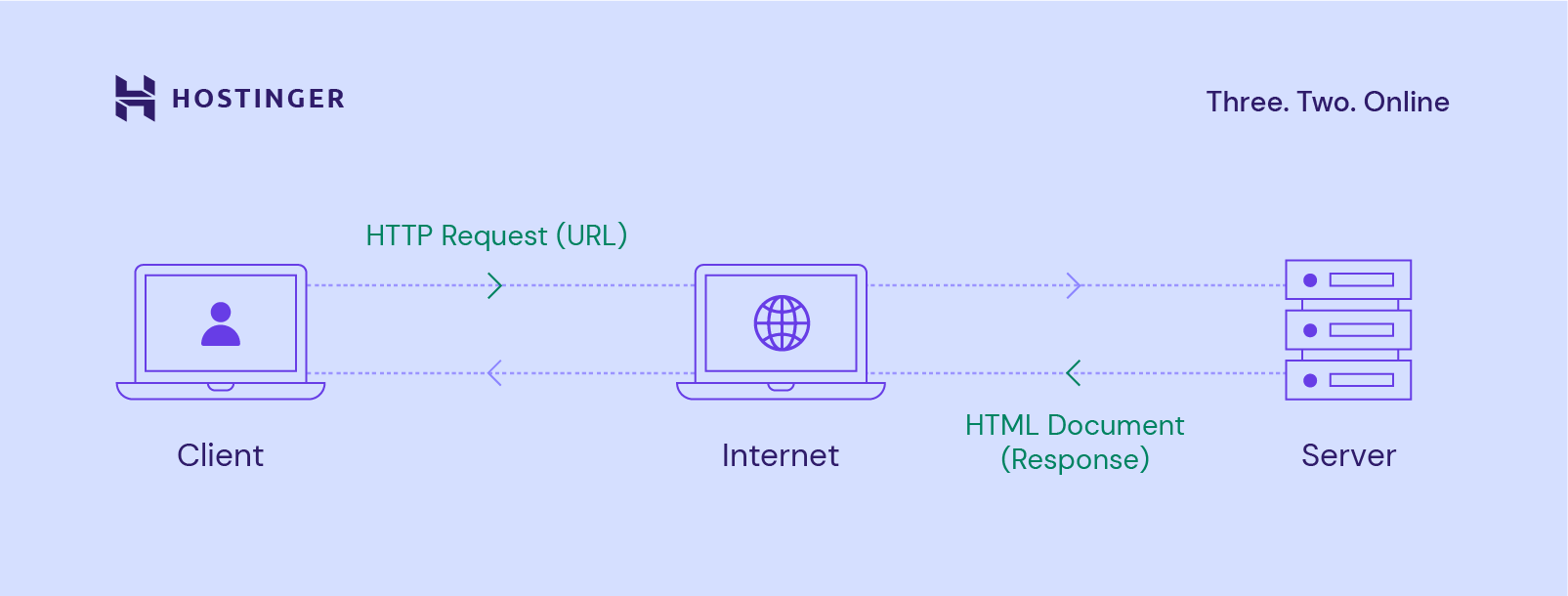
Web and application servers follow a client-server model. In this structure, one program – the client – requests a resource or service from another program – the server.
Web servers use Hypertext Transfer Protocol (HTTP) when responding to user requests via the World Wide Web. HTTP is a protocol used to exchange information between computers.
Through the HTTP request process, servers can deliver the site’s HTML document to the user’s web browser, like Google Chrome.
Here’s an overview of the whole process to give you a better understanding:
- When someone wants to load a website, the browser will look for the web server hosting the site’s files.
- To achieve this, the web browser translates the site’s domain name into an IP address via the Domain Name System (DNS). If the site is frequently visited, the web browser will search through its file cache.
- After finding the corresponding web server, the browser sends an HTTP request to retrieve site content.
- The web server receives and processes the HTTP request through its HTTP server. Once the HTTP server accepts the request, it will search through the database to obtain the relevant data.
- Finally, the server returns the files to the web browser and delivers them to users.
When the HTTP server fails to find or process the requested files, it will send an HTTP error status code to the browser.
The most common error message is a 404 error, which means the requested page is missing. Meanwhile, a 403 error may appear if there are permission issues.
Furthermore, if a web server fails to receive a timely response from another server acting as a proxy or gateway, a 504 error occurs.
Static vs Dynamic Web Servers
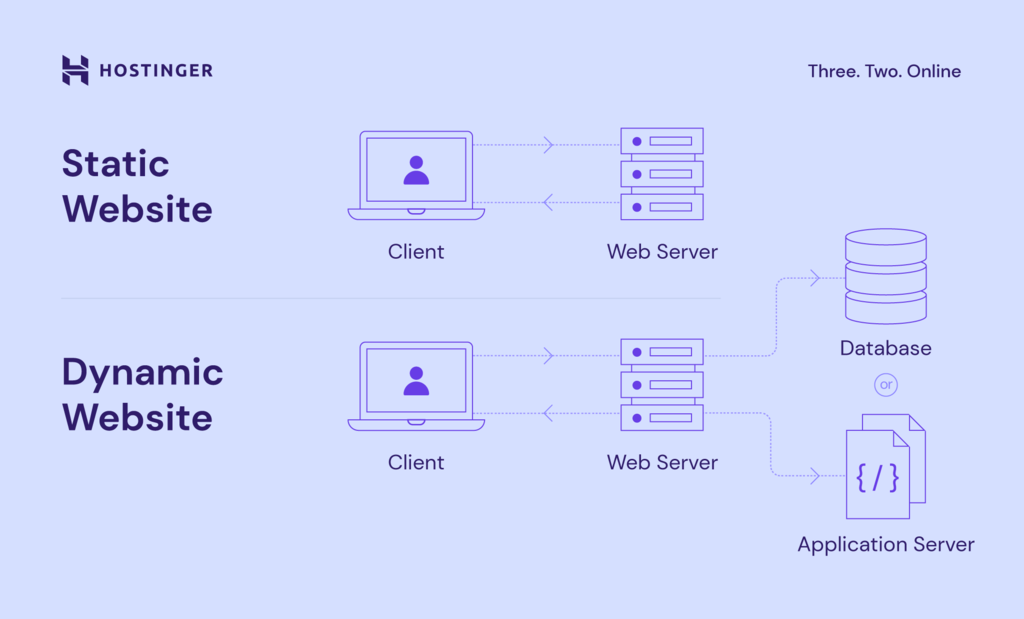
Web servers can generate both static and dynamic content depending on the installed software.
Static web servers comprise a computer and HTTP software. Meanwhile, a dynamic web server consists of a static web server plus extra software, commonly an application server and databases.
A static web server sends files to web browsers without any changes, making them suitable for sites with fixed content like blogs and portfolios. Since there’s no need for complex server-side processing, static websites tend to load faster.
On the other hand, a web server for a dynamic website updates hosted files using additional software to personalize content based on user interactions. It’s the perfect option for sites like social media platforms and eCommerce stores.
For instance, when a visitor purchases a product, the dynamic site’s algorithm will recommend similar items in the same category on their next visit.
Why Use a Web Server?
Web servers can handle multiple tasks, such as sending and receiving emails, storing web applications, and processing FTP requests. However, the primary use of a web server is to host websites, making them functional and interactive for users worldwide.
To create and publish a website, you need access to a web server. The easiest way to accomplish this is by purchasing web hosting and a domain name from a hosting provider.
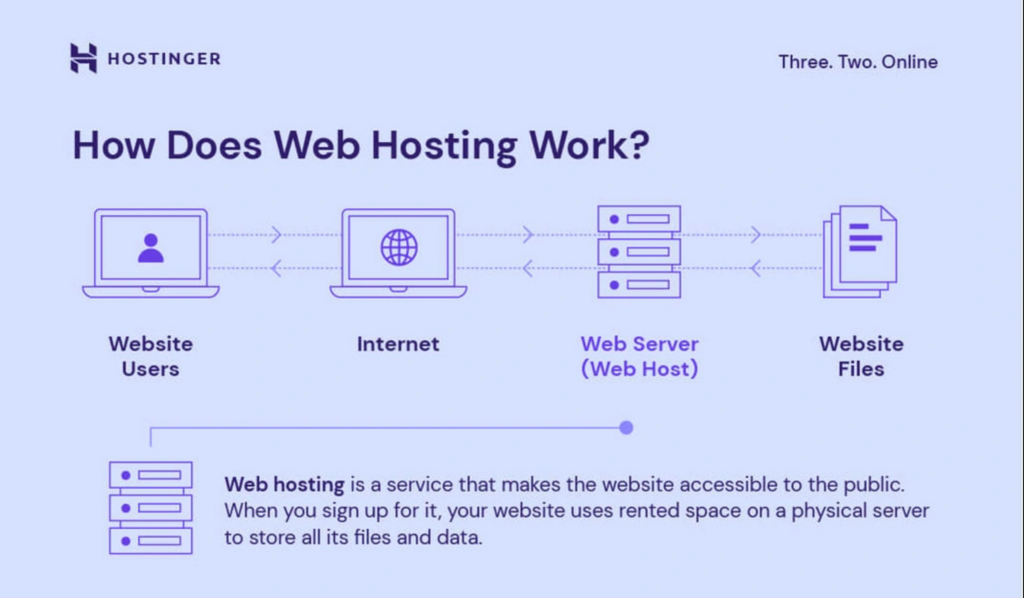
Website hosting services provide your website with server space to store its files and databases. Meanwhile, a domain name acts as a unique address for your website, helping visitors find it easily.
Suggested Reading
Learn everything you need to know about web hosting and domain names in these comprehensive guides:
What Is Web Hosting – Web Hosting Explained for Beginners
What Is a Domain Name? A Beginner-Friendly Guide
To ensure web server security and performance, the web hosting provider will perform regular maintenance. That’s why choosing a reliable web hosting provider is crucial. Other benefits of having a trusted web host include:
- High uptime. Top hosting companies handle hardware maintenance and software updates to help maintain your website’s performance and security.
- Secure servers. By implementing effective security protocols, web hosts can reduce vulnerabilities and protect hosted websites against malware and cyber attacks.
- Various hosting options. There are many web hosting packages with different features and benefits. You can select one that suits your needs and budget best.
- Cost-effective. You don’t have to maintain a dedicated web server, which can be very costly. Instead, choose a hosting plan that provides the necessary amount of server resources.
- Flexibility. Web hosts like Hostinger offer scalable plans, so you can manage multiple websites and upgrade the hosting resources as needed.
Web Server Features
Aside from processing incoming browser requests and responses, most web servers also offer the following features:
- File logging. Log files track any events or activities a web server performs, such as requests, security, and error logs. Each time a web server receives a new request, a line of text is added to the log.
- Authentication. Many web servers offer this feature before permitting partial or complete access to a website’s resources. It often involves asking web users to provide a username and password.
- Bandwidth limiting. A web server’s bandwidth is the amount of data it can transfer or process at any given time. Bandwidth limiting controls the speed of responses to ensure that a network can deliver files smoothly.
- Storage space. It refers to the amount of disk space available to store files. The amount of storage space directly impacts the server’s ability to host and manage web pages and web applications.
- Load balancing. It is a technique employed by web servers to distribute incoming traffic across multiple servers. The purpose of load balancing is to minimize response times and prevent server overload.
- Uptime guarantee. Server uptime tracks how long a web server remains operational to process requests and deliver files. It directly impacts a hosted website’s availability. The industry standard is a 99.9% guarantee.
- Programming language support. Also known as the server-side scripting language, it’s used to develop and run programs on the web server. A popular example is Python, which is supported by Hostinger’s virtual servers.
Suggested Reading
Looking for ways to boost your web server performance? Check out this tutorial on how to monitor website uptime and prevent downtime.
Web Servers in the Market
Some of the most common web servers include:
- Apache HTTP Server. A free and open-source web server used for many operating systems, including Windows, Linux, and macOS. Apache is one of the most popular choices among website owners, developers, and hosting providers, with a market share of over 31%.
- NGINX. Initially designed only for HTTP web serving, this open-source software now also serves as a reverse proxy, HTTP load balancer, and email proxy. NGINX is known for its speed and ability to handle multiple connections, making it suitable for high-traffic websites.
- Microsoft Internet Information Services (IIS). A closed web server software developed by Microsoft, IIS is widely used in Windows operating systems. It supports Active Server Pages (ASP), a server-side scripting technology developed by Microsoft for creating dynamic and interactive web applications.
- Lighttpd. A free and open-source web server software known for its fast data processing with less CPU power. Lighttpd is also popular for its small memory footprint, allowing the server to handle more requests while maintaining responsiveness and performance.
Web hosting companies support different types of servers. For example, Hostinger VPS supports Apache and NGINX, the two leading web servers in the market.
Suggested Reading
Learn how to set up an NGINX reverse proxy with our comprehensive guide.
Web Server Configuration
The way a web server is configured greatly influences its reliability and security. To ensure the best performance, server administrators carry out several tasks:
- Settings configuration. Administrators adjust parameters like cache size, request limits, and connection timeouts to align with the hosted website’s specific requirements. By fine-tuning these settings, the server can efficiently manage incoming requests and quickly deliver content.
- Security measures. To safeguard sensitive data and mitigate potential threats, administrators implement robust security measures. They include setting up firewalls, detection systems, and encryption protocols. Regular security patches are also crucial to keep hackers at bay.
- Performance optimization. Server configuration lets administrators optimize resource allocation, implement effective load balancing, and utilize caching mechanisms. These measures enhance the server’s ability to handle traffic spikes, resulting in reduced latency and faster response times.
At Hostinger, our web servers are protected by advanced DDoS countermeasures and an AI-powered firewall. This allows us to provide a secure and highly responsive hosting environment.
For maximum speed, we use the latest technologies like NVMe SSD storage and AMD EPYC processors running on industry-leading HPE and DELL server hardware. Plus, our data centers are strategically located across four continents.
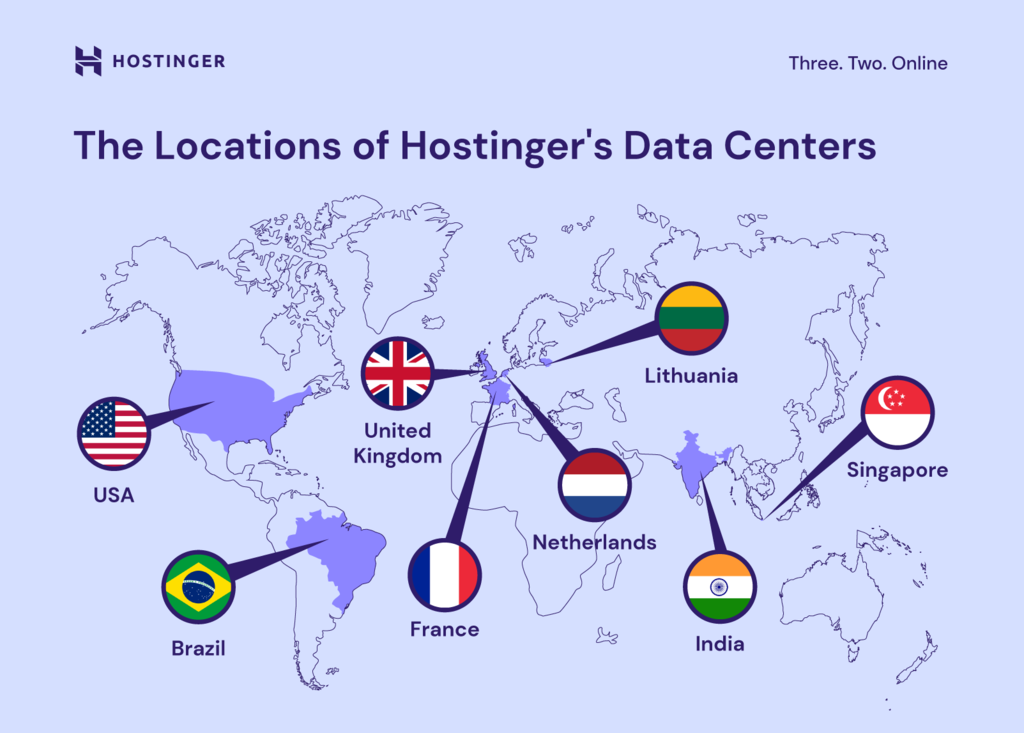
Hostinger’s blend of cutting-edge hardware, advanced security measures, and globally-spread data centers helps us offer a 99.9% uptime guarantee and unbeatable performance.

Conclusion
A web server connects your website to the internet. It consists of hardware and software, each playing a distinct role in processing files.
The primary function of a web server is to host websites, process HTTP requests, and deliver web content to users. Besides Apache and NGINX, other web servers in the market include Microsoft Internet Information Services and Lighttpd.
Different types of web servers can deliver dynamic content or static content to a browser. A static website displays the same content to everyone, while a dynamic website shows content that’s unique to each user.
Purchasing a web hosting plan is necessary for any website type. The web host will be responsible for maintaining the server’s security and performance. This way, you’ll have more time to focus on other matters, such as your business’s marketing and day-to-day operation.
What Is a Web Server? FAQ
Find answers to commonly asked questions about a web server.
What’s the Difference Between a Web Server and an Application Server?
A web server primarily responds to HTTP requests by delivering static content like web pages and images to a browser. Meanwhile, an application server is responsible for executing dynamic tasks, such as running scripts, processing forms, and interacting with databases to deliver interactive web applications.
What Are The Components of a Web Server?
A web server consists of hardware and software. The hardware side connects to the internet to exchange data, and the software side includes an HTTP server that processes requests and URLs. Together, these web server components make websites, apps, and files accessible across the internet.
How Do I Choose a Web Server?
When choosing a web server, consider factors like the server’s performance, security features, compatibility with your website’s tech stack, ease of management, support options, and pricing. You can start with Hostinger’s shared server hosting before upgrading to VPS or cloud-based solutions for better performance.
What Are the Best Web Servers for Small Businesses?
Some popular web servers for small businesses are Apache HTTP Server, NGINX, and Microsoft Internet Information Services (IIS). These servers are highly reliable and widely used. The best choice will depend on your specific needs and the technologies your website uses.
All of the tutorial content on this website is subject to Hostinger's rigorous editorial standards and values.

Tamara is a Content Editor and digital marketing enthusiast with 2+ years of experience in the IT industry. She loves sharing tips and tricks about SEO, web development, and eCommerce to help others navigate the online sphere. In her spare time, Tamara enjoys exploring new cities. Follow her on LinkedIn.

Brian is a Content Writer who loves telling complex stories in a simple way. He has written all types of content, including tutorials, blog posts, landing pages, social media posts, white papers, infographics, and YouTube scripts. Follow him on LinkedIn.