What is a domain name?
Jul 11, 2026
/
Brian
/
6 min Read
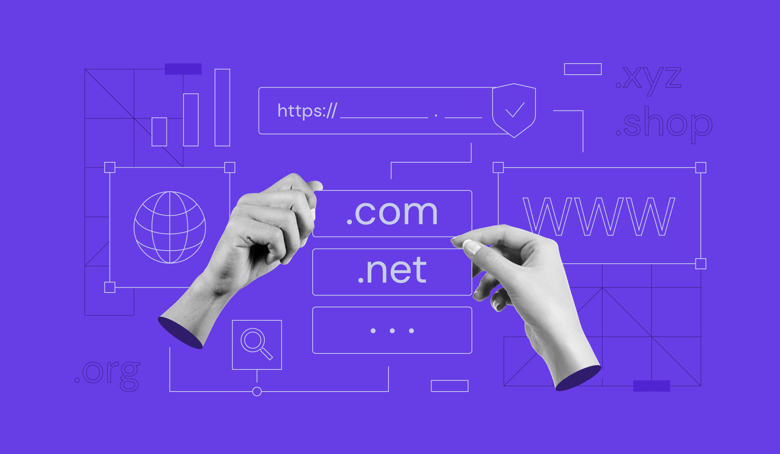
A domain name is a human-readable address that people type into a browser to visit a website, like google.com or wikipedia.org. It works as a shortcut to IP addresses, the strings of numbers that computers use to find each other online. A system called DNS (Domain Name System) handles the translation behind the scenes.
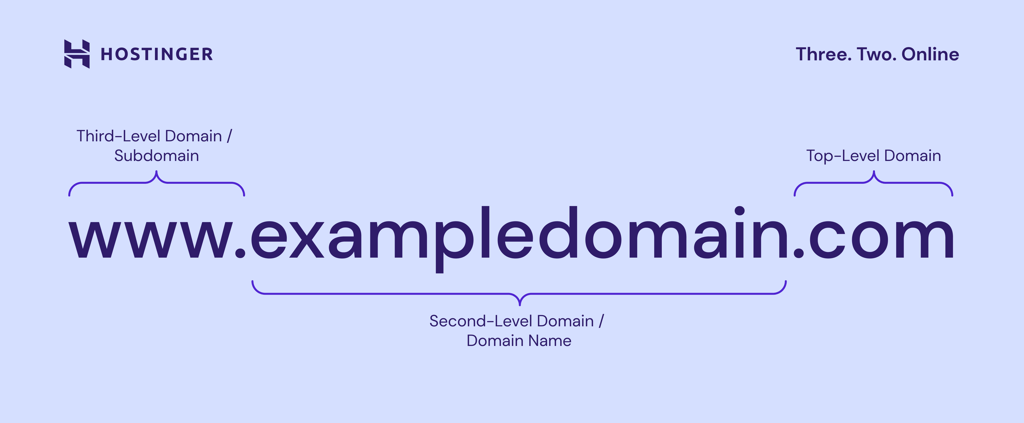
A domain name is made up of different parts. For example, in www.exampledomain.com, .com is the top-level domain, exampledomain is the second-level domain, and www is the subdomain. Browsers and DNS use these parts to find the right website. Browsers and DNS use these parts to find the right website.
Domain names also connect to your URL, your email address, and your hosting setup. Choosing and registering the right one starts with understanding how they’re built.
How does a domain name work?
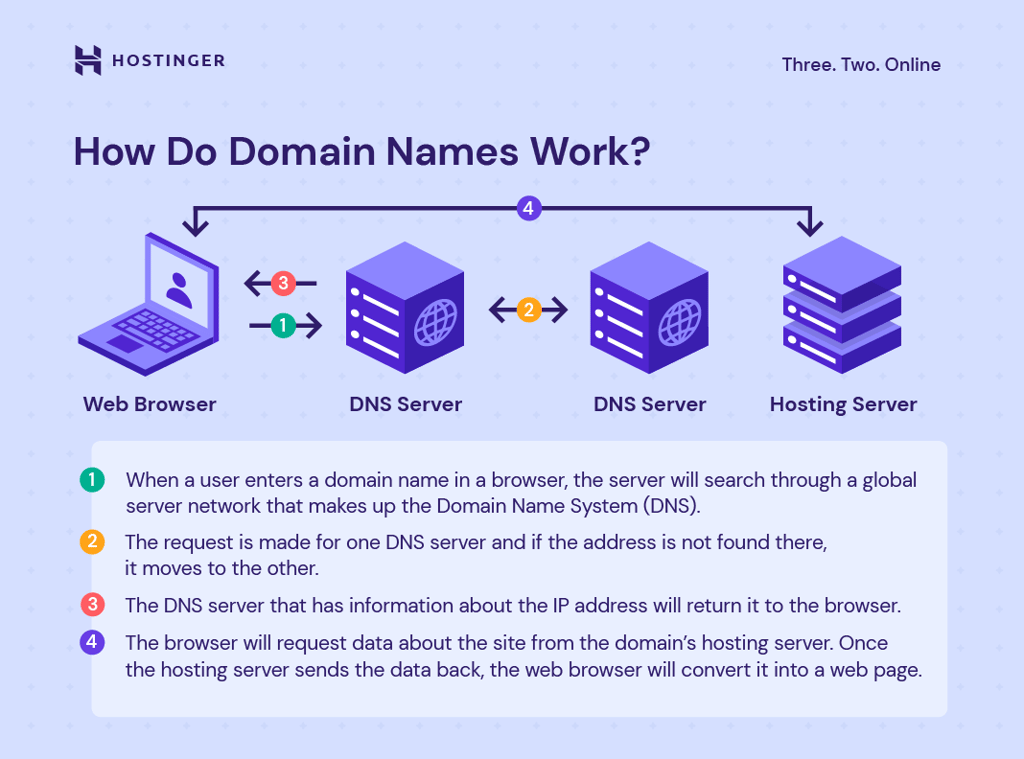
When you type a domain into your browser, the DNS looks up the matching IP address and connects you to the right server.
Here’s what happens after you enter a domain name into your browser:
1. After you enter a domain name, like hostinger.com, your browser sends a request to a DNS server.
2. The DNS server finds the matching IP address for that domain.
3. Your browser connects to the website’s server using that IP address.
4. The server sends the website files back, and the page loads on your screen.
Without DNS, you’d need to memorize long number strings for every website you visit.
Why are domain names necessary?
Domain names make the internet easier to use and help businesses stand out online. Here are the main reasons they matter:
- Memorability. Words are far easier to remember than numbers. A domain name like apple.com is much simpler to recall than its numeric IP address.
- Branding. A custom domain strengthens credibility and communicates professionalism. It shows visitors that you’re serious about your online presence.
- Trust and credibility. A unique domain makes a website look reliable and helps build customer trust compared to using a free subdomain.
- Accessibility. Domains allow global reach. Anyone with internet access can type your address and find your site instantly.
- Marketing and discoverability. A keyword-rich domain can improve search engine visibility, making it easier for potential visitors to discover your site.
All of these matter more once you start getting traffic. Having your own domain gives you control over how people find, remember, and trust your site.
Domains matter for all of these reasons, but understanding their structure helps you pick the right one.
What are the parts of a domain name?
A domain name is composed of multiple levels, and DNS reads them from right to left. That means the extension (top-level domain) comes first in the structure, followed by the name you choose (second-level domain), and then any subdomain (third-level domain) on the left.
Top-level domain
The top-level domain (TLD) is the part of a web address that comes after the last dot. For example, in google.com, the .com is the TLD.
There are three main types of TLDs you’ll see online:
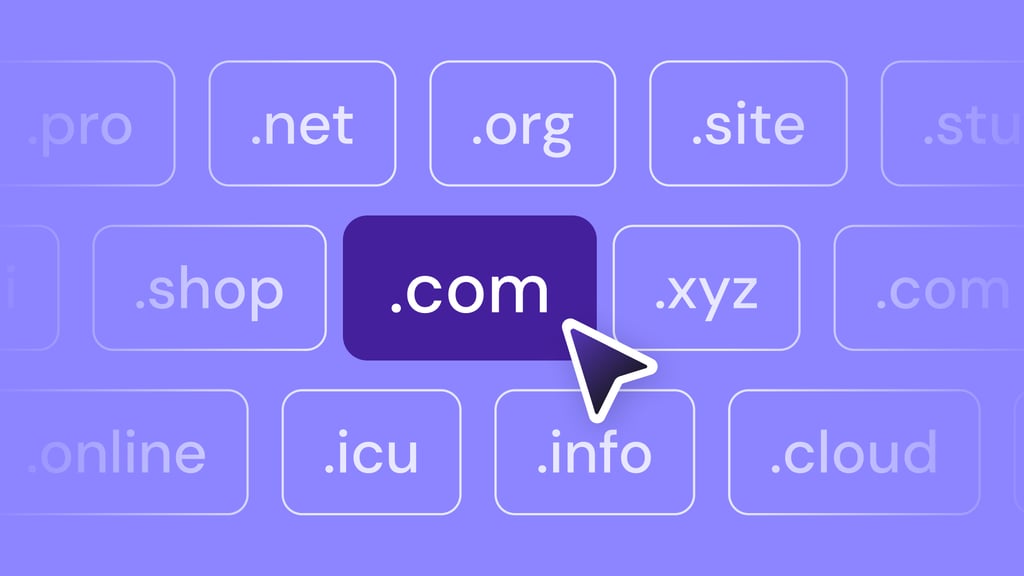
- Generic TLDs (gTLDs): These are open for anyone to register. Popular examples include .com, .net, and .org. Industry-specific options like .tech or .shop are also becoming more common.
- Country code TLDs (ccTLDs): These two-letter extensions represent specific countries or regions. For instance, .in is for India, .uk for the United Kingdom, .eu is for the European Union, and .de for Germany. Many businesses use them to target local audiences.
- Sponsored TLDs: These are reserved for certain groups or purposes. Examples include .gov for U.S. government sites, .edu for accredited universities, and .mil for the U.S. military. Some, like .travel, are available to organizations in a specific industry.
All TLDs are managed by the Internet Corporation for Assigned Names and Numbers (ICANN), which approves new extensions and accredits domain registrars like Hostinger to sell domain names.
The TLD you choose affects how people perceive your site. A .com is seen as professional and global, while a country-specific TLD can make your site more relevant to local visitors.
Did you know?
According to the latest domain name statistics, almost half of the world’s domains use the .com extension.
Second-level domain
The second-level domain (SLD) is the part directly before the TLD. In www.hostinger.com, “hostinger” is the SLD. This is the part you customize, often representing a brand, business, project, or keyword.
For example:
- spotify.com → “spotify” is the SLD.
- bbc.co.uk → “bbc” is the SLD.
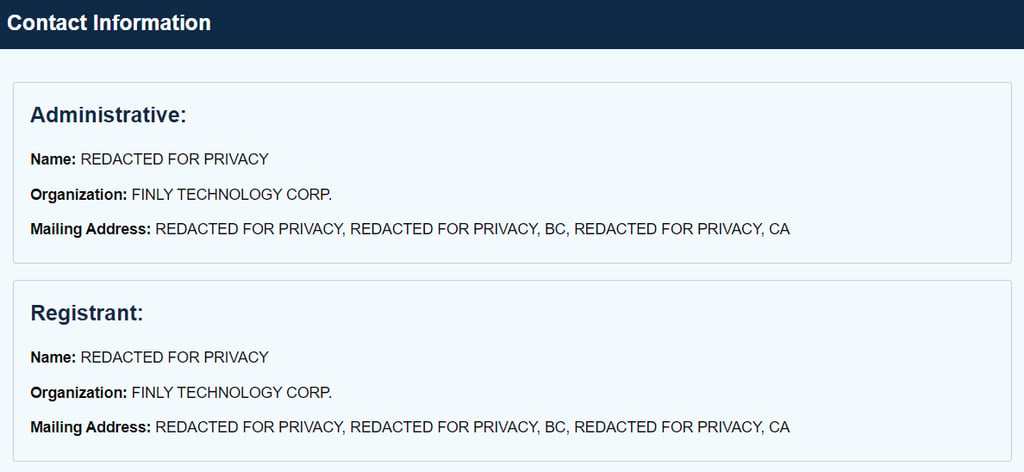
If your first choice is taken, you can look up the current owner through WHOIS lookup tools or register the same name with a different extension.
Third-level domain or subdomain
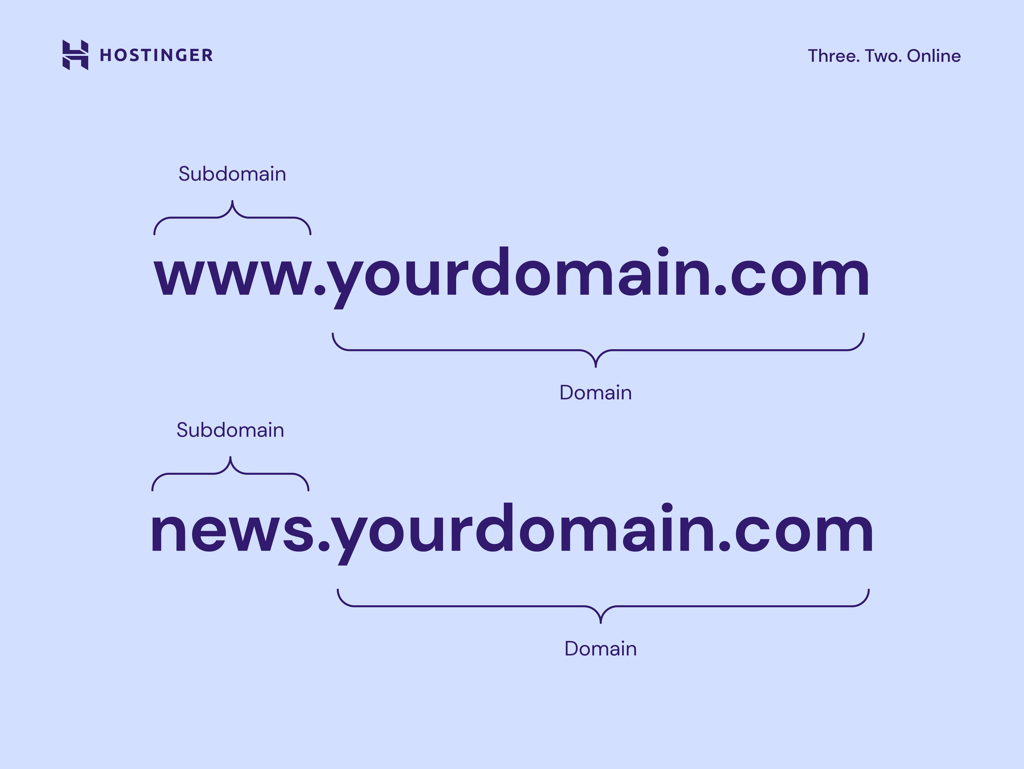
The third-level domain, also called a subdomain, comes before the SLD. Traditionally, www was the most common subdomain, but today many websites work without it.
Subdomains are now often used to organize content or create separate sections of a site. Examples include:
- blog.yourwebsite.com – for articles and updates
- store.yourwebsite.com – for an online shop
- support.yourwebsite.com – for documentation and help resources
Large websites also use subdomains for localization. For example, Wikipedia has en.wikipedia.org for English and de.wikipedia.org for German.
If you’re feeling overwhelmed with choices, an AI domain name generator can quickly provide options that balance length, keywords, and extension.
What is a domain name extension?
A domain name extension is the ending of a domain name, such as .com, .org, .net, .lt, .uk, or .de. It’s another name for TLD, but “extension” is the more common term people use when choosing and registering a domain.
Your extension helps set expectations before visitors arrive on your site. A .com domain is a flexible choice for most websites and is widely recognized worldwide. A country code like .lt, .uk, or .de can make your site feel more local, while options like .tech, .store, or .online can give visitors a quick idea of what your website is about.
Availability can also influence your choice. If your preferred .com is already taken, you may be able to use the same second-level domain with a different extension. For example, .net is one of the most common domain name alternatives to .com.
The two are similar, but their popularity, typical use cases, and user expectations can differ, so it’s worth comparing .com vs. .net before you register.
What is the difference between a domain name and a URL?
A domain name is one part of a URL (Uniform Resource Locator). The easiest way to understand what a URL is compared to a domain name is to look at the full address: hostinger.com is the website’s domain, while https://hostinger.com/tutorials is the full URL to a specific page.
The domain is a key part of a URL, but the URL also contains additional information like the protocol (https) and file path (/tutorials).
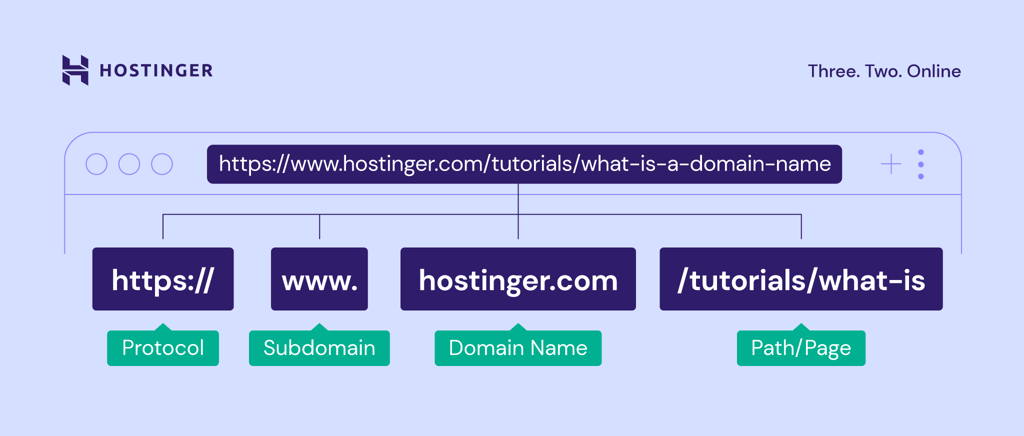
Here’s how the URL parts compare:
| Part | What it is | Example |
| Protocol | The connection method | https:// |
| Domain name | The website’s address | hostinger.com |
| Path | The specific page or folder | /tutorials |
| Full URL | All parts combined | https://hostinger.com/tutorials |
What is the difference between a domain name, website, hosting, and email address?
These four terms often come up together, but they do different jobs.
- A domain name is the address people type into a browser, like yoursite.com.
- A website is the collection of pages and content that visitors see when they arrive.
- Web hosting is the server space where your website’s files are stored. Without hosting, there’s nowhere for the site to live. Think of the domain as the address and hosting as the building – that’s the difference between domains and hosting.
- An email address can use the same domain after the @ sign, like hello@yoursite.com. This ties your email to your brand and makes it look more professional than a free email provider. You can create an email with your domain name during or after registration.
How to choose the right domain name
A good domain name is easy to remember, simple to type, and clear about what your website is for. It should also work long-term, including the extension you choose and the renewal cost.
To choose the right domain name, focus on these basics:
- Keep it short. Shorter names are easier to type and remember.
- Make it memorable. Avoid awkward spellings or unfamiliar words.
- Match your brand or purpose. The name should make sense for what your site is about.
- Skip unnecessary numbers and hyphens. These make names harder to share verbally.
- Choose a fitting extension. A .com works for most sites, but country or industry extensions can be a better fit.
- Check availability and renewal cost. Some domains are cheap to register but expensive to renew.
If you’re stuck, a domain name generator can suggest ideas based on your keywords.
Domain Name Checker
Instantly check domain name availability.
Can I get a free domain name?
Yes. There are two main ways to get a domain at no extra cost:
A free custom domain comes included with some hosting plans. Hostinger’s Premium, Business, and Cloud web hosting plans, for example, include a free domain registration for the first year.
A free subdomain is offered by some website builders and platforms. These addresses usually look like yourname.platform.com, which is less professional than a custom domain.
There are other ways to get a free domain name too, including promotions and long-term plan discounts.
How do I check the owner of a domain name?
You can check domain ownership through a WHOIS lookup tool. This search reveals the registrar, registration date, and sometimes contact details of the domain owner. However, many owners use domain privacy protection to hide personal information.
How to buy and register a domain name
Once you’ve chosen a name and extension, the next step is to buy the domain name through a registrar. This gives you the right to use that web address for a set period, usually one year.
Here’s the basic process:
- Choose a reliable domain registrar, like Hostinger.
- Search for an available domain name.
- Choose a suitable domain extension.
- Complete the registration and payment.
- Verify your ownership.
- Enable domain privacy and renewal protection.
After you buy a domain name, you can connect it to a website, use it for a custom email address, or keep it reserved for a future project. Just make sure renewal is enabled or tracked so you don’t lose access when the registration period ends.
All of the tutorial content on this website is subject to Hostinger's rigorous editorial standards and values.


Brian is a Content Writer who loves telling complex stories in a simple way. He has written all types of content, including tutorials, blog posts, landing pages, social media posts, white papers, infographics, and YouTube scripts. Follow him on LinkedIn.