Website Builder vs. CMS: User-friendliness, cost, features, and scalability
May 17, 2026
/
Aris S.
/
12 min Read
A website builder is an all-in-one platform for designing and publishing a site without code, while a CMS is a software application that gives you full control over how your website is built, hosted, and extended.
The main difference comes down to convenience versus control. A website builder bundles hosting, a domain, templates, and a drag-and-drop editor into a single subscription, so you can pick a template and publish a site in one session.
A CMS gives you the underlying engine and lets you assemble the rest — your own hosting, your own domain, your own themes, your own plugins — which takes longer to set up but leaves almost nothing off-limits.
People compare these two because they solve the same core problem. Both let you create pages, publish content, run a blog or store, and grow a site over time.
The difference shows when your needs expand. Simple sites, fast launches, and predictable monthly costs are easier on a website builder. Complex functionality, custom design, and the freedom to move hosts or rebuild from the ground up fit better on a CMS.
Website builder vs CMS compares how each platform handles the parts that matter most when you’re choosing one — pricing, features, customization, ease of use, scalability — along with the strengths and weaknesses of each so you can pick the one that matches how you want to work.
What are the advantages of a website builder over a CMS
A website builder stands out for its faster setup, lower total cost, easier learning curve, and all-in-one convenience.
Setup is significantly faster. After signing up, you can pick a template, customize a few sections, and publish your site in a single session. Hosting, domain, SSL, and templates are already bundled, so there’s nothing to install or configure separately. With a CMS, you first have to choose a hosting provider, point a domain, install the software, pick and configure a theme, then install plugins for the basics like SEO, caching, and forms before you can publish anything meaningful.
The learning curve is lower. Drag-and-drop visual editors let you build pages by moving blocks around the canvas, with no coding or design background needed. The editor, page list, and publish button usually live in one screen, so you’re not jumping between dashboards to make changes. A CMS gives you more power, but reaching the same result usually means learning the admin layout, the theme customizer, and at least one or two plugin interfaces.
Costs are lower and more predictable. A website builder bundles hosting, a free domain for the first year, SSL, templates, and stock images into a single monthly price — Hostinger Website Builder starts at $2.99/month. With a CMS, you pay separately for hosting, domain renewal, SSL (if not included), premium themes, and premium plugins, and the bill grows every time you add functionality. The cost table earlier in this article shows how quickly CMS costs can climb to $17–$185/month once you add eCommerce, security, and marketing add-ons.
Maintenance is handled for you. The provider keeps the platform updated, patches security issues, and manages server performance behind the scenes. On a CMS, you’re responsible for updating the core software, themes, and plugins yourself, and outdated components are a common security risk.
AI tools are increasingly built in. Modern website builders like Hostinger Website Builder include an AI website builder, AI content generator, and AI logo maker inside the editor. CMSs can match this functionality, but only after you find, vet, and install third-party plugins — and many of those plugins are paid.
Support is included. Most website builder providers offer 24/7 customer support as part of the subscription. With a CMS, your support options are usually community forums and documentation, unless you’ve paid extra for a managed hosting plan.
What are the disadvantages of a website builder compared to a CMS
The trade-off for that convenience is less flexibility, fewer integrations, and tighter limits on how far you can scale.
Customization is capped at what the platform offers. You can change colors, fonts, layouts, and the content of pre-built blocks, but you usually can’t go in and rewrite the underlying code, swap rendering engines, or build a fully custom theme from scratch. A CMS lets you edit templates directly, write custom CSS, and even build your own theme if you have the skills.
The plugin or app library is smaller. Website builder app markets are growing but still cover a narrower range of integrations than a mature CMS ecosystem. If you need a specific tool — a niche CRM connector, a specialized booking system, or a particular marketing tag — there’s a higher chance you’ll find it as a CMS plugin than as a website builder app.
Switching providers is hard or impossible. Sites built on a hosted website builder are usually tied to that provider’s infrastructure. If you outgrow the platform or want to move to a different host, you typically have to rebuild from scratch. CMS sites are portable — you can move a WordPress install between any compatible host with the right export and import.
Scalability has a ceiling. Most website builders are tuned for small to medium sites and may struggle once you need to manage thousands of products, complex membership logic, or multi-region content. A CMS can be tuned, extended, or moved to higher-tier infrastructure to handle that load.
Templates and free assets are more limited. Even generous builders ship 150–200 templates. The largest CMS marketplaces list tens of thousands of themes, which gives you more starting points if you want a very specific look.
What are the advantages of CMS over a website builder
A CMS gives you deeper customization, a larger plugin and theme ecosystem, full ownership of your stack, and more headroom to scale.
Customization is effectively unlimited. You can edit theme files directly, write custom CSS or PHP, build your own templates, and shape the front end however you want. If a developer can build it, you can usually run it inside the CMS. Website builders rely on whatever the platform’s visual editor exposes, so anything outside that is off-limits.
The plugin and theme ecosystem is much larger. Popular CMSs have tens of thousands of plugins covering almost every use case — advanced eCommerce, learning management systems, membership sites, multilingual content, custom post types, headless front ends. Third-party marketplaces like ThemeForest list over 50,000 themes. Website builders ship a curated library that’s a fraction of that size.
You own and control your stack. With a CMS you choose the hosting provider, the domain registrar, and every tool in the pipeline. You can move hosts, switch themes, swap out plugins, and export the entire site whenever you want. With a website builder, the platform owns the infrastructure and dictates what you can change.
Scaling is more flexible. You can move a CMS site between hosting tiers, add a CDN, switch databases, run caching plugins, or split the front end and back end as your traffic grows. A typical website builder confines you to the provider’s hosting tiers and built-in optimizations.
Advanced functionality is easier to add. Complex needs like multi-vendor marketplaces, custom user roles, integrations with internal tools, or large content models are well-supported in CMSs through plugins or custom code. On a website builder, the same features either don’t exist or have to wait until the provider releases them.
Content modeling is more flexible. CMSs let you define custom post types, taxonomies, and fields, which is useful for sites with structured content like real estate listings, courses, recipes, or directories. Website builders are primarily organized around pages and blog posts.
What are the disadvantages of CMS compared to a website builder
The flexibility of a CMS comes with more setup work, more responsibility for maintenance, and higher total cost.
The learning curve is steeper. A CMS gives you a powerful admin dashboard, a theme customizer, and a plugin system that all need to be learned before you can build a full site. New users often spend the first few hours just figuring out what lives where. A website builder usually surfaces everything you need inside a single editor.
Setup takes longer. You need to buy hosting, register a domain, install the CMS, choose and configure a theme, then install plugins for the basics — security, caching, SEO, forms, backups. Launching a real site is a multi-day project for a beginner. Website builders cover most of this out of the box.
Costs are higher and less predictable. While the CMS software itself is usually free, the bill adds up fast: hosting, premium themes, premium plugins, SSL certificates, and sometimes developer time. The cost table earlier in this article shows totals of $17–$185 per month for a real-world CMS site, on top of any one-off purchases.
You’re responsible for maintenance and security. Core updates, theme updates, plugin updates, backups, and security hardening are all on you. Outdated themes and plugins are one of the most common attack vectors for CMS sites. Website builder providers handle all of this for their customers.
Support is limited. Most CMSs don’t have a dedicated support team you can contact. When something breaks, you rely on community forums, documentation, and Stack Overflow threads. Paid managed CMS hosting plans help, but they add cost.
Performance and security depend on your choices. A CMS can be very fast and very secure — or slow and vulnerable — depending on the hosting provider, theme quality, and how many plugins you install. Too many plugins can drag down page speed and introduce conflicts. Website builders are tuned by the provider, so performance is more consistent out of the box.
Developer help is often needed for advanced work. Building a truly custom theme, integrating with a niche system, or fixing a deep bug usually requires PHP or JavaScript knowledge. If you can’t do it yourself, you’ll be paying $18–$20/hour or more for freelance development time.
Which is more user-friendly: CMS or website builder?
User-friendliness covers the tool’s ease of use, installation, website setup process, and overall learning curve.
Site builders typically provide a drag-and-drop visual editor, which is beginner-friendly and easy to learn. Users can fully utilize the editor without any coding or design skills.
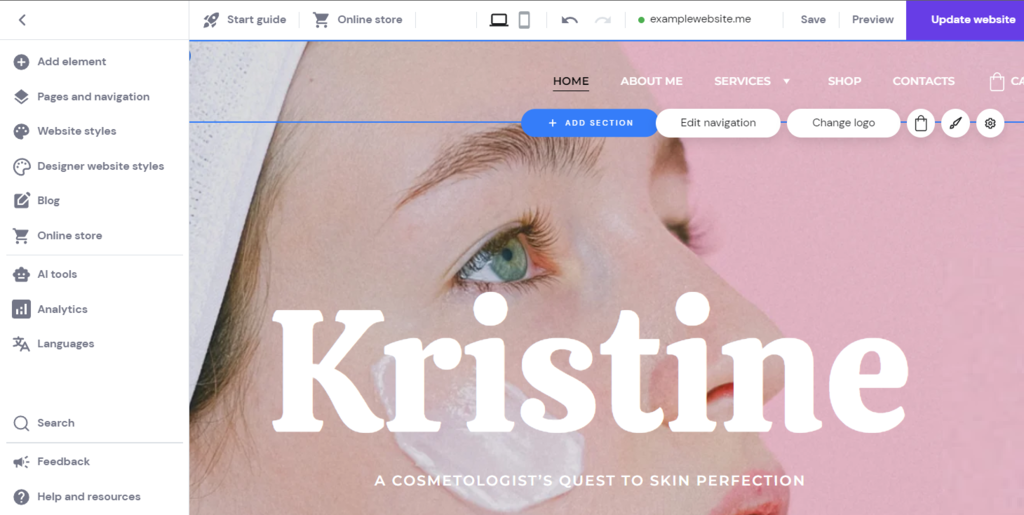
To create a website, pick a template and customize its appearance. The template automatically generates the main layout, allowing users to finalize the website design quickly.
Then, users can preview and publish the website from the same screen. The centralized editor helps simplify and speed up the site maintenance process.
Also, website builders usually include a hosting plan, domain name, and tools to enable users to set up the platform and launch their websites quickly.
While a CMS platform also offers a visual user interface, it has a steeper learning curve due to its comprehensive features. It also takes longer to set up as you need to get a hosting plan and domain name from other providers.
By default, a CMS doesn’t have many features apart from blogging. You must manually install and configure plugins to add features to your site, which can be time-consuming.
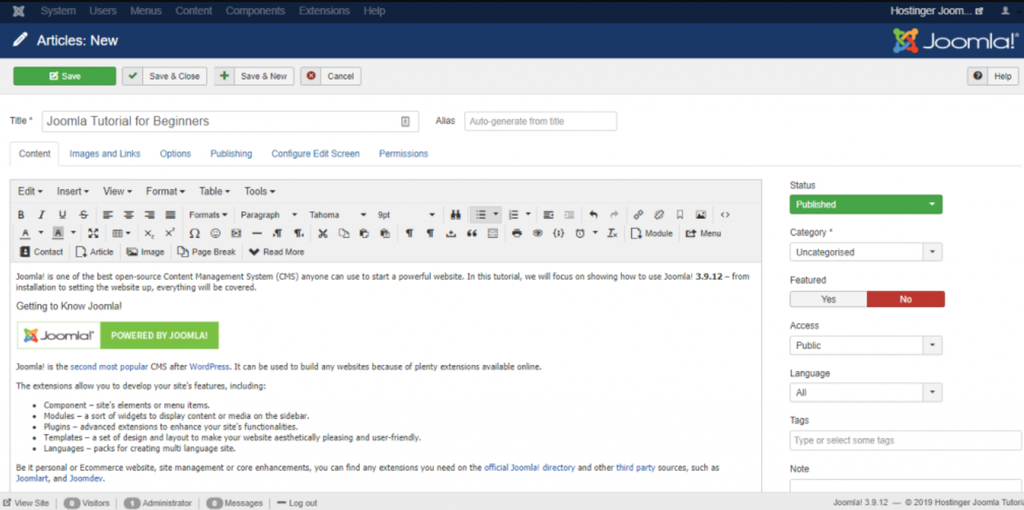
For instance, CMS users need to install plugins like Stripe WooCoomerce to accept online payments on eCommerce sites. For a basic site, you may need add-ons for security, website caching, or SEO tools.
While you can create a website without coding knowledge, you may need it to add advanced features or customize a theme. You will also need some technical skills to handle your website hosting and security.
Pro Tip
If you decide on a CMS, consider using CMS hosting plans, as they come with pre-installed plugins and tweaks that help speed up the setup process.
Which is more costly: CMS or website builder?
The costs necessary to build a functional website with these platforms may include hosting, domain, extension, and platform subscription fees.
Some website builders have free plans but with limited features and a non-customizable domain with the provider’s brand, such as yoursite.websitebuilder.com. Since non-custom domains are less professional, they are more suitable for personal use.
For business owners, we recommend a paid option like Hostinger Website Builder. It lets you launch a professional online store or blog for only $2.99/month – without hidden costs.
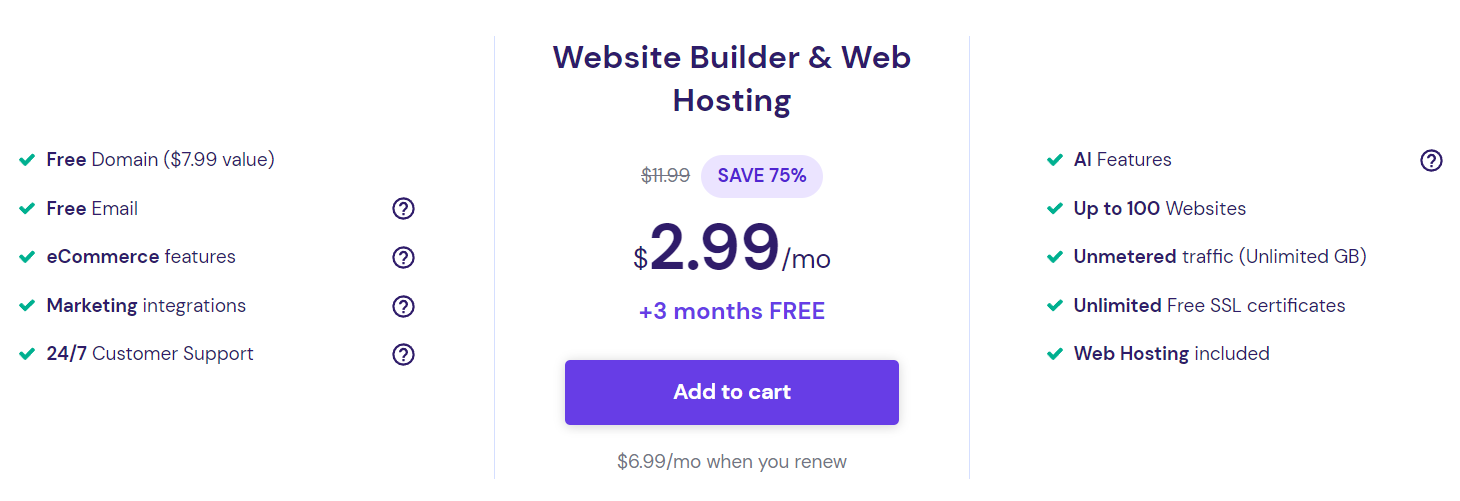
This price includes hosting services, a free domain for a year, a domain-based email, and unlimited SSL certificates. In addition, it provides eCommerce functionality, built-in traffic analytics, and SEO tools.
If you are looking for a more powerful solution, our site builder is also available with all cloud web hosting plans, starting at $7.99/month.
Our website builder platform also offers free designer-made templates and high-resolution stock images. With a CMS, you must purchase them separately, adding extra costs.

Unlike a site builder, a CMS doesn’t include a free hosting plan, domain name, and additional features. While the software is available for free, the total cost can be high depending on your site’s size and functionality.
For instance, you don’t need premium plugins or themes to make a basic website. While for an online store, you must purchase SEO, marketing, and eCommerce add-ons.
To help you understand the potential costs, here’s the estimated cost of building a site with a CMS. Note that the price may vary depending on the CMS:
| Hosting Service | $2-18/month |
| Domain Name | $0.99-$20/year |
| SSL Certificates | $7.27-$1,000/year |
| Premium Themes | $2-$200/theme |
| Premium Plugins | $5-$1,000/plugin |
| TOTAL | $17-$185/month |
If you don’t have technical skills, you may need to hire web developers to manage your site. Website maintenance can cost $18-20/hour when purchasing a freelancer’s services.
Which offers more features: CMS or website builder?
We will explain what tools, features, and functionalities are available on a website builder and CMS.
The features of a site builder usually depend on the provider. If you need new features, you must send suggestions and wait for the developers to release them.
Some website builders have a plugin library where you can install third-party apps to expand the site’s functionality. However, the library is usually less comprehensive.
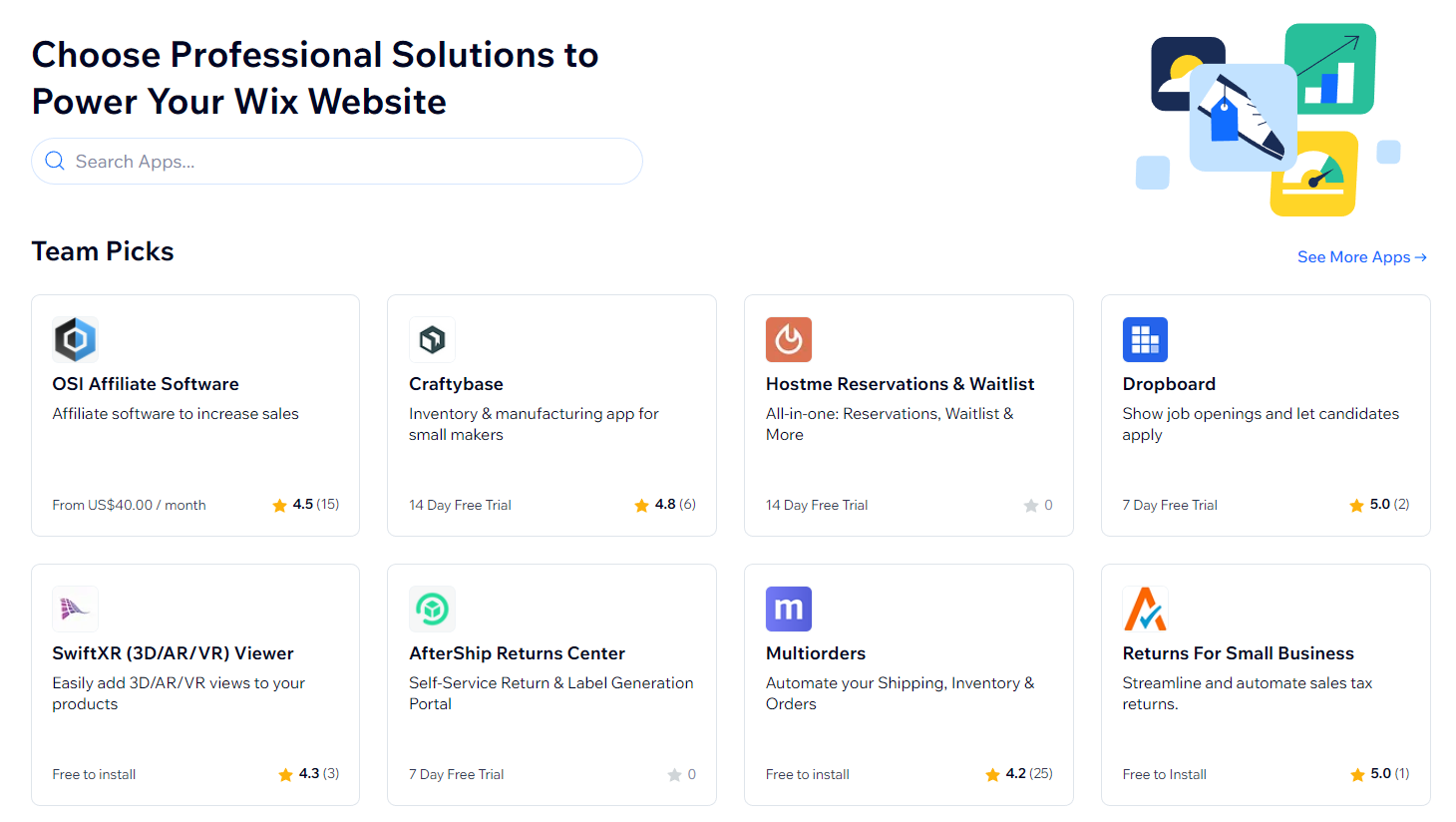
Despite the limitations, website builders typically have eCommerce functionality by default, including inventory management, payment processing, and order tracking features.
Unlike CMSs, several website builders also provide free AI tools to help simplify your website creation process. For example, Hostinger Website Builder offers an AI content generator and logo maker. It also has an artificial intelligence website builder that uses AI to create websites from scratch.
Additionally, there are some website builders with code editor features that let users make more detailed changes to their websites with custom code.
CMS platforms support various plugins to add functionality to your website. In addition to the official options, some CMSs also support plugins from third-party developers.
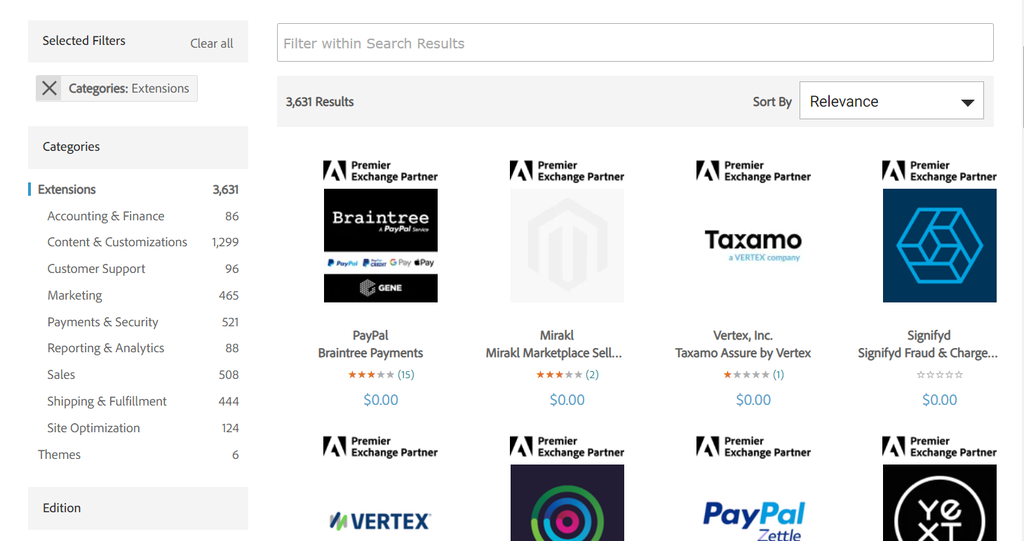
Users with programming knowledge can also create custom plugins according to their needs. The vast selection of pre-made plugins and the ability to make custom ones means CMS features are virtually unlimited.
However, installing too many plugins may compromise the site’s performance and security.
Which offers better design and customization: CMS or website builder?
This section will compare website builders and CMSs regarding template selections and design customization tools.
While website builders offer vast template selections, users can only choose ones from the official library. For example, Hostinger Website Builder has over 150 free templates optimized for search engines.
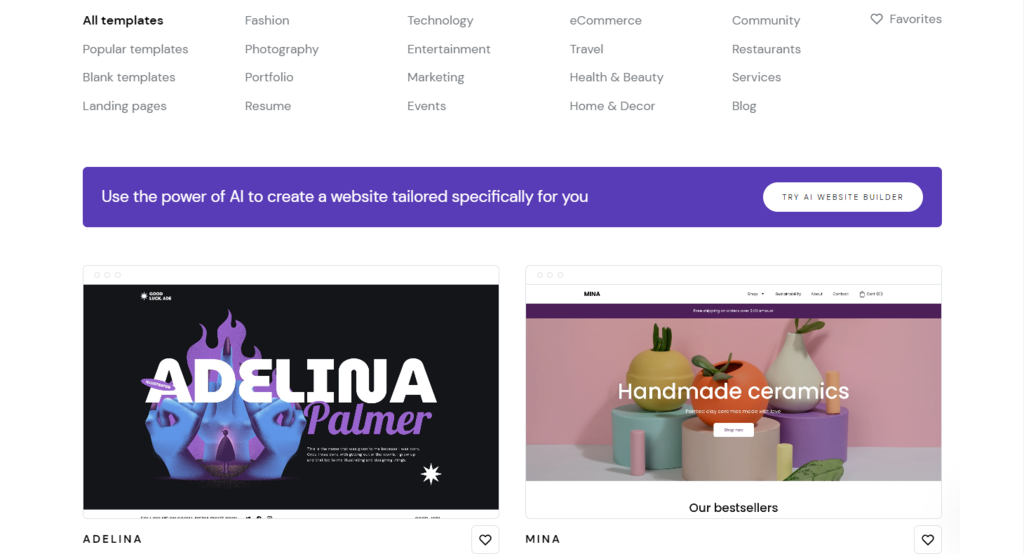
Users only need to customize the templates, such as changing the font or color schemes, to create a professional-looking website without any coding or design experience.
Check Out These Websites Built With Hostinger Website Builder
CMSs offer a wider selection of themes from official and third-party libraries. For instance, a popular third-party CMS website theme library, ThemeForest, lists over 50.000 themes.
Important! Despite the wider selection, some CMS themes are premium, while website builders usually provide all templates for free.
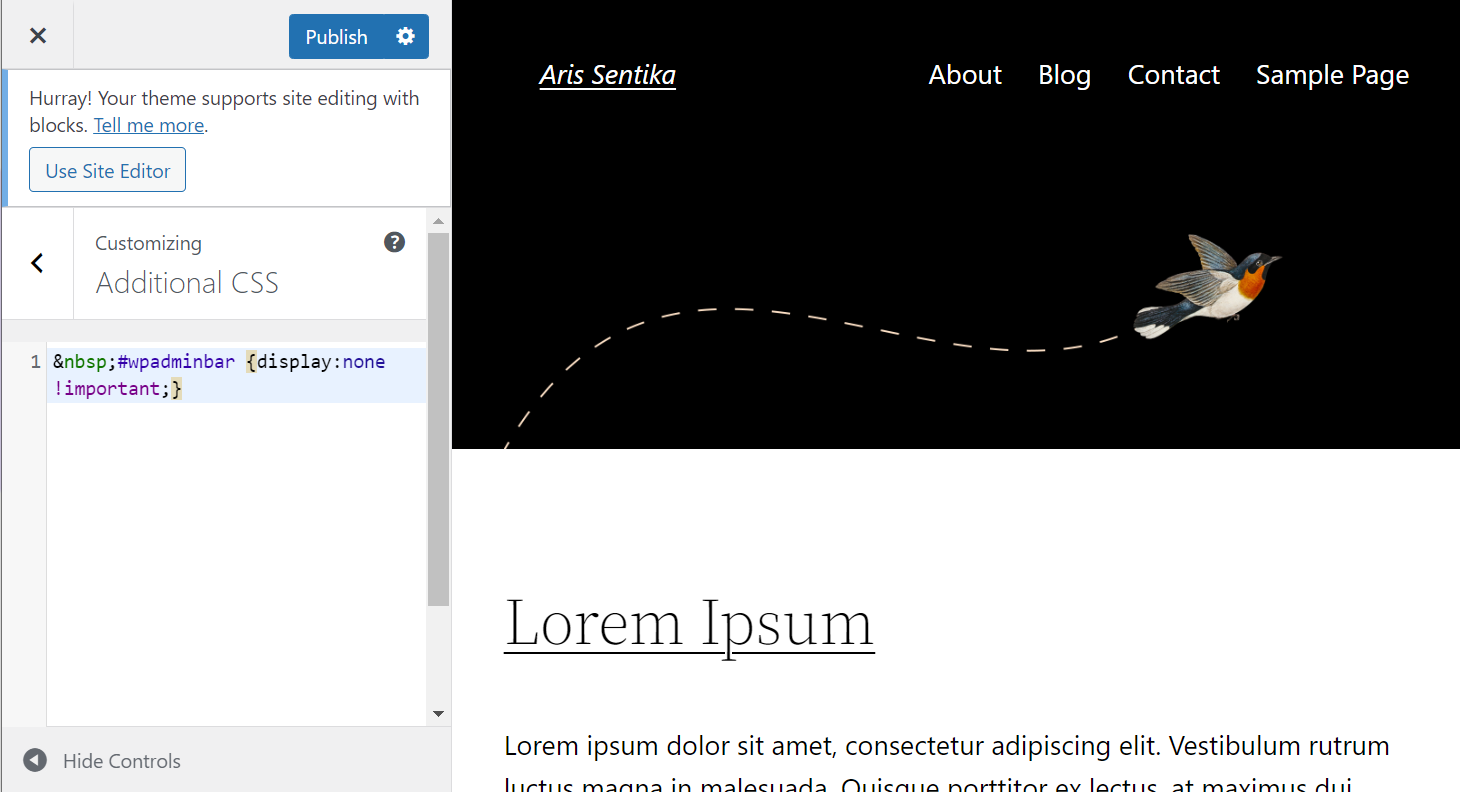
Regarding customization, content management systems are more flexible than website builders. Users can create a custom theme or add CSS code to customize existing website files. However, you may need to hire a web designer to take care of that.
Which is more scalable: CMS or website builders?
Scaling your website means adjusting the site resources to handle its performance and content as traffic grows. Some methods include switching to a new hosting provider and installing optimization tools.
Websites created with a builder platform are usually bound to the provider’s hosting service. When switching hosts or platforms, users may need to recreate their sites from scratch.
To accommodate your site’s growth, choose a builder with high-performance hosting and an easy migration process. Hostinger Website Builder lets users transfer their sites to a popular CMS in four steps.
Despite lacking support for third-party plugins, most website builders have built-in optimization features. For example, Hostinger Website Builder automatically optimizes image size and placement to improve page loading speed.
Additionally, Hostinger users can easily switch from web hosting to cloud hosting as their site requires more resources.
Due to their flexibility, CMSs are generally more scalable than website builders. You can tweak your website back-end to optimize performance, like clearing database files or minifying your website code.
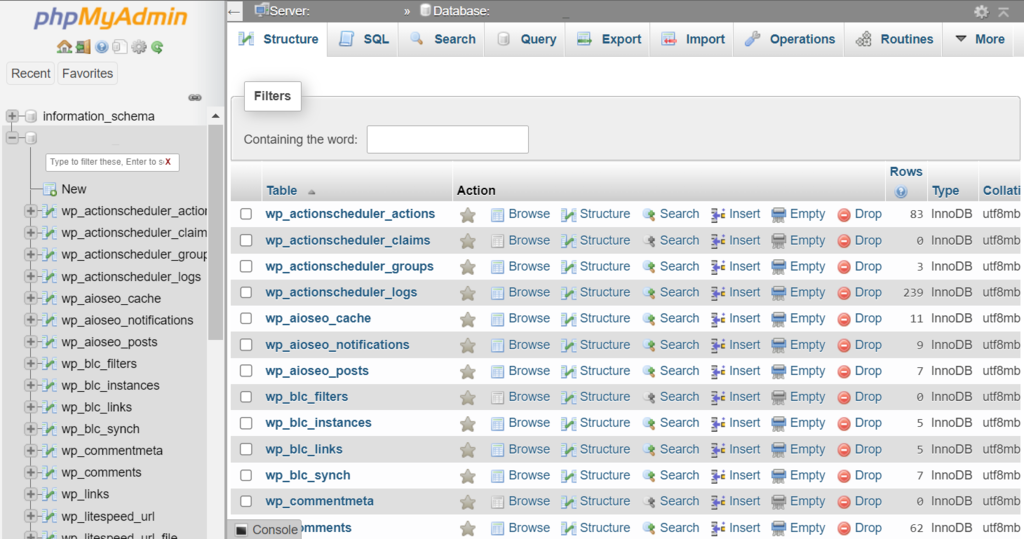
A CMS also lets you install extensions to help improve website performance, such as a cache plugin. In addition, you can easily switch providers or upgrade to higher-performance hosting plans.
A quick comparison of a website builder and a CMS
Because of their differences, a website builder and CMS suit different users. To help you decide, we will recap their main aspects and explain who they are best suited for.
| Website Builder | Content Management System | |
| Difficulty | Easy | Difficult |
| Setup time | Quick | Longer |
| Costs | Cheaper | More expensive |
| Features | Limited to the provider | Expandable with plugins |
| Customization | Limited to the provided tools | Flexible with custom code |
| Design templates | 150+ | 49,000+ |
| Platform and hosting migration | Limited or not possible | Possible |
A website builder is most suitable for users who want to create a site quickly and easily. These platforms are a great option for users looking for an all-in-one solution for their website development.
In addition to providing free hosting, the platform’s provider handles updates to ensure optimal security and performance.
If you plan to scale your website, choose a builder with migration capability. For example, Hostinger Website Builder lets users easily upgrade to cloud hosting when their project becomes more complex.
Using a website builder is a great option for small to medium businesses. Aside from being affordable, it offers free tools to help you create content and market your business.
Due to its flexibility, a CMS is an excellent tool for building a complex website with various features. It is also suitable for users with large budgets and long-term web projects.
However, the steeper learning curve and extensive customizability options can overwhelm beginners. Unlike website builders, you may need coding skills to unlock the platform’s full potential.
CMSs also require other technical skills as you must manage your website’s updates and security as well as handle any errors that may appear. While you can hire a web developer for the task, it incurs additional costs.
Due to its scalability, flexibility, and higher price, a CMS is a great option for medium-to-large business websites with high traffic. It is also ideal if you want complete control over your website.
Conclusion
Site builders and content management systems are popular tools for building websites, from personal blogs to online stores.
However, they suit different use cases and technical knowledge. In this article, we have compared them based on different factors. Here’s a recap:
- User-friendliness. Site builders are more user-friendly and easier to learn than CMSs. They offer a drag-and-drop editor and free tools to help users create websites quickly.
- Costs. Using CMS platforms can be more expensive than site builders. While the software is usually free, you must purchase a domain, hosting, and premium tools separately.
- Features. Site builders have limited features and integrations. Meanwhile, a CMS lets you install third-party plugins or add custom code.
- Design customization. CMSs offer a wider theme selection.
- Scalability. While website builders like Hostinger’s are scalable, most builders aren’t.
Content management systems suit users who prefer flexibility and scalability over simplicity. Meanwhile, a site builder is ideal for beginners who want to build their first web page easily and quickly.
All of the tutorial content on this website is subject to Hostinger's rigorous editorial standards and values.

Aris is a Content Writer specializing in Linux and WordPress development. He has a passion for networking, front-end web development, and server administration. By combining his IT and writing experience, Aris creates content that helps people easily understand complex technical topics to start their online journey. Follow him on LinkedIn.