Best VPS hosting providers for 2026: 14 top picks tested & compared
Jun 25, 2026
/
Ariffud M. & Valentinas C.
/
20 min Read

The best VPS hosting provider depends on your use case. Your decision comes down to whether you need a fully managed environment, a low-cost unmanaged server, scalable cloud infrastructure, or high-performance resources for ecommerce sites, SaaS products, databases, and applications.
Hostinger offers strong overall value with AI-assisted tools. Liquid Web and UltaHost lead in fully managed support. Developers who want raw, unmanaged control often choose Hetzner, Vultr, and DigitalOcean.
Teams building scalable cloud infrastructure often use Kamatera, Scaleway, and OVHcloud. Contabo and Time4VPS suit resource-heavy projects on a budget.
Valentinas Čirba, Hostinger’s Head of VPS, co-authored this comparison. He oversees Hostinger’s VPS infrastructure and product development.
We evaluated each provider by performance, pricing, support, scalability, data center coverage, management options, and feature set so you can match the right host to your project.
Here are our top picks:
- Hostinger. Best for users who want an easy-to-use yet flexible VPS with solid performance, AI-assisted tools, and strong value for money.
- Liquid Web. Best for enterprises and agencies that need fully managed VPS hosting with hands-on support and optimized server resources.
- Scaleway. Best for European developers and teams that want cloud VPS hosting with strong data sovereignty and competitive pricing.
- OVHcloud. Best for businesses and developers that want a large global provider with a wide VPS range and strong price-to-performance.
- UltaHost. Best for users moving from shared hosting to VPS who want affordable, fully managed plans with beginner-friendly support.
- TransIP. Best for businesses that need customizable VPS hosting with scalable resources, though its data centers are only in the EU.
- Cloudzy. Best for individuals and small businesses that need budget-friendly VPS hosting with global data center options.
- Hetzner. Best for developers and technical teams that want strong VPS performance at a competitive price.
- Kamatera. Best for businesses that need highly scalable VPS hosting with customizable server resources and global deployment options.
- Hostwinds. Best for developers that want both managed and unmanaged VPS hosting with flexible server configurations.
- DigitalOcean. Best for developers, startups, and small businesses that want simple cloud VPS hosting with strong documentation and developer tools.
- Contabo. Best for users running resource-intensive applications that need high RAM, large storage, and affordable VPS plans.
- Vultr. Best for developers that need fast VPS deployment, flexible cloud compute options, and a broad global data center network.
- Time4VPS. Best for users who want affordable VPS hosting with flexible plans, though some essential features require paid add-ons.
1. Hostinger
- Best for: Users who want an easy-to-use but flexible VPS for different types of projects.
- Pros: Plenty of hardware resources, many built-in features, AI-assisted management, excellent value for money, and a high level of control.
- Cons: No Windows or custom image support.
- Price: Starts at $6.49/month.
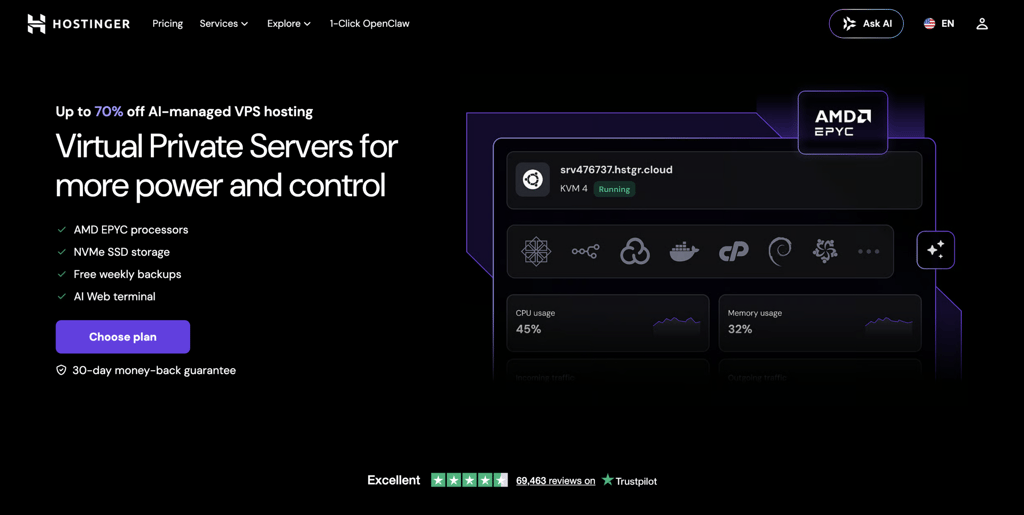
Hostinger offers four KVM VPS hosting plans with strong performance and a complete feature set. Each plan includes a free snapshot, weekly backups, full root access, a dedicated IP address, and support for unlimited websites.
All plans use NVMe SSD storage, which is significantly faster than a typical solid-state drive.
With up to 8 vCPU cores and 32 GB of RAM, our VPS handles everything from small sites to resource-intensive applications like personal large language models (LLMs).
Full root access lets developers install software through the command line and manage the server without restrictions.
The hPanel dashboard includes OS templates, a public API, and a 1-click application catalog that deploys open-source apps like OpenClaw, Hermes Agent, n8n, and Docker in seconds.
Kodee, our AI assistant, powers the smarter side of hPanel. It runs the AI Web terminal and helps you write commands, configure settings, and handle routine server tasks.
Hostinger VPS users can choose a data center in North America, South America, Europe, or Asia. You can also add a content delivery network (CDN) service for consistent performance, no matter where your visitors are.
Our VPS hosting is self-managed, but the Customer Success team is available 24/7 via live chat for general questions. Every plan comes with a 30-day money-back guarantee, a 99.9% uptime commitment, a 1 Gbps network, and a free domain for one year.
Hostinger key features
- Kodee. Chat with our AI assistant to get guidance, write commands, or manage your VPS, such as setting up a firewall rule. It makes server management simpler, especially for less technical users.
- AI Web terminal. Run commands on your server straight from the browser, with no SSH client like PuTTY required. Kodee powers it, so you can ask for help while you work as root.
- 1-click application hosting. Deploy open-source applications from the Hostinger catalog in seconds, including OpenClaw, Hermes Agent, n8n, and Docker. You skip manual installation and command-line setup for common stacks.
- Built-in security. BitNinja protection, Suhosin PHP hardening, and DDoS protection strengthen your VPS. You can configure the built-in firewall, malware scanner, free backups, and snapshots through hPanel.

2. Liquid Web
- Best for: Large enterprises that want a fully managed VPS with resources optimized for specific use cases.
- Pros: Fully managed service, excellent customer support, plans optimized for different needs, and a 99.99% network uptime SLA.
- Cons: Some essential features, like cloud backups and extra security tools, are premium add-ons, and pricing is higher than budget hosts.
- Price: Managed VPS starts at $36.00/month, with self-managed Linux VPS from $5.00/month.
Liquid Web provides reliable, secure, and feature-rich managed VPS hosting, making it a strong option for large enterprises. It offers plan categories optimized for different workloads.
The balanced Compute plans suit all-around uses, like hosting websites on a VPS. Memory-optimized plans fit databases, while CPU-focused plans handle traffic-intensive applications, such as file hosting.
Liquid Web backs its service with a 99.99% network uptime SLA, a 30-day money-back guarantee, and 24/7 support through phone, chat, and email.
Liquid Web supports various operating systems and control panels, though compatibility is limited. Its data centers cover only North America and Europe, and it now offers GPU hosting for AI workloads.
Liquid Web key features
- High-performance network. Every Liquid Web VPS plan provides a 10 Gb/s redundant network with unmetered inbound transfers and terabytes of outbound bandwidth.
- Adjustable plans. Alongside categories optimized for different use cases, Liquid Web offers add-ons like extra IP addresses to tailor the VPS to your needs.
- Fully managed service. For an extra cost, you can hand server tasks like migration and control panel management to Liquid Web. This frees your team to focus on the business.
- Support with response guarantees. Liquid Web commits to answering live chat and phone requests within 59 seconds and tickets within 59 minutes. You receive compensation if it misses those windows.
3. Scaleway
- Best for: European developers and teams who want cloud VPS hosting with strong data sovereignty and competitive pricing.
- Pros: EU data sovereignty, transparent pricing with no egress fees, strong developer tools, and included IPv6.
- Cons: Smaller global footprint than US providers, and shared-vCPU entry instances need careful sizing.
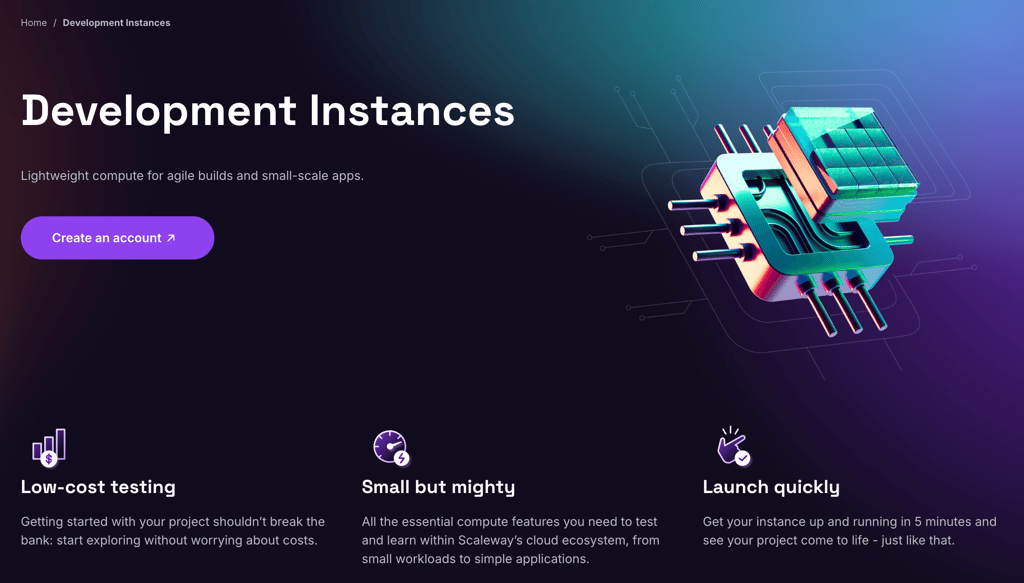
- Price: Starts at $0.49/month for Development Instances, billed hourly.
Scaleway is a French cloud provider whose Instances offer cloud VPS hosting within a wider European cloud ecosystem. Its Instances are virtual machines you can spin up in seconds, scale, and delete when you no longer need them.
Scaleway runs its Instances from data centers in Paris, Amsterdam, and Warsaw, making it one of the best European VPS providers. As a subsidiary of the French Iliad Group, it focuses on EU data sovereignty, which helps distinguish it from US-based providers.
The CPU Instance range spans Development, General Purpose, Compute Optimized, and Memory Optimized types, with shared and dedicated vCPU models.
Pricing is pay-as-you-go by the hour, and Savings Plans cut monthly compute costs by up to 25%.
Scaleway gives developers full control through its API, CLI, and Terraform integration. The platform also includes private networking, snapshots, separate block storage, S3-compatible Object Storage, and managed Kubernetes through Kapsule, all backed by a 99.99% uptime guarantee.
Scaleway key features
- European data sovereignty. Scaleway hosts everything in EU data centers and operates as part of the French Iliad Group. This helps teams meet data residency and privacy requirements.
- Developer tooling. The API, CLI, and Terraform support let teams automate provisioning and manage infrastructure as code. This fits DevOps workflows and reproducible deployments.
- Transparent pricing. List prices include egress and IPv6, so cloud costs stay predictable. Savings Plans reward committed usage with up to 25% off.
- Flexible Instance range. Beyond standard CPU Instances, Scaleway offers Compute Optimized, Memory Optimized, and GPU Instances. You can match the instance type and vCPU model to each workload.
4. OVHcloud
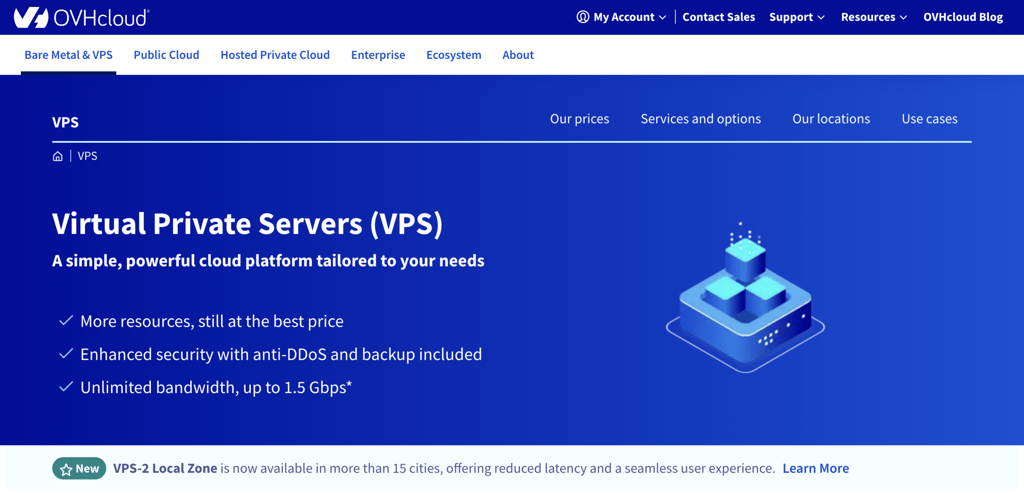
- Best for: Businesses and developers who want a large global provider with a wide VPS range and strong price-to-performance.
- Pros: Large global footprint, anti-DDoS protection by default, free IPv4 and IPv6 addresses, and NVMe SSD storage.
- Cons: Unmanaged by design, and Windows licensing costs extra.
- Price: Starts at $4.54/month.
OVHcloud, commonly known as OVH, is one of the largest hosting providers in the world and has operated since 1999.
Its VPS range spans entry-level instances to high-resource configurations, so you can start small and grow without switching providers.
OVHcloud owns data centers across Europe, North America, and Asia-Pacific, including France, Germany, the UK, Poland, Canada, India, Singapore, and Australia. This wide coverage lets you place servers close to your audience for lower latency.
Every OVHcloud VPS includes anti-DDoS protection by default, free IPv4 and IPv6 addresses, and NVMe SSD storage. You can run Linux, BSD, or Windows, with Windows Server licensing available for an extra monthly fee.
OVHcloud VPS plans are unmanaged, so you handle server setup, security, and maintenance yourself. Daily automatic backups are free, while snapshot backups and extra storage are available as add-ons.
OVHcloud key features
- Anti-DDoS protection by default. Every VPS includes always-on DDoS mitigation at no extra cost. This protects you from costly downtime during an attack.
- Wide global coverage. OVHcloud operates its own data centers across Europe, North America, and Asia-Pacific. You can choose a location near your users to reduce latency.
- Flexible operating systems. OVHcloud supports Linux, BSD, and Windows on its VPS range. This suits teams with mixed software requirements.
- NVMe SSD storage. Every OVHcloud VPS runs on fast NVMe SSD storage. This keeps disk performance high for databases and busy sites.
5. Ultahost
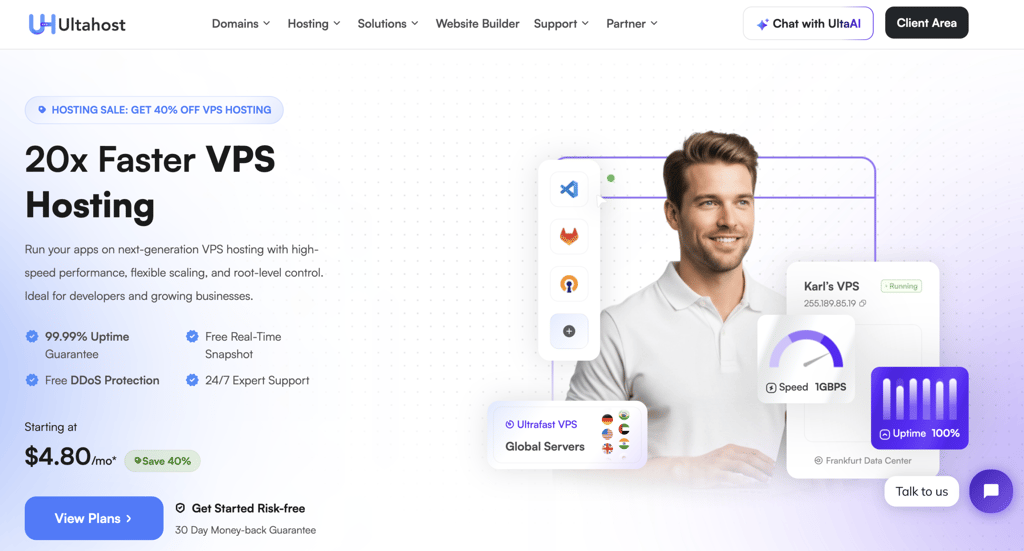
- Best for: Users moving from shared hosting to VPS who prioritize features and affordability.
- Pros: Fully managed service, competitive pricing, customizable operating systems, and multiple control panel options.
- Cons: Renewal prices increase after the introductory term, and the entry plan restricts port 25 and doesn’t include DDoS protection.
- Price: Starts at $4.80/month.
UltaHost offers affordable managed VPS hosting for users moving from shared hosting. Its technical team handles installation, configuration, updates, and monitoring at no extra charge.
UltaHost VPS plans include security features like dedicated firewalls, free SSL certificates, and Monarx malware protection.
They also provide a CDN add-on and advanced caching with Varnish, Redis, and Memcached to improve performance. The platform runs on AMD EPYC processors with NVMe SSD storage across 30+ data centers in more than 15 countries.
You can install Windows Server or any Linux distribution through custom ISO support. Add-ons like extra storage and additional IP addresses can get expensive, so factor them into your budget.
Ultahost key features
- Comprehensive security. Every UltaHost VPS includes free SSL certificates, auto-healing infrastructure, regular security patching, automated updates, and Monarx AI-powered malware prevention.
- Free backups and snapshots. UltaHost VPS plans include free cloud-based backups and unlimited snapshots to protect your data.
- Custom ISO support. You can install Windows Server or any Linux distribution by uploading an ISO image through the dedicated interface.
- Flexible management and panels. You can choose from control panels like Hestia, CyberPanel, cPanel, Plesk, ISPmanager, and aaPanel. Staging environments let you test changes on a private copy before going live.
6. TransIP
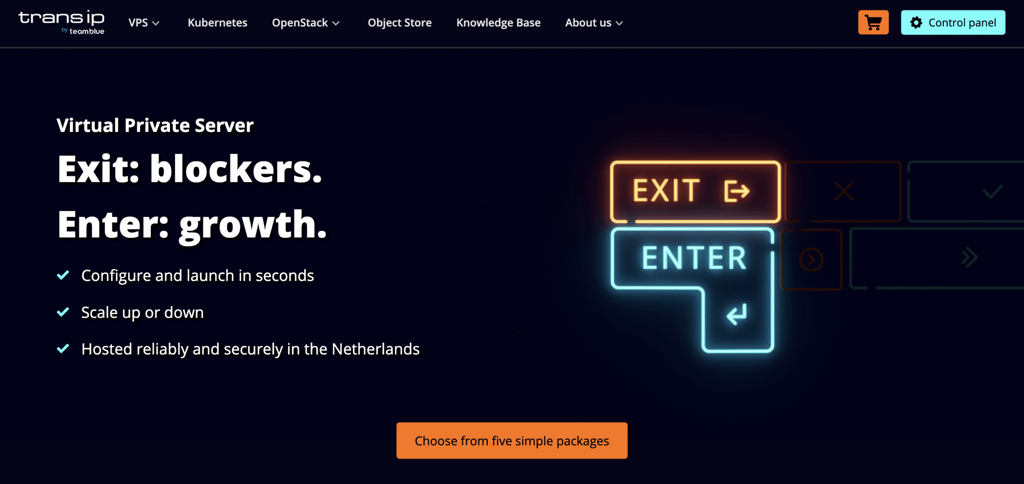
- Best for: Businesses that want a simple, scalable VPS with the flexibility to switch between shared and dedicated vCPUs.
- Pros: Five straightforward packages, switchable shared or dedicated vCPUs, unlimited traffic, and EU data residency.
- Cons: Data centers are limited to the Netherlands, and support isn’t available 24/7.
- Price: Starts at $5.73/month.
TransIP is a Dutch VPS host that runs a unified platform built around five simple packages. It offers self-managed virtual servers you can configure in seconds and scale on demand.
The lineup runs from V1 to V5, starting at $5.73/month for 1 vCPU, 1 GB of RAM, and 100 GB of NVMe storage. The top V5 package provides 8 vCPUs and 16 GB of RAM on the same 100 GB of NVMe storage.
Every package lets you choose shared or dedicated vCPUs and switch between them while keeping your IP. You can also move up or down a tier from the control panel, such as from V3 to V4 and back.
TransIP stores data on distributed NVMe network storage with three replicas by default. Every plan includes unlimited traffic, root access, monitoring, and a configurable firewall.
TransIP hosts everything in the Netherlands and holds ISO 27001, NEN 7510, and ISO 9001 certifications. Support isn’t available 24/7, but its knowledge base covers most VPS questions.
TransIP key features
- Shared or dedicated vCPUs. A hybrid platform lets you switch any package between shared and dedicated cores while keeping the same IP. This gives you burst-friendly pricing or guaranteed performance on demand.
- Five-package lineup. TransIP keeps it simple with V1 to V5, each set to sensible defaults you can expand with add-ons. You start with what you need and scale from there.
- HA-IP and Load Balancer. These add-ons route traffic across multiple servers and absorb sudden spikes. They remove a single point of failure and improve uptime.
- OpenStack Public Cloud. Alongside its VPS line, TransIP runs an OpenStack-based public cloud with object storage, volumes, and load balancing. This suits teams that need elastic, redundant infrastructure beyond a single server.
7. Cloudzy
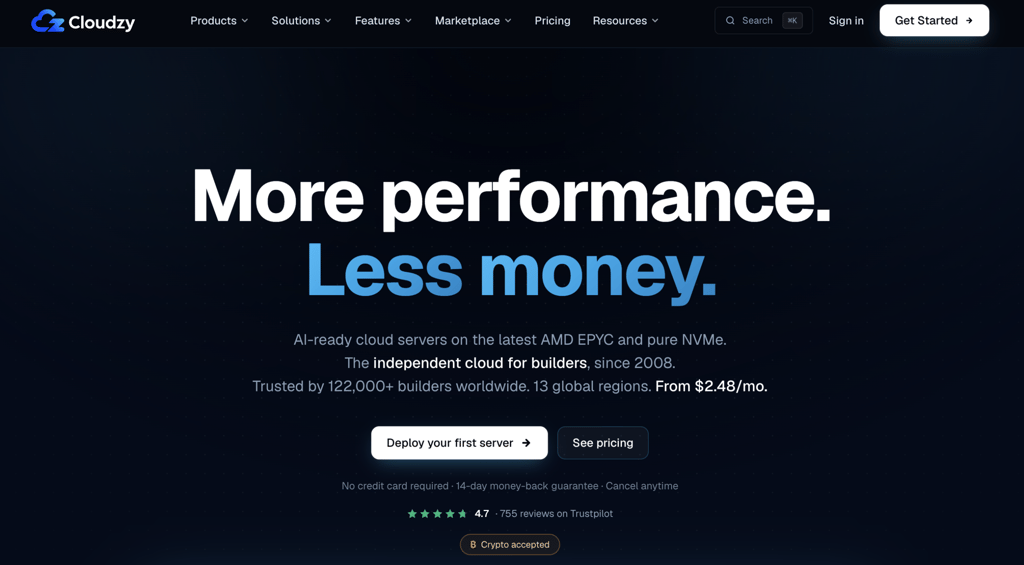
- Best for: New businesses and individuals that prioritize scalability and affordability.
- Pros: Global data centers, pay-as-you-go pricing, reliable infrastructure, crypto payments, and a large app marketplace.
- Cons: Entry-level plans have limited resources and suit only small projects.
- Price: Starts at $2.48/month.
Cloudzy offers cloud-based virtual private servers with flexible resources, easy scalability, and high uptime. The company has operated since 2008 and now serves more than 122,000 builders worldwide.
Cloudzy servers run on AMD EPYC processors with DDR5 RAM and pure NVMe storage. Users get network speeds of up to 40 Gbps across 13 global regions in North America, Europe, the Middle East, and Asia.
If you need more capacity than your plan includes, you can buy additional bandwidth packages. Cloudzy also offers 24/7 support and a 99.95% uptime SLA.
Cloudzy is a budget-friendly option that supports Linux, Windows, and GPU servers. It also accepts crypto payments, which may appeal to privacy-focused users.
Cloudzy key features
- Large app marketplace. Cloudzy’s marketplace offers more than 1,000 ready-to-deploy environments, including WordPress, Docker, Node.js, cPanel, and n8n. Projects go live in seconds without command-line setup.
- Add-on services. You can buy floating IP addresses, server snapshots, and bandwidth packages directly from the Cloudzy panel.
- Pay-as-you-go billing. You pay only for what you use, including new servers, floating IPs, and bandwidth.
- Automation tooling. A REST API and Terraform provider let you provision, snapshot, resize, and remove servers from your pipeline. Webhook events support fleet automation.
8. Hetzner
- Best for: Developers, startups, and technical teams that want strong VPS performance at a low price.
- Pros: Excellent price-to-performance ratio, shared and dedicated vCPU options, hourly billing with a monthly cap, and all-inclusive pricing.
- Cons: Not beginner-friendly, ticket and email-based support, and no official Windows support for cloud servers.
- Price: Starts at $7.09/month for shared cloud servers. Dedicated vCPU General Purpose plans cost more, starting from $51.09/month.
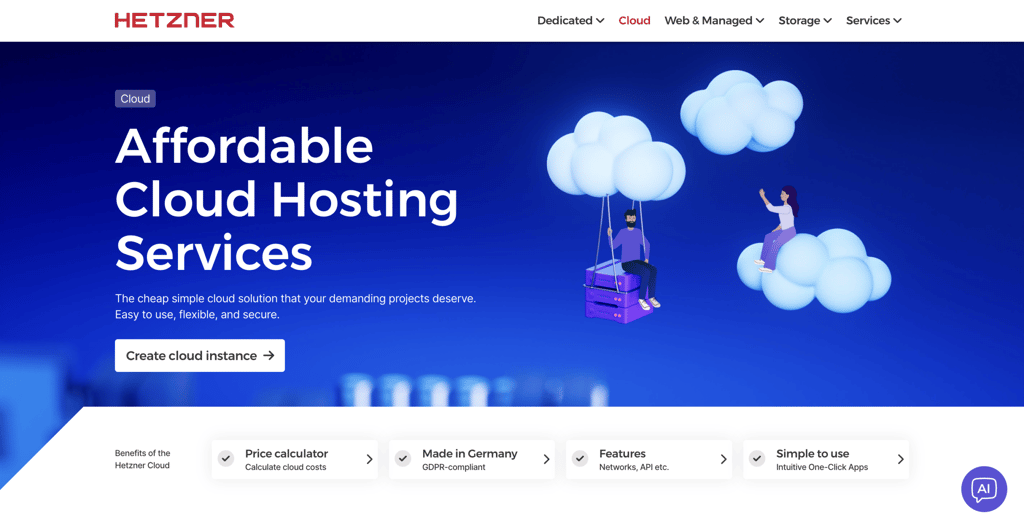
Hetzner is a strong VPS host for developers and technical teams that value performance, predictable resources, and low infrastructure costs. Its cloud server lineup splits into three plan types to match different workloads.
The shared Cost-Optimized cloud plans offer the cheapest shared vCPUs on Intel, AMD, or Ampere hardware in EU regions. The shared Regular Performance plans add AMD shared instances available globally.
The dedicated General Purpose plans use dedicated AMD vCPUs for steadier performance. They suit high-utilization workloads like ecommerce stores, databases, game servers, microservices, and SaaS applications.
Hetzner has cloud locations in Europe, the United States, and Singapore, which covers key regions for latency-sensitive projects.
Its platform pairs developer automation with standard infrastructure, offering a REST API, CLI, and Terraform, Ansible, and Kubernetes integrations. It also includes private networks, firewalls, snapshots, backups, and floating IPs.
Hetzner’s main drawback is that it’s less beginner-friendly than managed providers.
Cloud servers are unmanaged, so you handle setup, security hardening, updates, and troubleshooting yourself. Hetzner also doesn’t provide official Windows support for cloud servers.
Hetzner key features
- Shared and dedicated vCPU plans. The Cost-Optimized and Regular Performance cloud plans give you affordable shared vCPUs, while the General Purpose plans provide dedicated AMD vCPUs for stable, predictable performance.
- Developer-friendly automation. The REST API, CLI tool, and integrations with Ansible, Terraform, and Kubernetes help teams automate deployment and infrastructure management.
- Global cloud locations. You can deploy servers in Europe, the US, and Asia, including Germany, Finland, Ashburn, Hillsboro, and Singapore.
- All-inclusive pricing. Hetzner bundles traffic, IPv4 and IPv6, DDoS protection, and firewalls into the server price. There are no setup fees or contracts, and ISO 27001-certified data centers back the service.
9. Kamatera
- Best for: Businesses and developers that need highly customizable VPS hosting with fast scaling and global coverage.
- Pros: Highly customizable server configurations, global data centers, Windows and Linux support, hourly billing, and a 30-day free trial.
- Cons: Less beginner-friendly than fixed-plan hosts, pricing depends on configuration, and managed service and add-ons cost extra.
- Price: Starts at $4.00/month for the Basic cloud server plan.
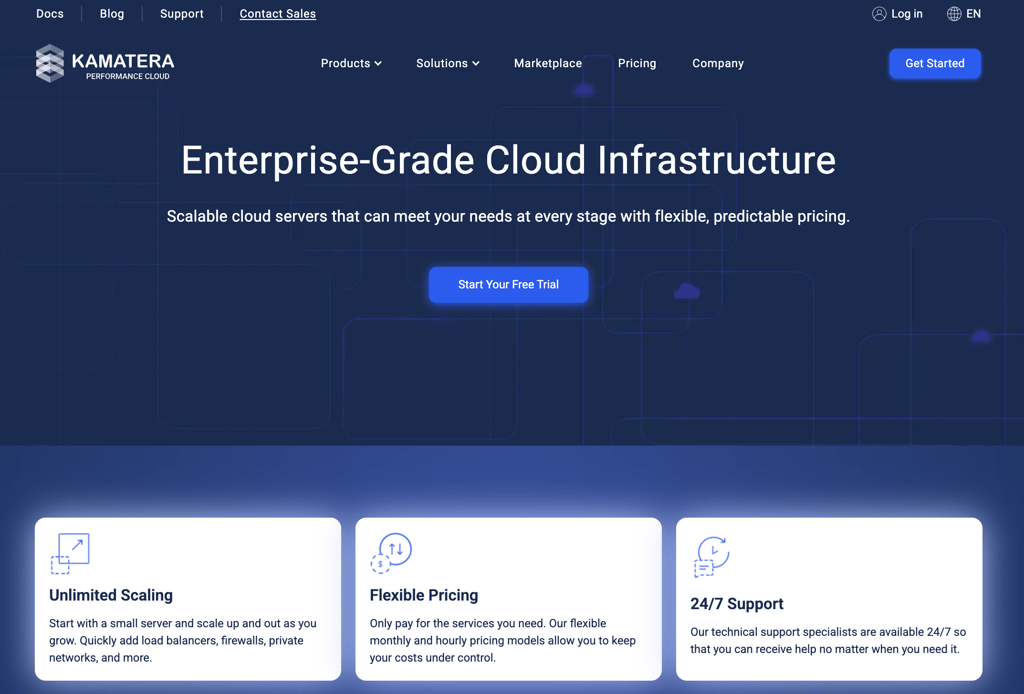
Kamatera is a scalable VPS host for users who want to configure CPU, RAM, storage, operating system, and server location to their exact project requirements.
The Basic plan starts at $4.00/month and includes 1 vCPU, 1 GB RAM, 20 GB SSD storage, 5 TB traffic, and Ubuntu Server 24.04.
In addition to fixed packages, Kamatera lets you build custom cloud servers and scale resources up or down as workloads change.
Larger custom plans scale up to 104 vCPUs and 512 GB RAM, which suits websites, applications, databases, ecommerce projects, and business systems.
Kamatera’s data center coverage is one of its strongest advantages. You can deploy cloud servers across North America, Europe, the Middle East, and Asia-Pacific, including New York, Dallas, London, Amsterdam, Frankfurt, Singapore, Tokyo, and Sydney.
Kamatera supports unmanaged and managed VPS setups. Unmanaged servers give experienced users full control, but you’ll handle technical and administrative tasks yourself. Managed support includes help with server-related tasks.
Kamatera key features
- Custom server configurations. Kamatera lets you choose vCPU, RAM, storage, operating system, and data center location in addition to fixed VPS tiers.
- Global server deployment. Data centers across North America, Europe, the Middle East, and Asia-Pacific reduce latency for international audiences.
- Managed and unmanaged options. You can manage the server yourself or add managed support for operating system and configuration help.
- 30-day free trial. A free trial worth up to $100.00 on one server lets you test a full setup before paying, with no long-term commitment.
10. Hostwinds
- Best for: Developers who want control and flexibility when configuring their VPS hosting environment.
- Pros: Extensive features, highly customizable plans, managed and self-managed options, and a 99.9999% uptime guarantee.
- Cons: Limited data center locations and a short 72-hour money-back window.
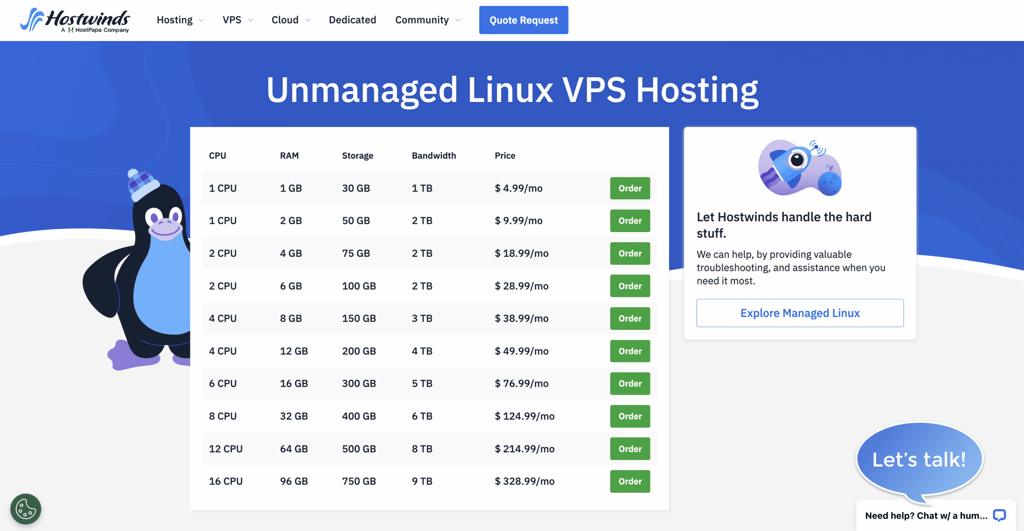
- Price: Starts at $4.99/month for self-managed VPS and $10.99/month for managed VPS.
Hostwinds offers flexible VPS hosting plans on enterprise-grade hardware.
You can choose a managed or self-managed VPS depending on whether you prefer convenience or complete control. Both options use the same hardware and include the same built-in features. The main difference is the level of support provided.
You can also configure backup frequency, storage duration, and which files to archive or restore.
Hostwinds VPS plans include an enterprise firewall, snapshots, and a monitoring system that automatically opens a support ticket when it detects an issue. The provider also backs every plan with a 99.9999% uptime guarantee.
Hostwinds operates data centers in the US and the Netherlands. Its money-back guarantee lasts only 72 hours.
Hostwinds key features
- Custom images. You can install any operating system, including Windows, by uploading custom ISO files or disk images.
- Load balancer support. You can set up a load balancer to distribute traffic across multiple instances and improve performance. It also boosts uptime by redirecting traffic to a healthy server.
- Volume storage. The Volume feature adds storage to your servers, and you can move Volumes between servers like a portable drive.
- Automated nightly backups. Hostwinds backs up your data to its object storage every night. You control the backup frequency and retention period, and you can restore entire backups or individual files.
11. DigitalOcean
- Best for: Developers, startups, and small businesses that want simple, scalable cloud VPS hosting with strong documentation.
- Pros: Developer-friendly interface, predictable per-second billing, strong documentation, fast Droplet deployment, and wide Linux distribution support.
- Cons: No fully managed VPS by default, Windows requires custom images, and advanced monitoring, backups, and managed services increase the total cost.
- Price: Starts at $4.00/month for Basic Droplets.
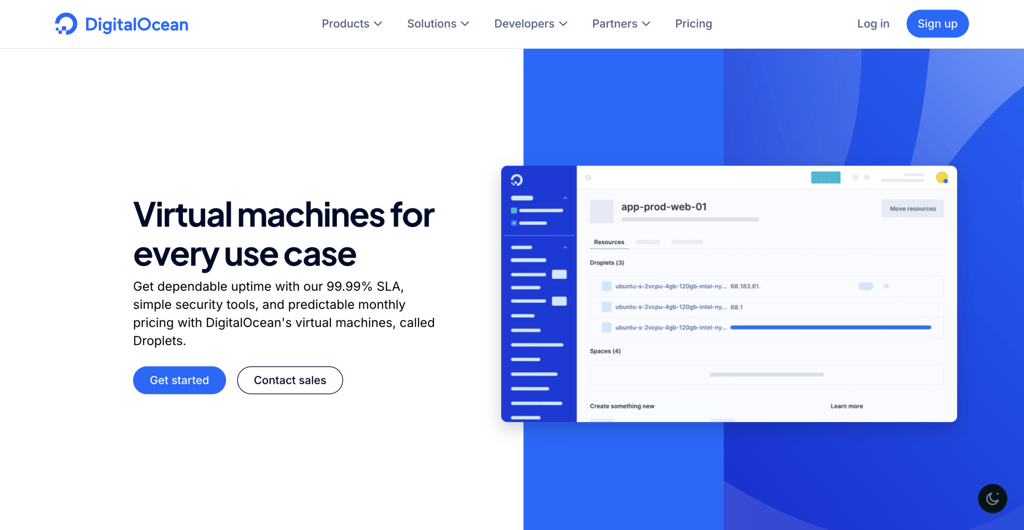
DigitalOcean is a VPS host for developers and businesses that want a simple way to deploy, manage, and scale cloud servers. Its virtual machines, called Droplets, run on Linux-based infrastructure with shared and dedicated CPU plans.
Basic Droplets start at $4.00/month and suit low-traffic websites, blogs, forums, small databases, and development environments.
Larger Droplet plans scale up to 60 vCPUs and 384 GB RAM across General Purpose, CPU-Optimized, Memory-Optimized, and Storage-Optimized options.
DigitalOcean uses SSD storage across Droplets, while Storage-Optimized Droplets use NVMe for workloads that need faster disk performance. Droplets are unmanaged by default, so you handle setup, security, updates, and troubleshooting.
DigitalOcean is especially strong for developers. It supports Linux distributions like Ubuntu, Debian, CentOS, and Fedora, plus 1-Click Apps for stacks such as LAMP, Docker, and WordPress.
You also get block storage, snapshots, backups, firewalls, monitoring, and an API. New users get $5.00 in free credit for 90 days.
DigitalOcean key features
- Simple cloud VPS deployment. DigitalOcean Droplets let you deploy Linux virtual machines quickly for websites, applications, databases, and development environments.
- Flexible Droplet plans. You can choose shared CPU, General Purpose, CPU-Optimized, Memory-Optimized, Storage-Optimized, and GPU plans based on your workload.
- Developer-focused ecosystem. Documentation, APIs, 1-Click Apps, Floating IPs, block storage, backups, and monitoring make DigitalOcean useful for building and scaling cloud applications.
- Per-second billing. Since January 2026, DigitalOcean bills Droplets per second with a monthly cap. This cuts costs for short-lived workloads like CI/CD pipelines and batch jobs.
12. Contabo
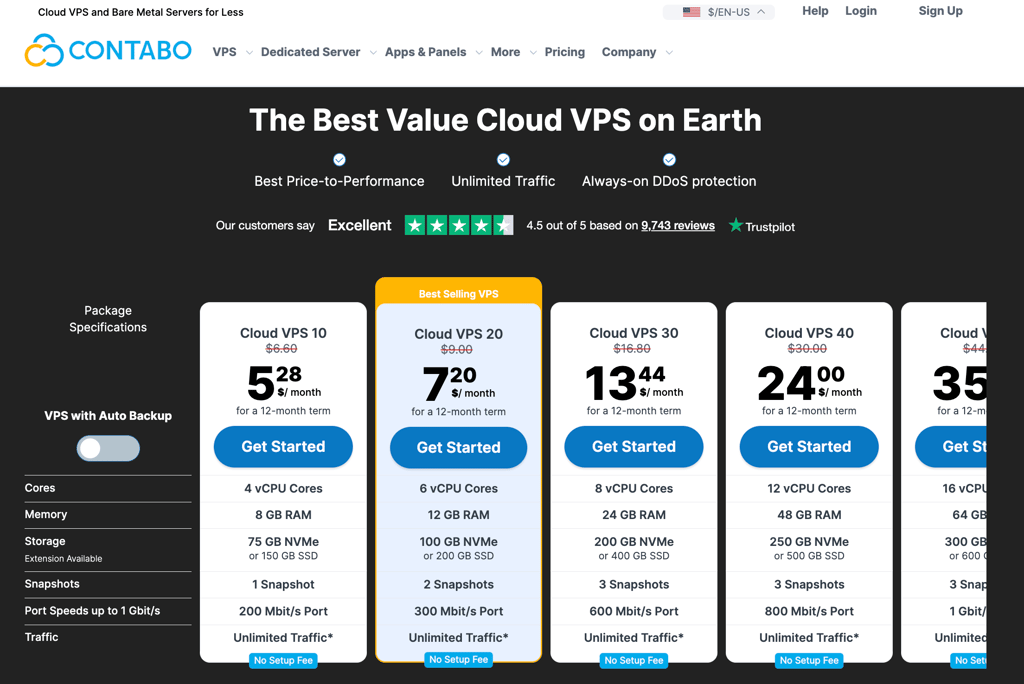
- Best for: Users who run resource-intensive applications and need high RAM, large storage, and affordable plans.
- Pros: Flexible plans, great value-to-performance ratio, high scalability, and a free choice between SSD and Gen 4 NVMe storage.
- Cons: Automatic backups are a premium add-on, and a location surcharge applies outside the default region.
- Price: Starts at $5.28/month.
Contabo provides cloud VPS hosting with high-performance hardware at low prices, making it a good fit for developers working with resource-intensive applications. Even the entry plan includes 4 vCPU cores and 8 GB of RAM.
Contabo also offers dedicated hosting, which you can pair with your VPS to build a larger infrastructure. This makes it a good fit for users who need easy scalability.
Contabo runs on AMD processors and lets you choose SSD or Gen 4 PCIe NVMe storage at no extra cost. It also includes a WebUI control panel, a RESTful API, cloud-init, custom images, and SSH key deployment for development workflows.
Contabo operates 11 data center locations across nine global regions.
Its main drawback is the added cost. Automatic backups are a paid add-on, and a location surcharge applies outside the default region.
Contabo key features
- Private networking. This feature connects your VPS with dedicated servers inside a secure private network, so you can scale your infrastructure for heavier workloads.
- Cloud-init. This software holds metadata that describes your system configuration, including which packages to install and which services to start at boot. It makes setting up a new instance faster and less error-prone.
- Contabo CLI. The cntb command-line interface lets you manage Contabo products from a terminal, such as creating an instance or uploading a custom image.
- Free 1-click apps. Contabo’s control panel deploys popular applications and stacks in one click, including a 1-click installer for the OpenClaw AI assistant. This reduces manual setup on a fresh server.
13. Vultr
- Best for: Developers and businesses that need fast VPS deployment, flexible cloud compute plans, and a broad global network.
- Pros: Fast server deployment, broad data center coverage, low entry price, hourly billing, multiple compute types, and developer-friendly tools.
- Cons: No fully managed VPS by default, entry-level plans have limited resources, and you handle setup, security, and maintenance yourself.
- Price: Starts at $2.50/month for an IPv6-only Regular Performance Cloud Compute instance, or $3.50/month with IPv4 included.
Vultr is a cloud VPS provider for developers, startups, and businesses that need quick deployment across many global regions.
Its Cloud Compute plans suit websites, blogs, content management systems, development environments, small databases, and lightweight applications.
Vultr offers several plan types based on your workload. Regular Cloud Compute uses shared vCPUs with SSD storage.
High Performance and High Frequency plans use newer AMD or Intel CPUs with NVMe SSD storage. This delivers faster processing and disk performance for demanding applications.
Vultr’s global footprint is one of its strongest advantages. It operates more than 30 data center locations in North America, South America, Europe, Africa, Asia, and Australia, helping you host closer to specific audiences.
Vultr is unmanaged by default, so you handle configuration, software updates, security hardening, backups, and troubleshooting. It supports hourly billing, a 1-click app marketplace, and a free Kubernetes control plane.
Vultr key features
- Fast cloud VPS deployment. Vultr deploys cloud servers quickly for websites, applications, test environments, and small databases.
- Multiple compute options. You can choose Regular Performance, High Performance, High Frequency, Optimized Cloud Compute, Bare Metal, and GPU plans based on your workload.
- Broad global infrastructure. Vultr’s network helps you host applications closer to audiences across North America, South America, Europe, Africa, Asia, and Australia.
- VX1 compute line. VX1 instances deliver up to 82% better performance per dollar, 50 Gbps networking, and setup in under 15 seconds. They bill based on actual hours used rather than a 672-hour cap.
14. Time4VPS
- Best for: Users who want an affordable, reliable, and scalable VPS solution, mainly for European audiences.
- Pros: Affordable plans, a wide range of options, kernel-level customization, and managed, container, and storage tiers.
- Cons: Single data center location, with essential features like NVMe storage and faster networking available as paid add-ons.
- Price: Starts at $3.29/month for self-managed Linux VPS.
Time4VPS offers VPS hosting at different price points, with entry plans among the most affordable in Europe.
The lineup spans self-managed Linux VPS, Managed Linux VPS for hands-off administration, Windows VPS, Container VPS, and Storage VPS.
Linux and Windows plans use KVM virtualization with dedicated resources, while Container and Storage plans run on OpenVZ for lower-cost use cases. Beyond affordability, Time4VPS offers full root access and a customizable kernel.
Time4VPS runs from a Tier III data center in Vilnius, Lithuania, on Intel Xeon hardware with RAID storage and a 100 Gbps network. It backs the service with a 99.95% uptime guarantee and a 30-day money-back guarantee.
Time4VPS keeps prices low by limiting included features. Automatic backups, NVMe storage, and faster networking aren’t included and cost extra, which can raise the total price.
Time4VPS key features
- Operating system templates. Instead of setting up the operating system and control panel separately, you can install both at once using a template.
- Customizable kernel. You can modify your Linux VPS kernel to optimize resource use, reduce memory usage, and adjust security settings.
- Powerful hardware. Plans reach up to 16 vCPU cores, 64 GB of RAM, 640 GB of SSD storage, and 128 TB of bandwidth, which is enough for resource-intensive applications.
- Managed and storage tiers. Managed Linux VPS lets you hand off administration, while Storage VPS plans provide high-capacity, low-cost space for backups and archives.
How to choose the best VPS hosting?
To choose the best VPS hosting, compare each provider’s resources, pricing, upgrade path, security, software support, data center locations, and reviews against your project’s needs.
Every host in this comparison is a solid option, so the right pick comes down to the factors that matter most to you.
Compare resources to your needs
Comparing VPS resources against your projected requirements helps confirm that you have enough hardware to run your project smoothly.
Most VPS hosts use quality hardware and reliable networks, but some plans may not be powerful enough for your specific workload.
For example, a VPS with a few Mb/s of network speed is enough for a small blog. A high-quality video streaming platform might need Hostinger VPS’s 1 Gb/s network and up to 32 TB of bandwidth.
Important! VPS hosts that advertise unmetered or unlimited bandwidth often cap usage at an undisclosed level. As with limited-bandwidth plans, network speeds drop once you exceed the fair usage policy.
This matters most if you plan to host resource-demanding applications like custom large language models (LLMs) on Ollama, which may need at least 6 GB to 8 GB of RAM.
Consider the upgrade path
Considering your upgrade path confirms that your hosting can scale with future needs. Scaling improves VPS performance so it can handle more traffic and process more data.
There are two scaling methods: vertical and horizontal. Vertical scaling increases resources like RAM, CPU cores, and storage, while horizontal scaling adds a new VPS instance or dedicated server to distribute the load.
Pick a host that offers plans with different resource capacities and load balancer support. Some companies also provide add-on resources so you can upgrade specific capacities as needed.
Also weigh how easy upgrades are. At Hostinger, you can upgrade your VPS with a single click through the dashboard, with no downtime.
The process takes around 10 minutes and preserves your files and configurations.
Determine your security requirements
Determining your security requirements helps confirm that your chosen host handles and stores data to your standards.
Most Linux VPS providers implement strong security today, but it’s worth checking how much you can customize the settings and whether you can install new security tools.
Providers should also offer free automatic backups and snapshots to protect data integrity. Hostinger applies strong VPS security out of the box, including Suhosin-hardened PHP, BitNinja protection, snapshots, and free weekly backups.
You can also install the optional Monarx malware scanner for free and customize your firewall rules to fit your project. For added security, full root access lets you install any Linux-compatible software.
Beyond features, consider how the host complies with cybersecurity regulations. If you collect user data, the provider must follow data protection laws like the European Union’s General Data Protection Regulation (GDPR).
Consider your software stack
Choose a host that supports your preferred operating system and control panel. Otherwise, your sites or applications may not run properly because of incompatibility.
If the provider doesn’t offer your chosen OS, it should support custom image installation. Look for a 1-click installer too, since installing software through SSH or a terminal can be tricky for beginners.
Most hosts, including Hostinger, support popular VPS control panels like cPanel, Plesk, Coolify, and Dokploy. You can buy paid panel licenses directly through hPanel.
Hostinger also offers Linux distributions bundled with control panels and applications. Instead of installing the OS and software separately, you can deploy them together with one click using templates in the VPS dashboard.
Pick a provider with a global data center
A host with multiple data center locations lets you choose the one closest to you or your audience, which improves loading speed. A nearby data center also makes server management smoother, since longer distances increase network latency.
Higher latency can make your server feel unresponsive and cause noticeable input delays when you connect remotely through SSH or VNC.
Hostinger’s VPS hosting offers data centers in North America, South America, Europe, and Asia. You can choose any location for free and switch at any time.
It also supports CDN services like Cloudflare for consistent performance worldwide. This keeps your site fast for visitors no matter where they are.
Set your budget
Setting a clear budget narrows your options and makes it easier to choose the best VPS provider for your needs. It also helps you plan long-term costs and avoid overspending.
To get the most value, look for providers that include free features, like Hostinger. Along with free snapshots and backups, every plan comes with a free malware scanner and Kodee, our AI assistant.
It’s best to avoid VPS hosts with extremely low prices. They often lack essential features like backups, and the overall value drops once you pay for extra services just to keep the server running.
Check the final price carefully, since some providers add hidden charges like setup fees. Choose a company that offers a trial period or a money-back guarantee, like Hostinger.
Read user reviews
Reading user reviews helps you judge whether a host is reliable and trustworthy. Low-rated companies may fail to meet their service level agreements (SLAs) or offer responsive support.
To assess a host’s reputation, look for reviews on trustworthy platforms like Trustpilot or G2. We recommend companies with at least four-star ratings and over 100 reviews.
Be cautious of reviews or awards shown on a provider’s own site, since they may be self-promotional. Check whether they cite independent platforms.
For example, Hostinger’s review page features testimonials from almost 70,000 Trustpilot reviews, along with awards from sites like TechRadar and PCMag.
What’s next?
Now that you’ve explored our top 14 VPS hosting providers for 2026, you should be ready to narrow down your options.
To make the decision easier, consider starting with a provider that offers an extended money-back guarantee, like Hostinger. This gives you a risk-free way to test the service before committing.
When you test a VPS, evaluate non-performance factors like customer service, ease of use, and added features. These elements help you manage your server more efficiently over time.
With reliable hardware and plenty of time-saving features, Hostinger is a strong place to start. From there, our guide on setting up a VPS helps you access the server via SSH, update components and dependencies, secure your instance, and host a website or application on it.
All of the tutorial content on this website is subject to Hostinger's rigorous editorial standards and values.


Ariffud is a Technical Content Writer with an educational background in Informatics. He has extensive expertise in Linux and VPS, authoring over 200 articles on server management and web development. Follow him on LinkedIn.

Valentinas Čirba, Hostinger's Head of VPS, is a seasoned product leader specializing in VPS products with over ten years of experience. He's an expert at setting product strategy, leading cross-functional teams, and making smart decisions to deliver innovative solutions. Valentinas is committed to creating products that not only meet business objectives but also truly serve the customer. Follow him on LinkedIn.