After your Hostinger OpenClaw instance is running, you can connect it to the WhatsApp messaging platform. This allows you to interact with your AI assistant directly through your mobile device.
Before you start
-
You must have an active Hostinger 1-Click OpenClaw instance.
- You need a mobile device with WhatsApp installed and an active account.
How to link WhatsApp to Hostinger 1-Click OpenClaw
-
Access your OpenClaw dashboard.
-
Go to the Channels section and select Show QR.
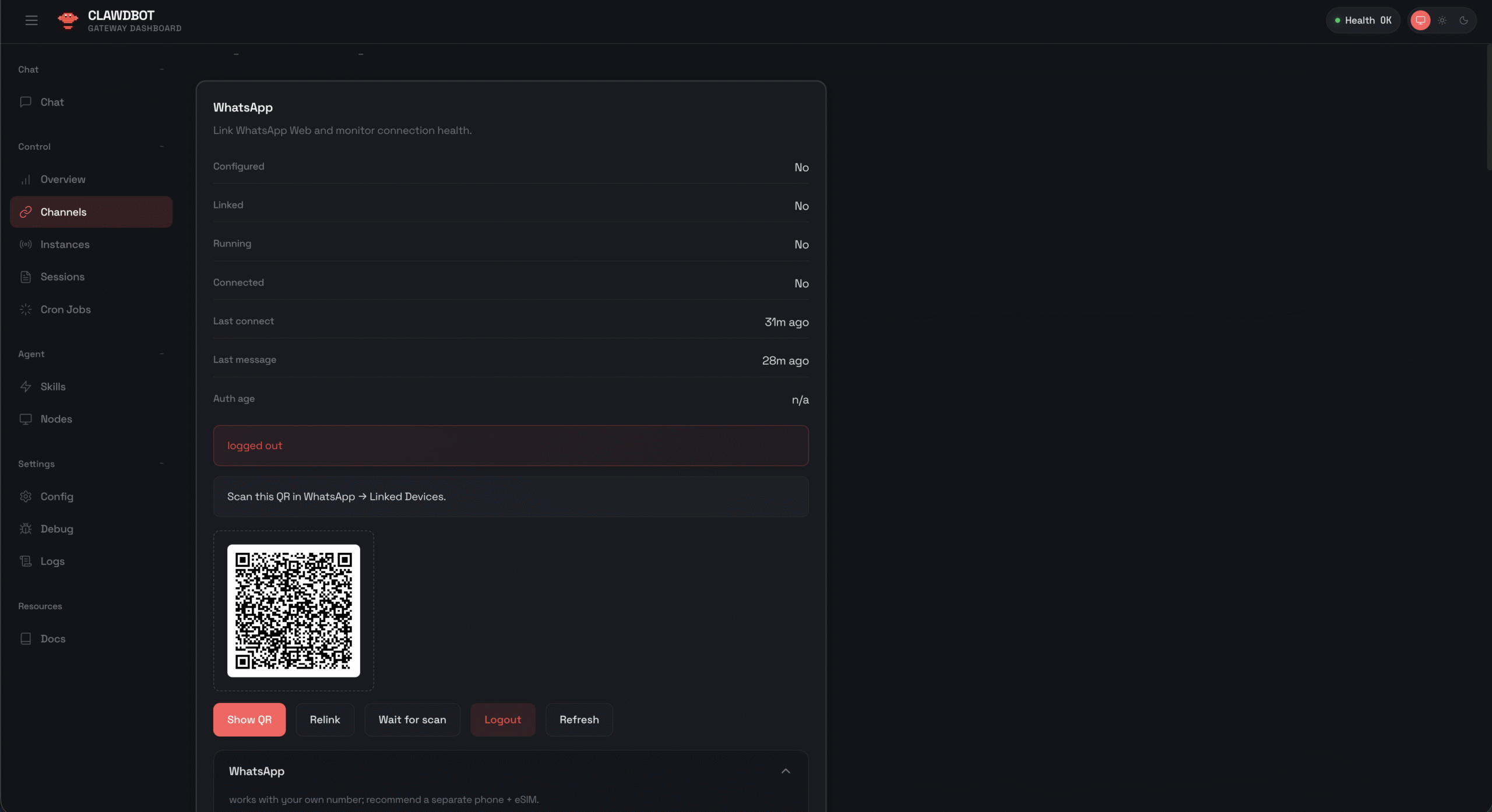
- On your mobile device, open WhatsApp and go to Settings → Linked devices.
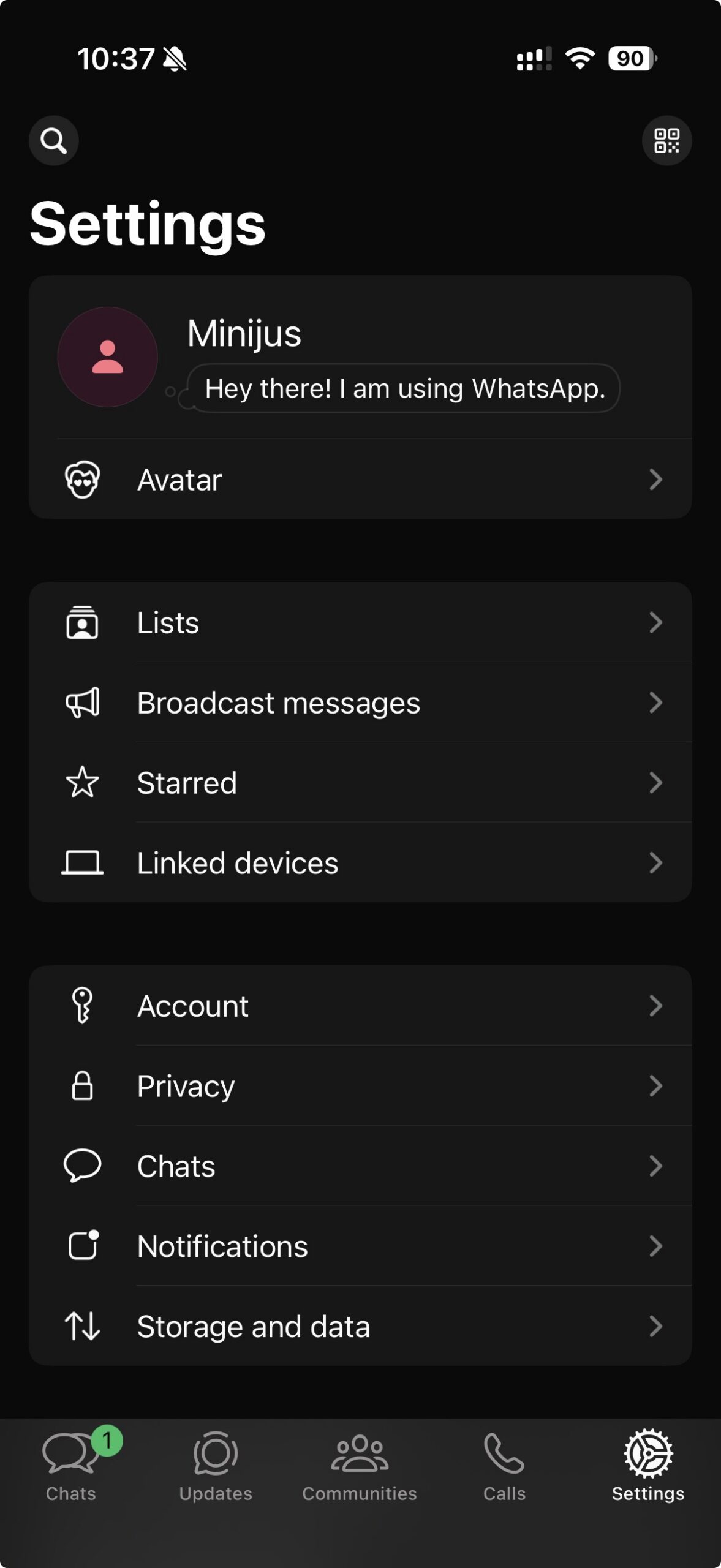
- On OpenClaw, click Wait for scan.
- Back on your mobile, tap Link a device and scan the QR code displayed on the OpenClaw dashboard.
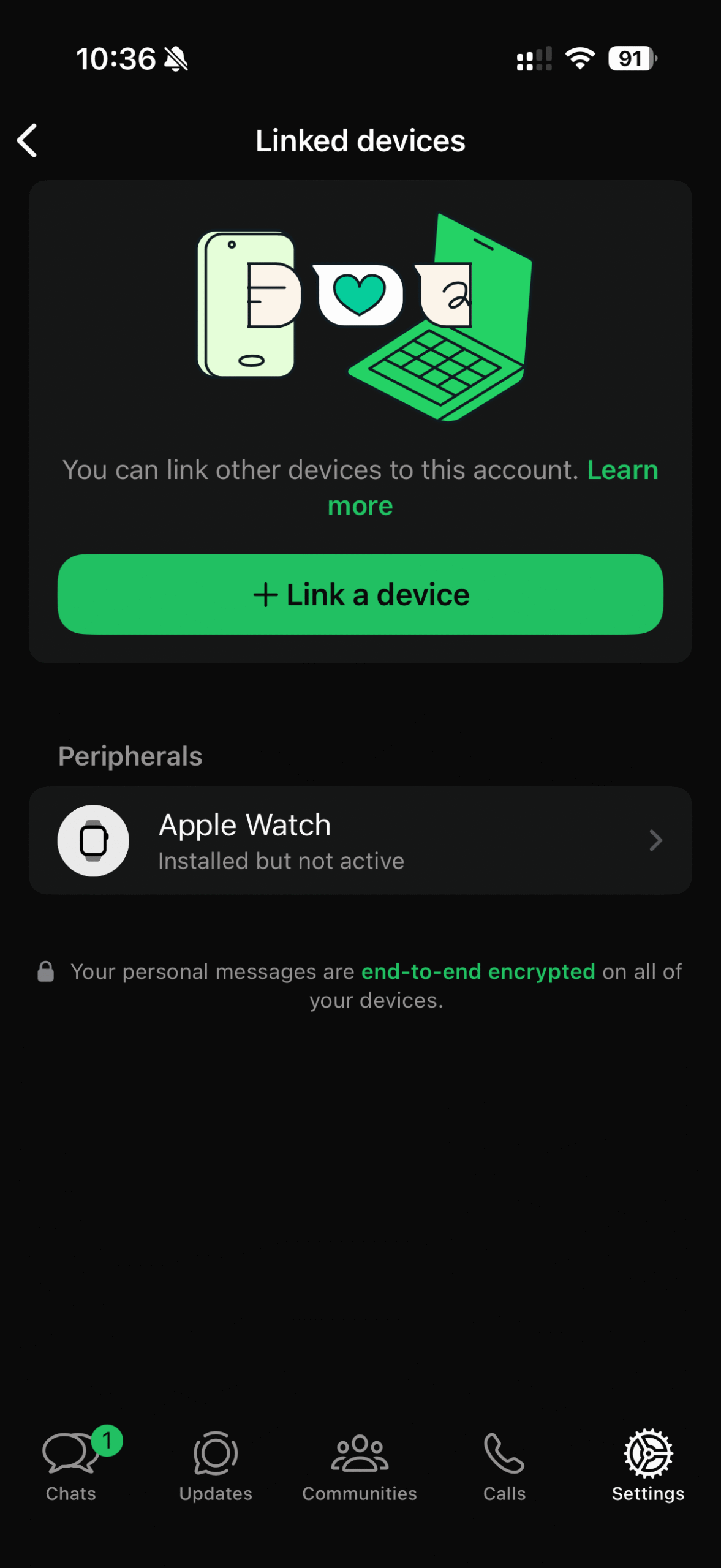
- Once the connection is complete, you will communicate with your AI assistant by writing messages to yourself within the app.
Your WhatsApp account is now connected to your Hostinger 1-Click OpenClaw instance. Say Hi to your app to start interacting.