Paperclip is an open-source AI/ML orchestration platform available in the Hostinger VPS Application Catalog. It allows you to deploy and manage autonomous AI agents that collaborate as a structured team, each with defined roles, goals, and tasks. Using Paperclip, you can build workflows where agents work together to complete complex objectives, making it a powerful tool for automation, research, and development.
Deploying the Paperclip Template
When deploying the Paperclip on Hostinger, you will be asked to provide several configuration details. These include your admin name, email, and password, along with optional API keys for providers such as Anthropic, OpenAI, Gemini, or Cursor. These API keys allow Paperclip agents to interact with language models and execute tasks.
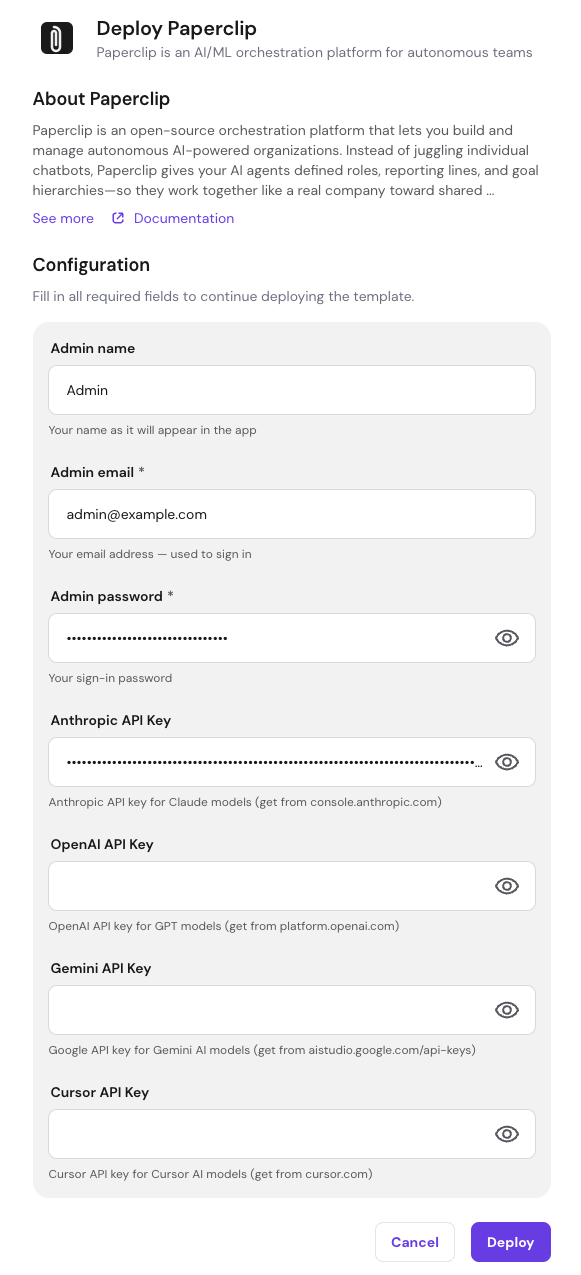
Once all required fields are filled in, click the Deploy button to start the installation process. The system will automatically set up Docker containers for Paperclip and its supporting services.
Accessing Paperclip
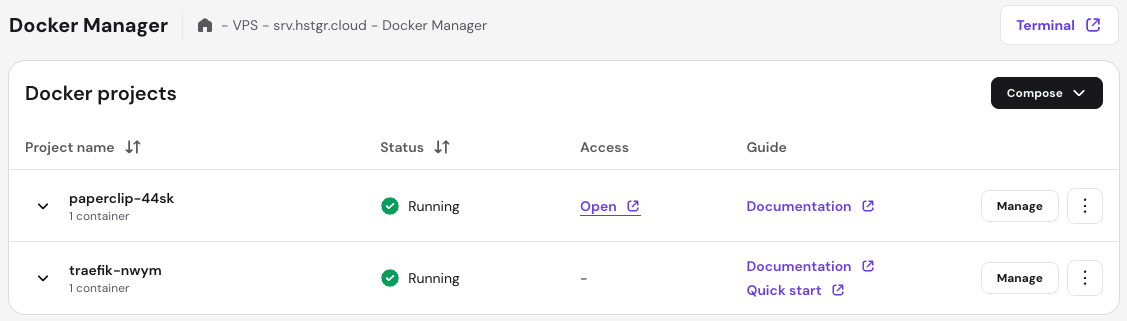
After deployment is complete, you can access Paperclip from your VPS dashboard. Navigate to Docker Manager and locate your Paperclip project. Click the Open button next to the running container to launch the application in your browser.
You will be presented with the Paperclip login screen. Use the admin email and password you provided during deployment to sign in to your instance.
Completing Initial Setup
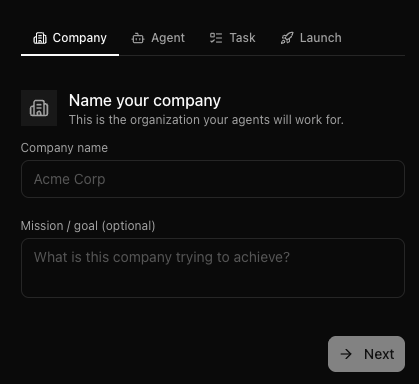
After logging in for the first time, Paperclip will guide you through a short onboarding flow. The first step is to create your organization by entering a company name and optionally defining a mission or goal. This structure allows Paperclip to organize agents and tasks under a shared objective.
Creating Your First Agent
Next, you will create your first AI agent. Assign a name to the agent, such as “CEO”, and choose an adapter type that determines how the agent operates. Paperclip supports multiple adapters, including Claude Code, Codex, Gemini CLI, and others. Each adapter connects your agent to a different AI execution environment.
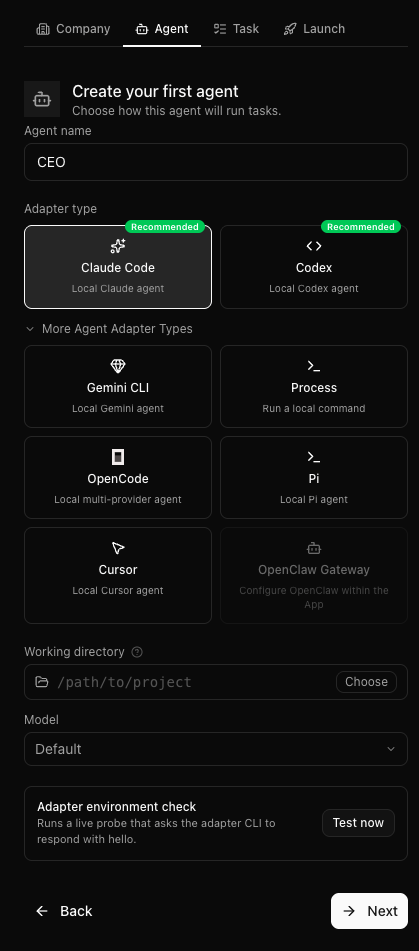
You can also configure the working directory and model settings. Once configured, proceed to the next step to define tasks for your agent.
Assigning a Task
After creating your agent, you will define its first task. Provide a clear task title and description so the agent understands what it needs to accomplish. This can include anything from generating content to running scripts or performing research.
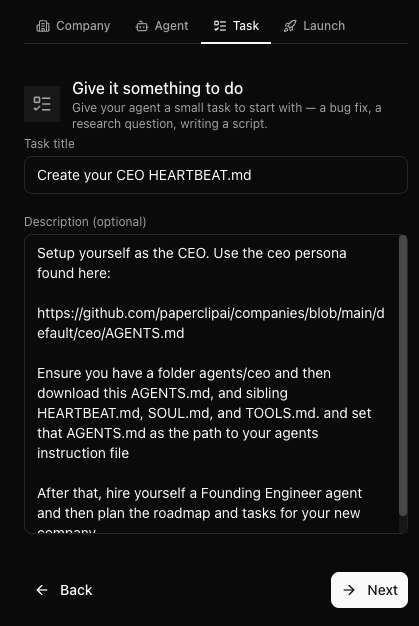
Paperclip uses structured task definitions to guide agent execution, allowing you to build complex workflows over time.
Using the Dashboard
Once setup is complete, you will be redirected to the Paperclip dashboard. From here, you can monitor your agents, track task progress, and manage your organization. The dashboard provides insights into active agents, running tasks, and overall system activity.
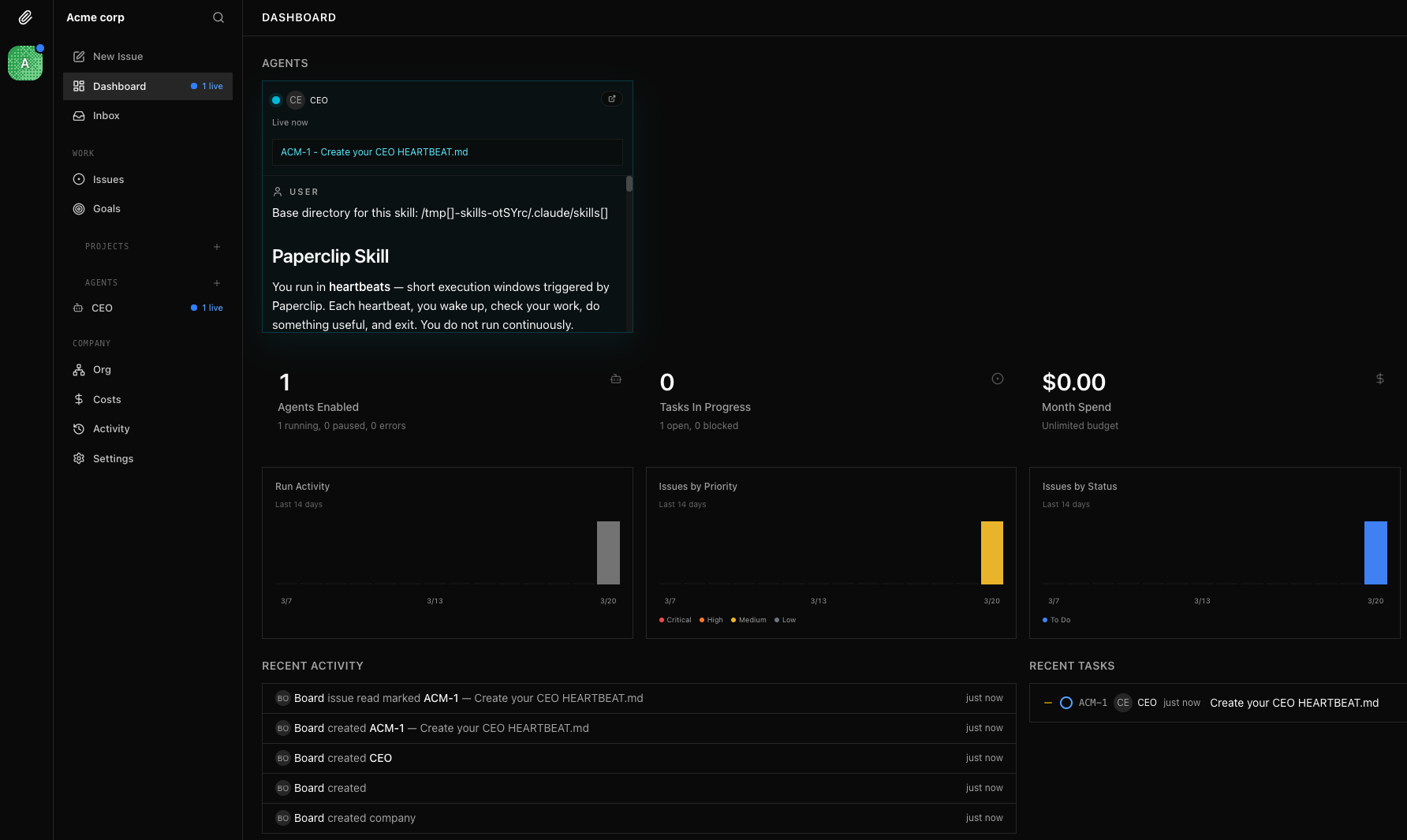
You can create additional agents, assign new tasks, and expand your AI workflows as needed, making Paperclip a powerful platform for orchestrating autonomous systems.
Conclusion
Paperclip in the Hostinger Application Catalog provides a quick and efficient way to deploy an AI orchestration platform using Docker. With minimal setup required, you can start building autonomous AI workflows within minutes and scale them as your needs grow.