You can easily import contacts from other email services to Titan. All you need to do is have the list of your contacts in a CSV file.
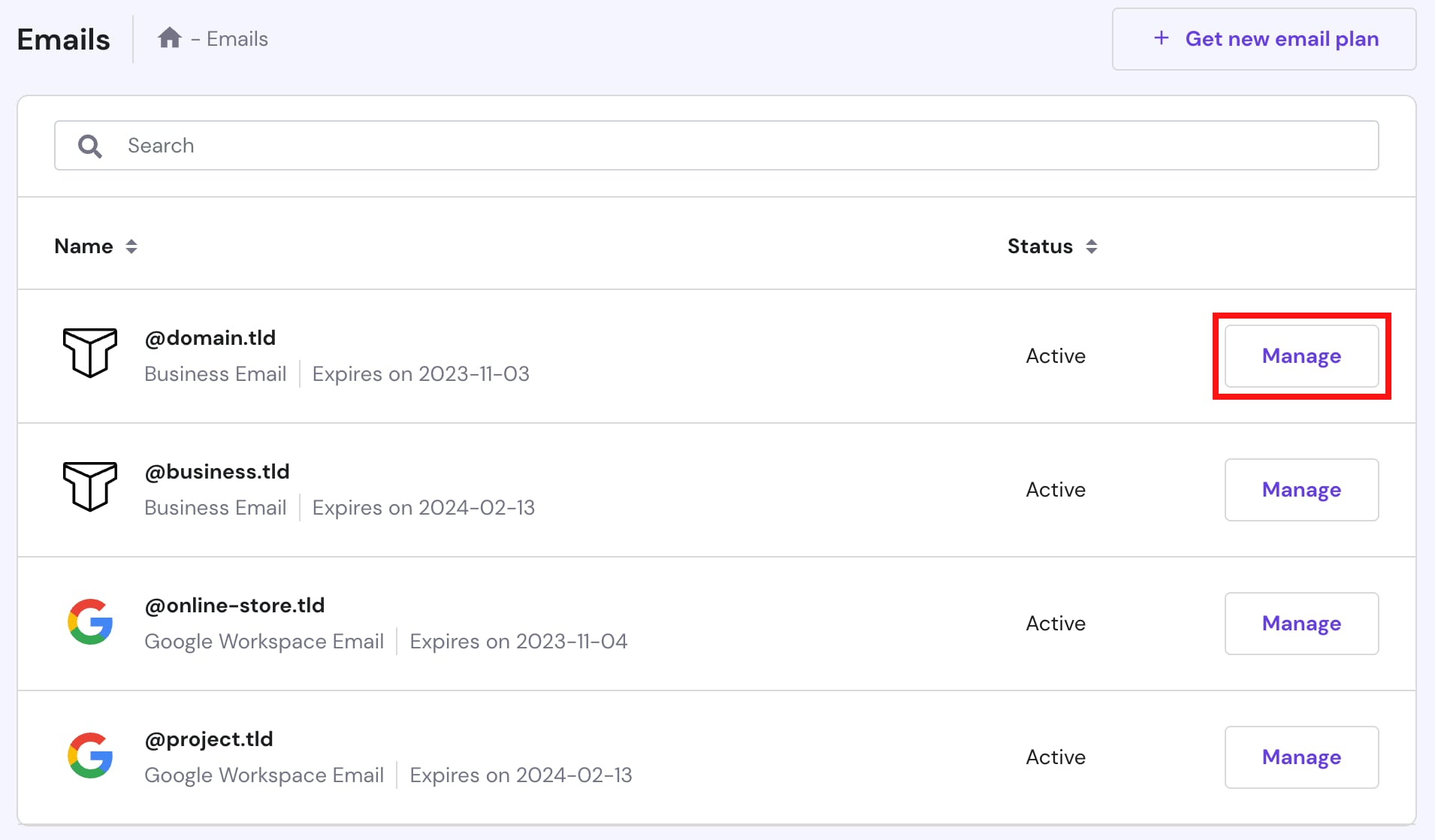
To import contacts to your Titan email account, go to hPanel → Emails, find the email service in question, and click on Manage:
NOTE
-
There are two types of Titan Email plans in Hostinger: Business Email and Enterprise Email
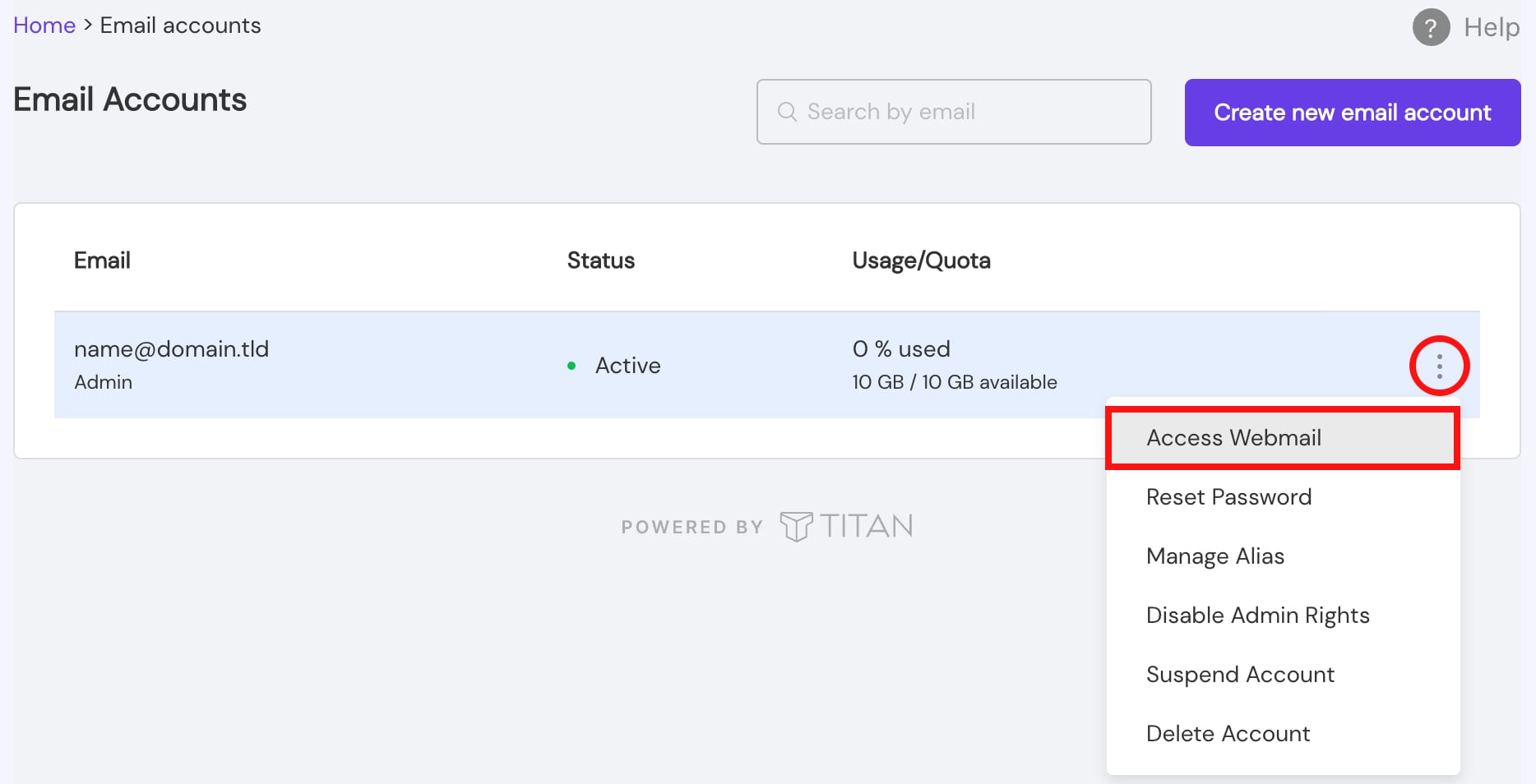
Go to Email Accounts, click on the ellipsis ⋮ button, select Access Webmail, and log into your email account:
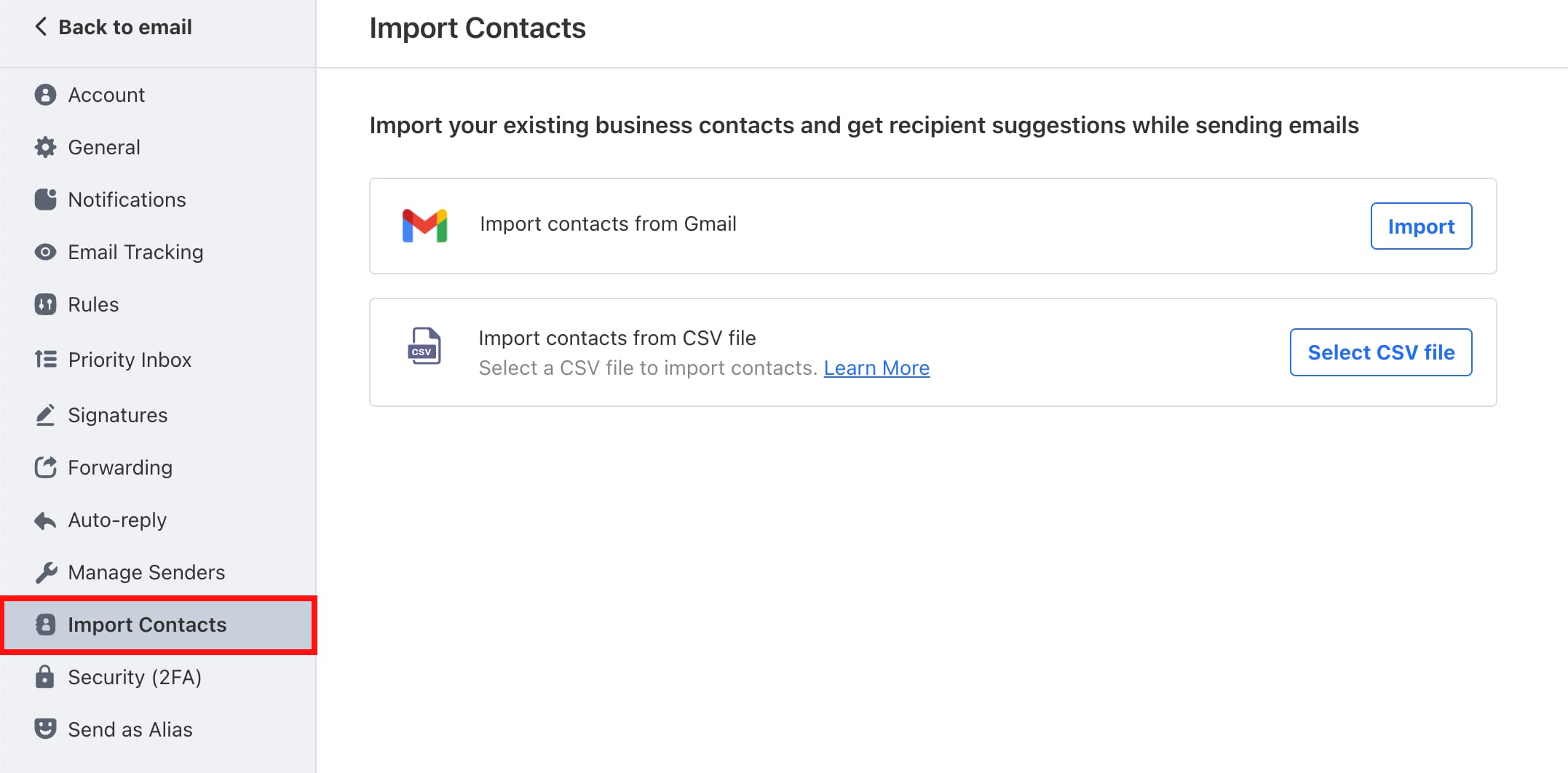
Within your email account, go to Settings → Preferences → Import Contacts, and select if you want to import contacts from a CSV file, or directly from Gmail:
Finally, complete the rest of the steps by following this guide: Import Contacts to Titan 💡