Currently, online stores created with Hostinger Website Builder support a single language. You can specify the default store language in the checkout settings.
To offer products in multiple languages, try the workaround described below 👇
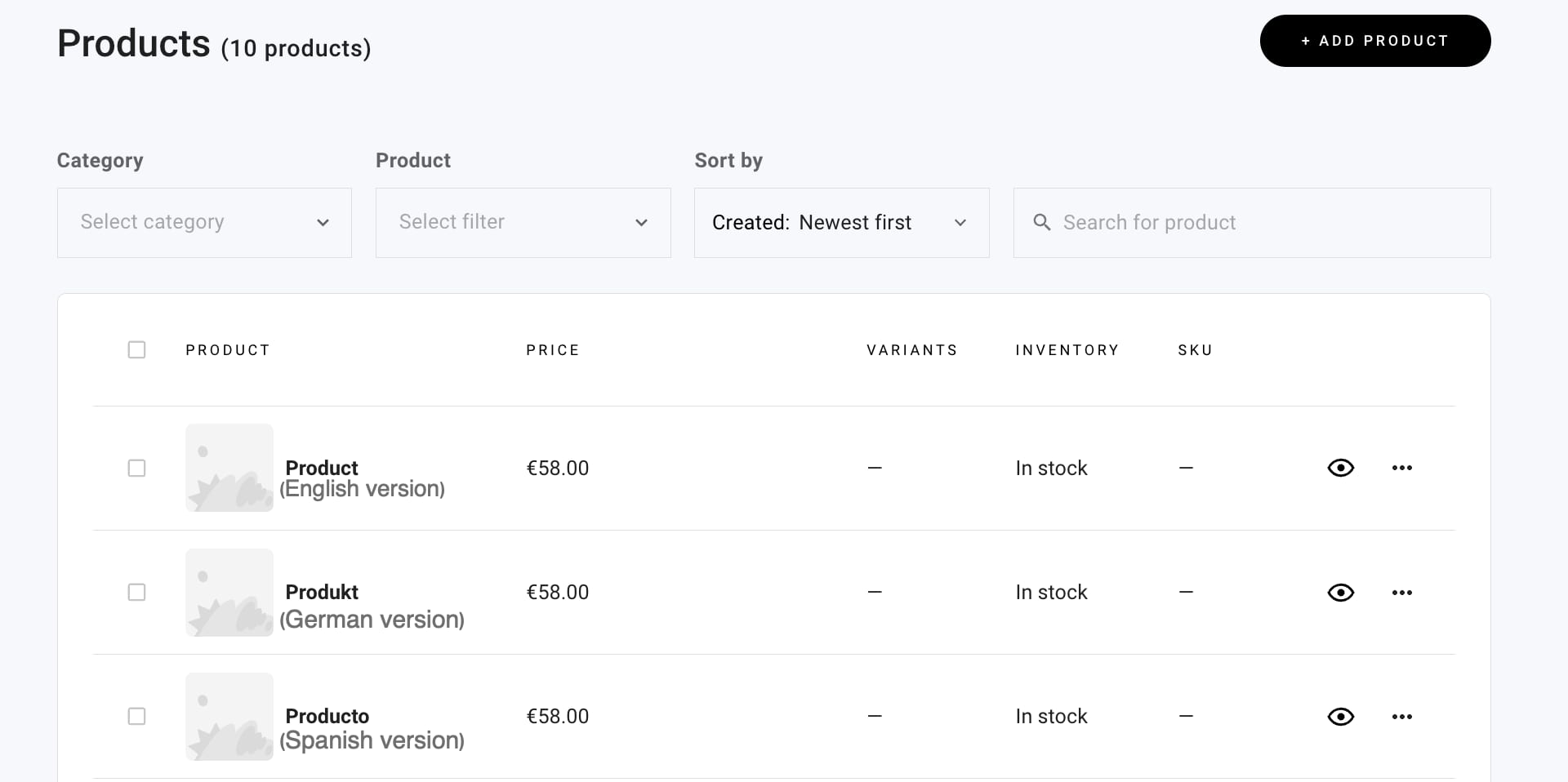
Step 1 – Create Products
In the store management area, create products in as many languages as you need. For example, create:
-
Product A – in English
-
Product A – in German
-
Product A – in Spanish
-
Product B – in English
-
Product B – in German
-
Product B – in Spanish, etc.
Step 2 – Create Product Categories
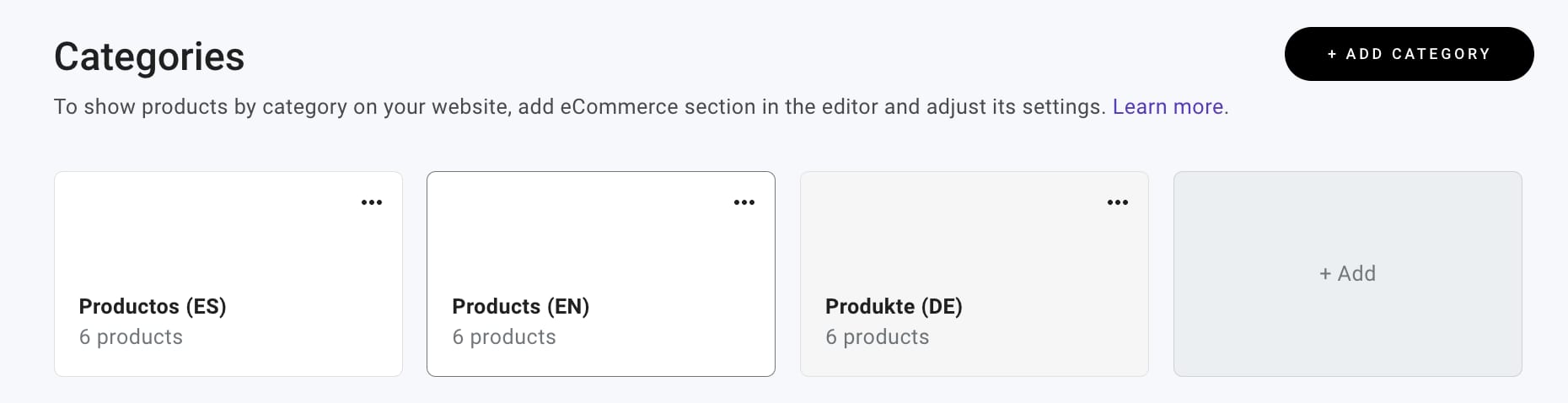
In the store management area, create product categories for each language and assign relevant products. For example, create:
-
Category for products in English; assign the English version of products A, B, C
-
Category for products in German; assign the German version of products A, B, C
-
Category for products in Spanish; assign the Spanish products A, B, C
Step 3 – Display Products on the Website
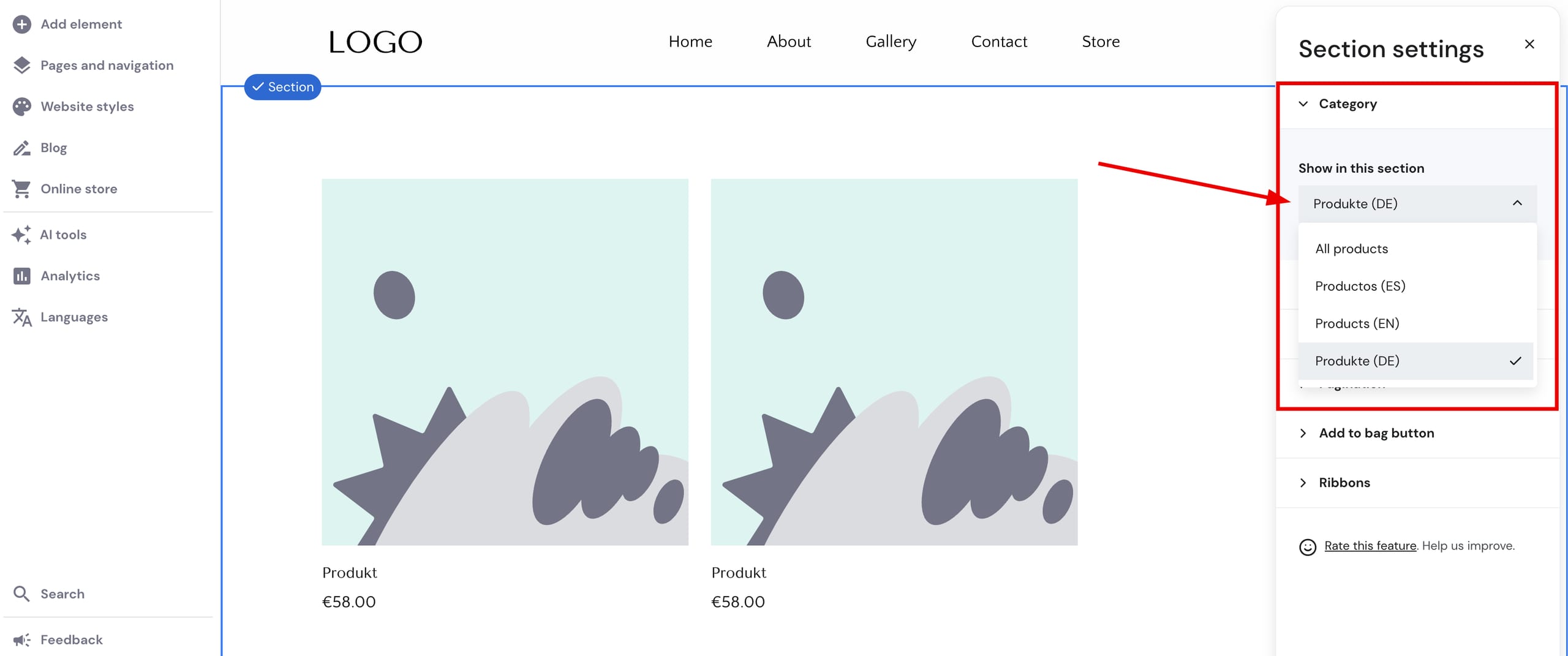
In the website’s editor, find the preferred pages on which you want to display products; you may also create new pages for that. Insert a product list section per each page and specify a particular product category to display.
If you’ve enabled more languages for your website, remember that products can only be displayed on pages in the default language.
For example:
-
On the page for products in English, add a product list section and select to display the category of products in English
-
On the page for products in German, add a product list section and select to display the category of products in German
-
On the page for products in Spanish, add a product list section and select to display the category of products in Spanish:
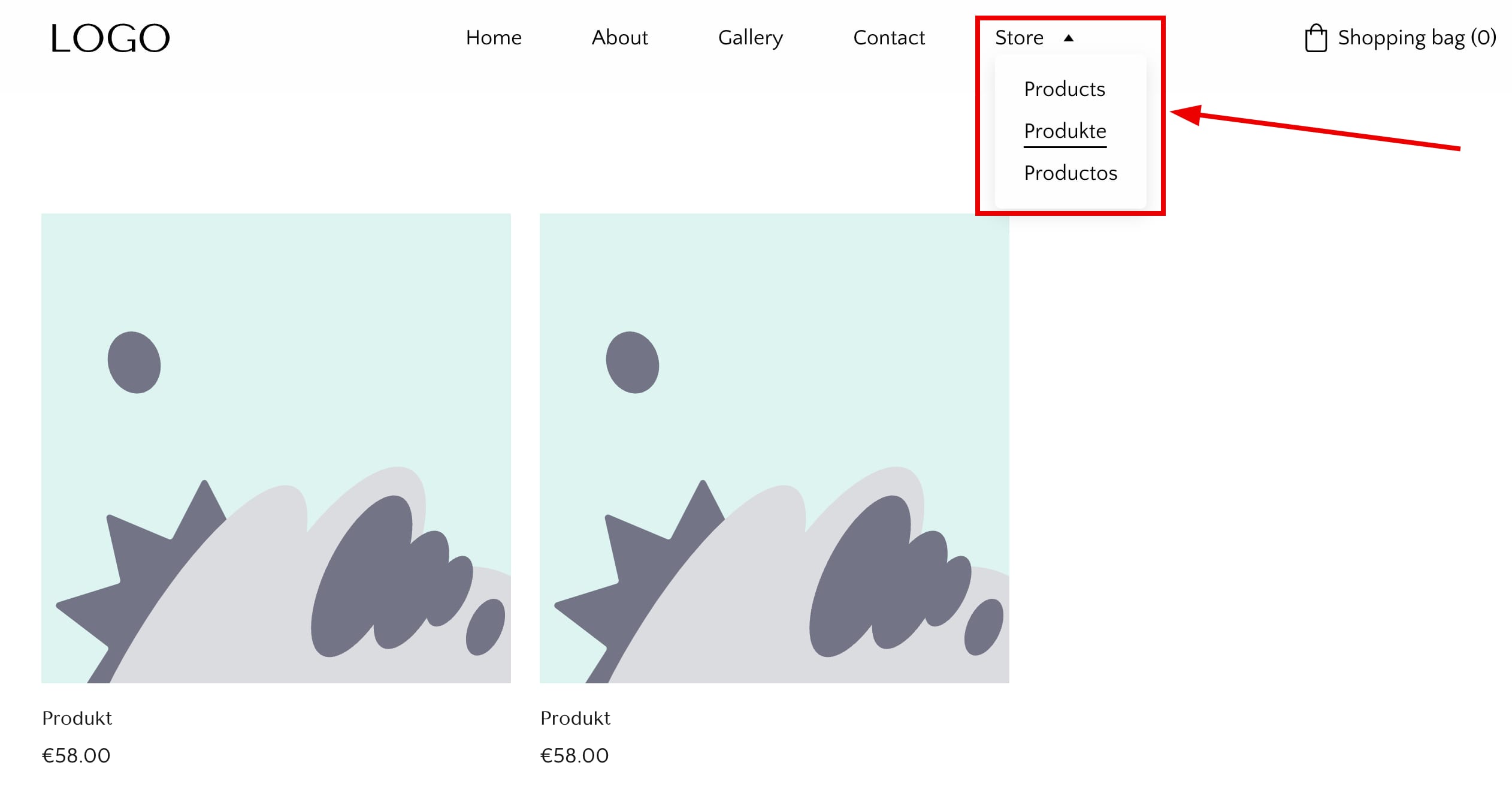
This way, you can display all your products by language on separate pages. Finally, if you like, you may assign those pages to a dropdown, for example:
You may also add the links of those pages to various website elements. You can find the page URL in the general page settings 💡