If you run an online store with Hostinger Website Builder and have online Stripe payments enabled, check out these instructions on how to manage your payouts:
Reaching the Stripe Dashboard
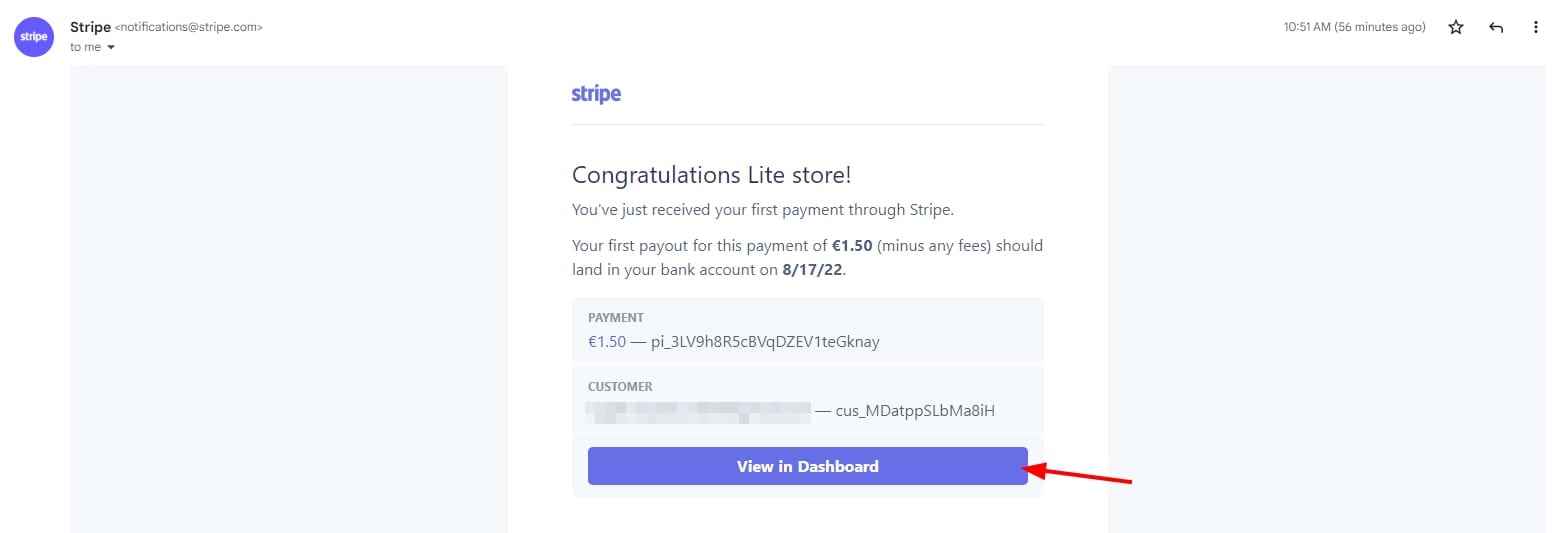
Once any of your clients make a purchase, you’ll automatically receive an email notification from Stripe. To access the payment information on your Stripe account, click on View in Dashboard in the email:
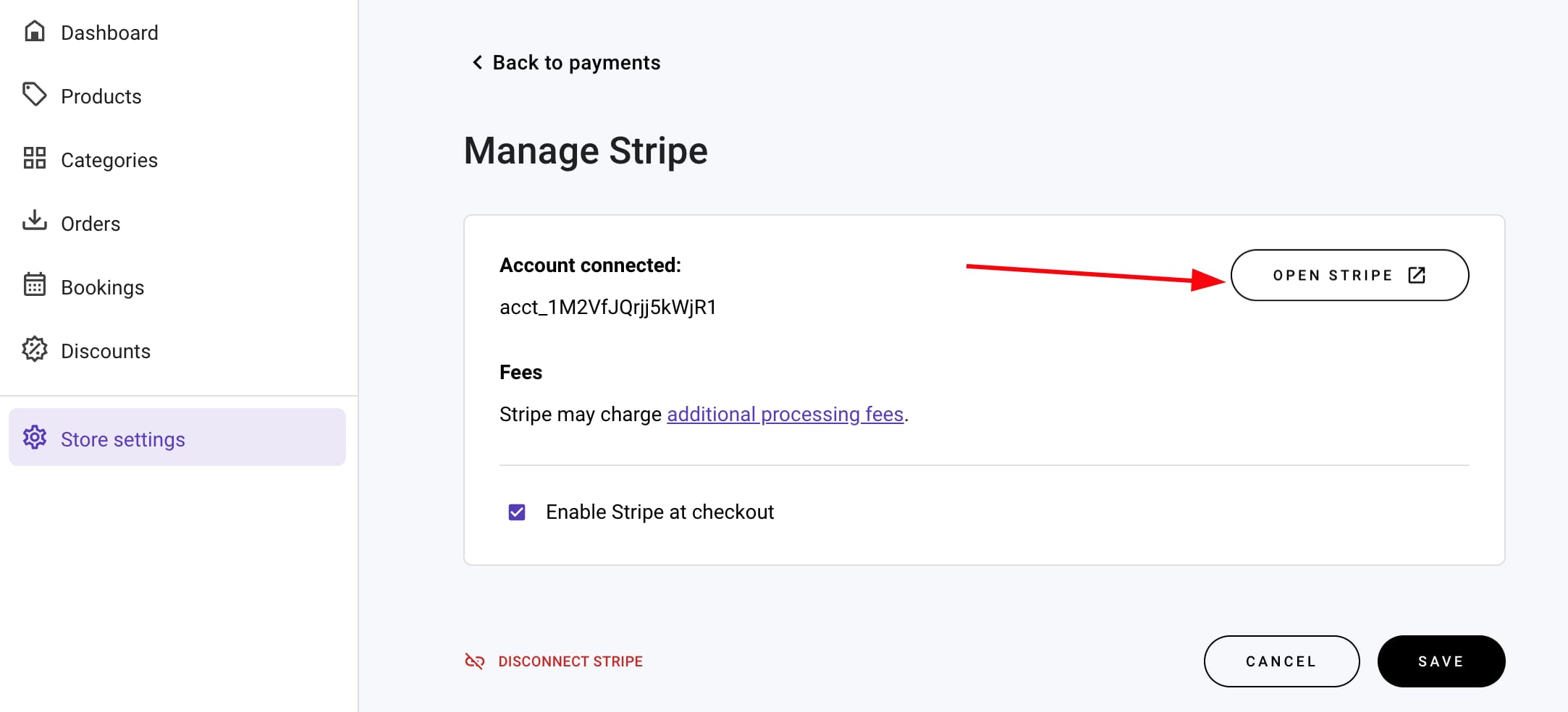
Alternatively, you can reach your Stripe dashboard directly at dashboard.stripe.com, or via your store management area → Store settings → Payments → Manage (Stripe) → Open Stripe:
Adding Your Bank Account Information
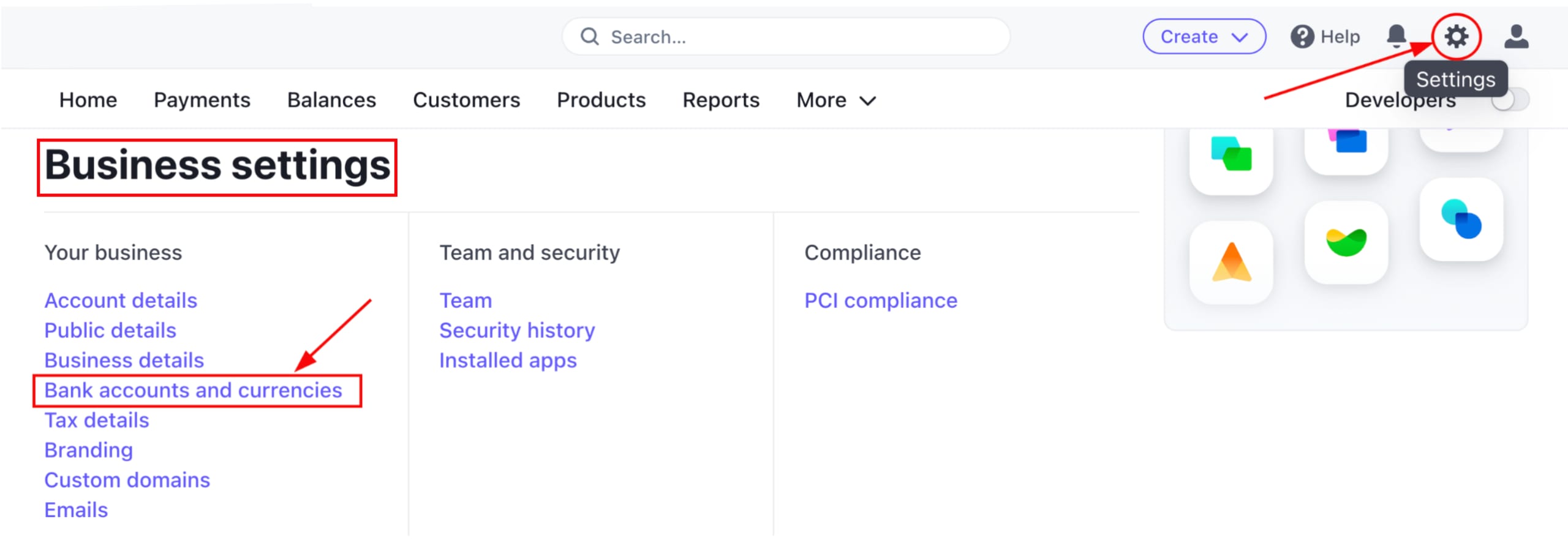
In case you’ve skipped inserting bank account information when setting up Stripe or would like to update it, go to Settings → Business settings → Bank accounts and currencies:
Here, you can edit your connected bank account:
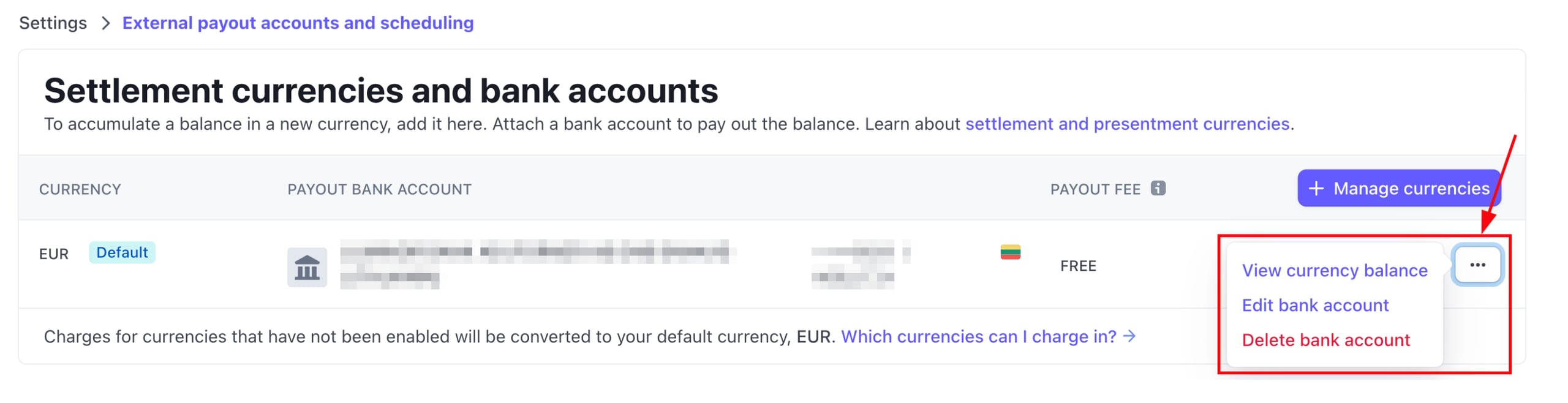
Based on your bank’s location, Stripe may require varying types of account details to activate your bank account.
Adjusting the Payout Schedule
You can adjust how often payouts will be transferred to your bank account in your Payout settings.
In the Payout schedule section, next to Automatic every select the desired frequency and click on Save:
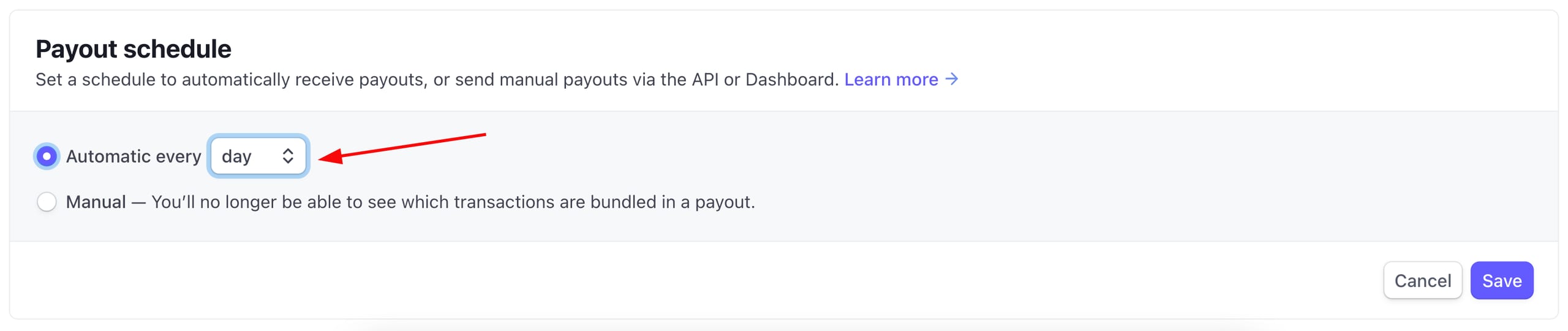
You’ll be able to choose either daily, weekly, or monthly automatic payments. If you choose to be paid every week/month, you can also specify the preferred day of the week/month.
Keep in mind that the payout schedule refers to the frequency of your payouts, while payment speed is the amount of time it takes for your funds to become available. You can check Stripe’s payout speed by country.
In most cases, when you start processing payments with Stripe, you will receive your first payout in 7–14 days after your first successful payment; the first payout may take longer for a number of reasons, including your country or being in a high-risk industry 💡