Customizing duplicated pages may save some time while creating a website with Hostinger Website Builder.
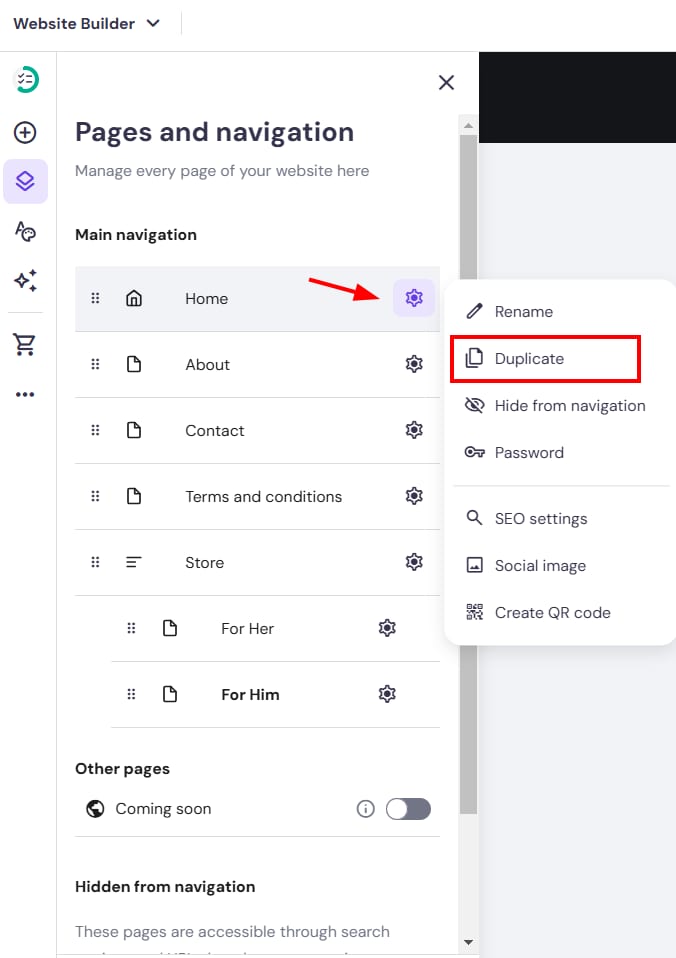
To duplicate a page, within the builder, open the Pages and navigation menu on the left. Find the page in question, open its settings, and click on Duplicate:
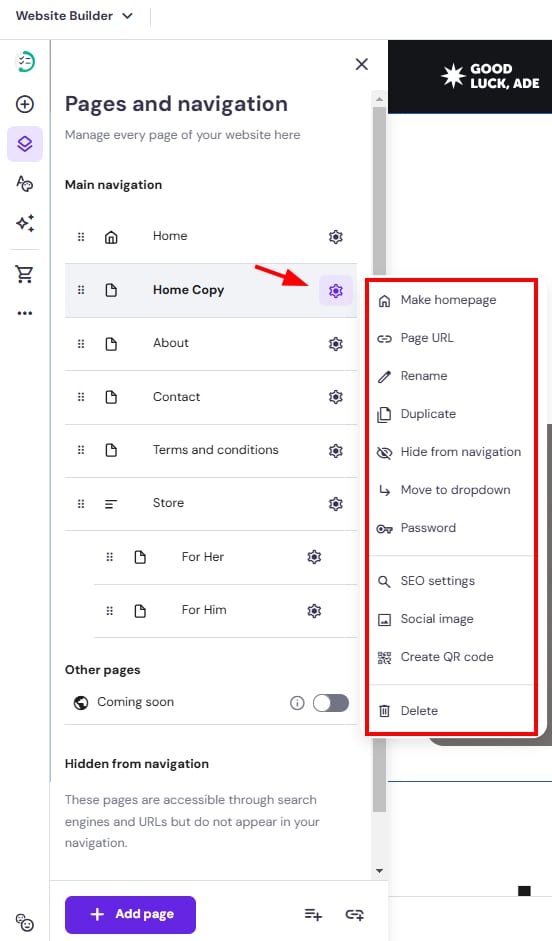
Customize your new page and its settings:
Finally, update your website for the changes to reflect online.