With the help of Facebook’s Share Button Configurator, you can easily create and embed share buttons into your site created with Hostinger Website Builder.
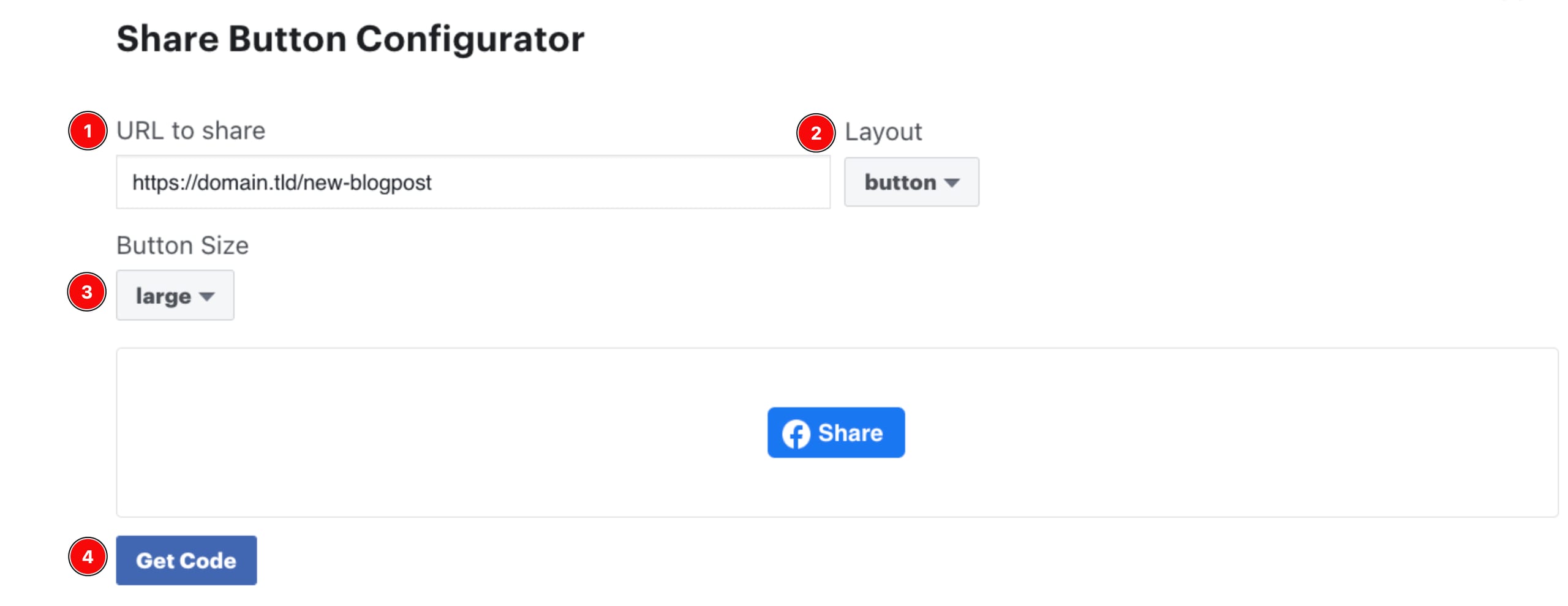
Open Share Button Configurator and create the button:
-
Enter the URL that you’d like to share on Facebook
-
Select the button layout
-
Choose the button size
-
When you’re done, click Get Code:
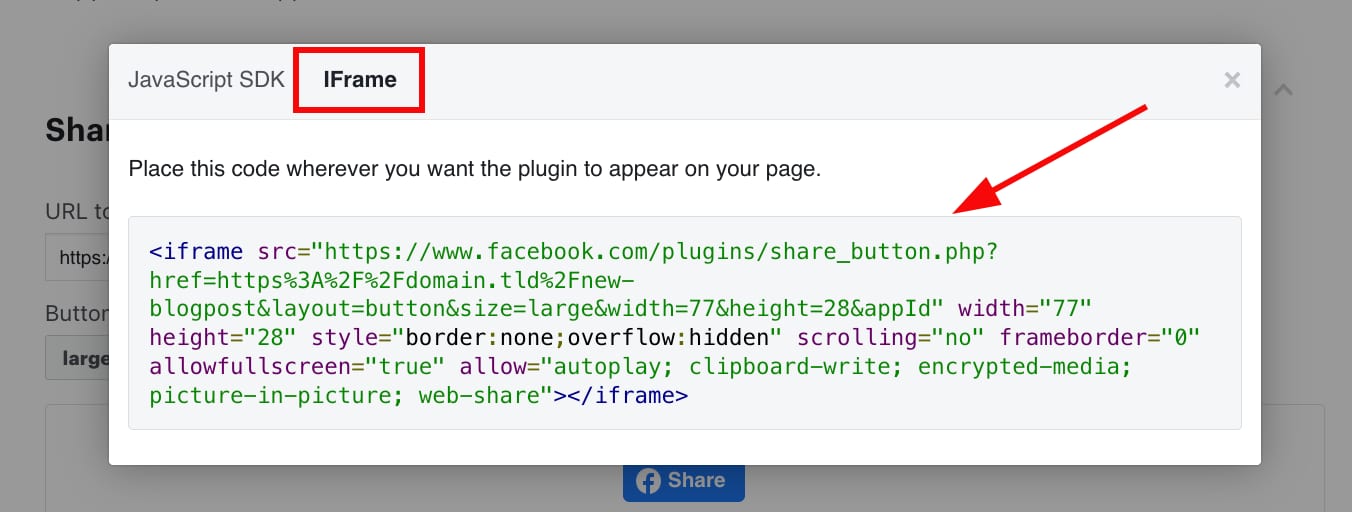
Then, open the IFrame tab and copy the code:
Paste the code anywhere on your website using the embed code element:
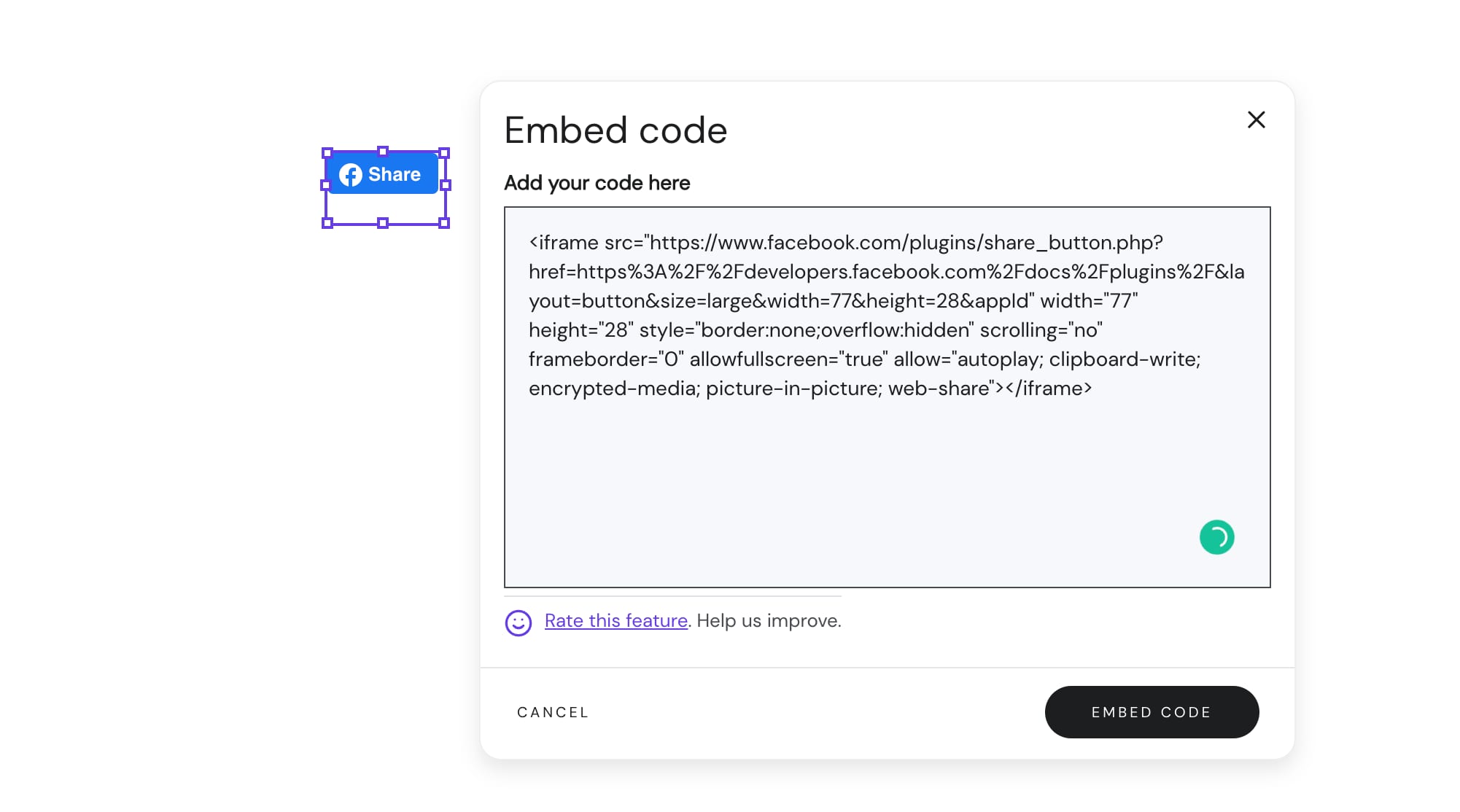
If necessary, resize the embed code element and update your website.