A sitemap helps search engines discover your website and better understand its structure.
When creating a website with Hostinger Website Builder, you don’t need to worry about configuring a sitemap – it’s done for you by default. Once you publish your website, you can access its sitemap by typing the domain.tld/sitemap.xml in the address bar of an internet browser:

Replace domain.tld with your actual domain name 💡
The sitemap.xml file is also automatically updated each time you update your website.
Submitting a sitemap to Google Search Console (GSC) may help index your website pages on Google 👇
1. Open your GSC account. If you haven’t used GSC before, you’ll be asked to add and verify your domain name.
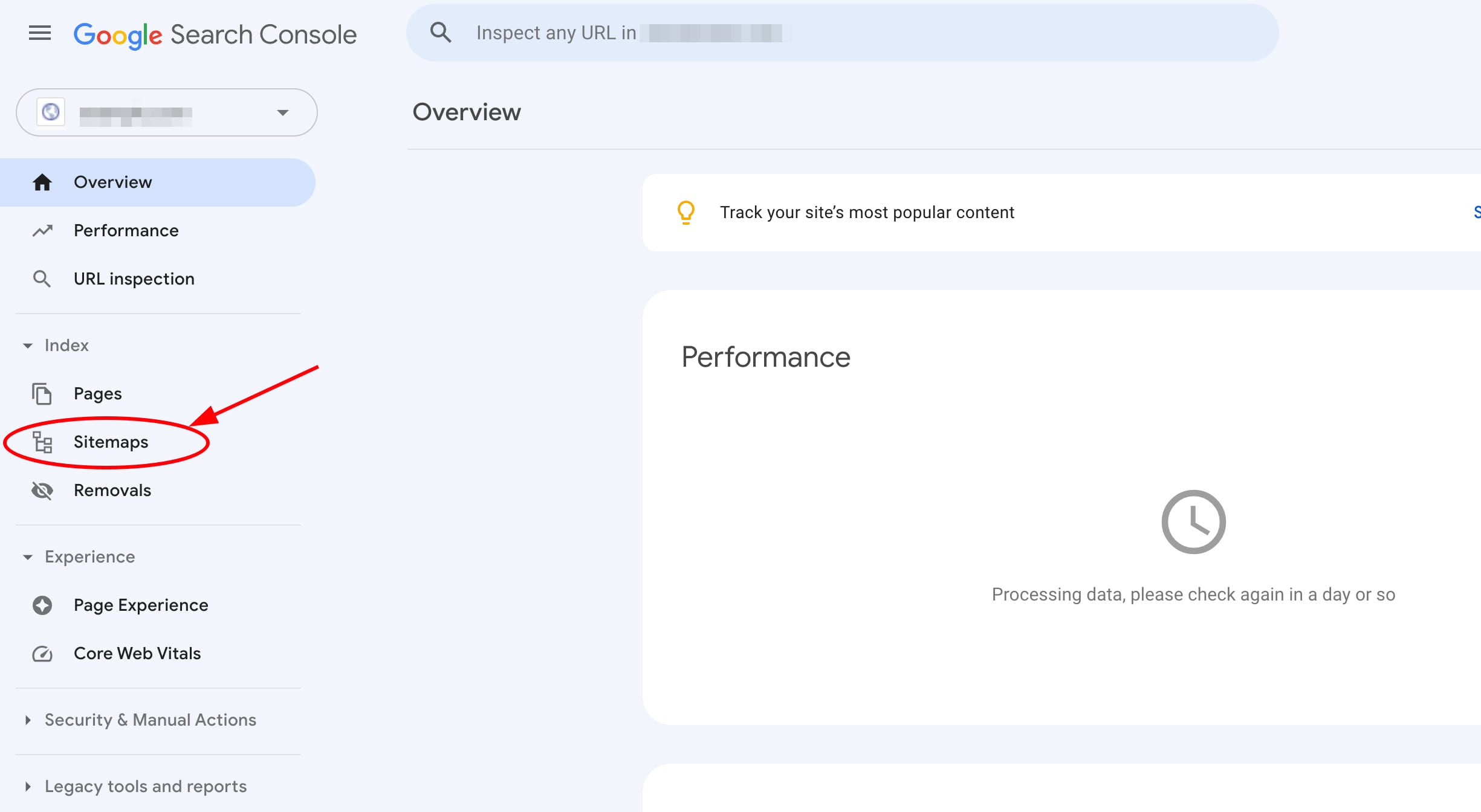
2. In your GSC account, open the Sitemaps tab on the left:
3. Enter your sitemap URL and click Submit:
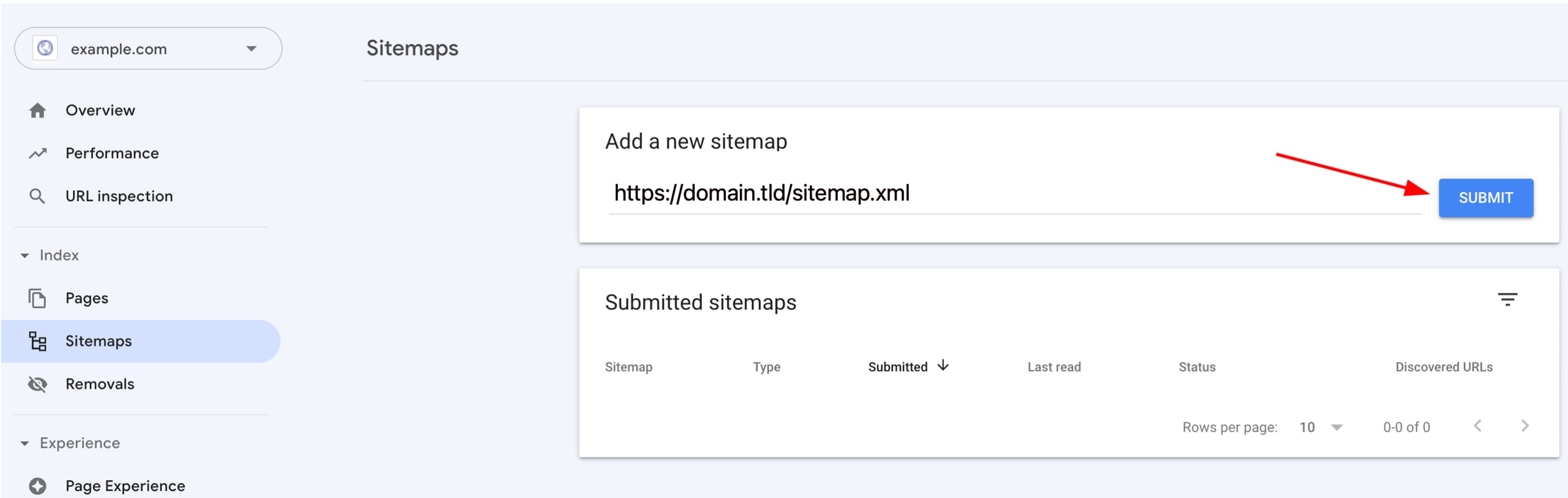
The URL should contain WWW only if the WWW prefix is enabled in your website’s general settings 💡