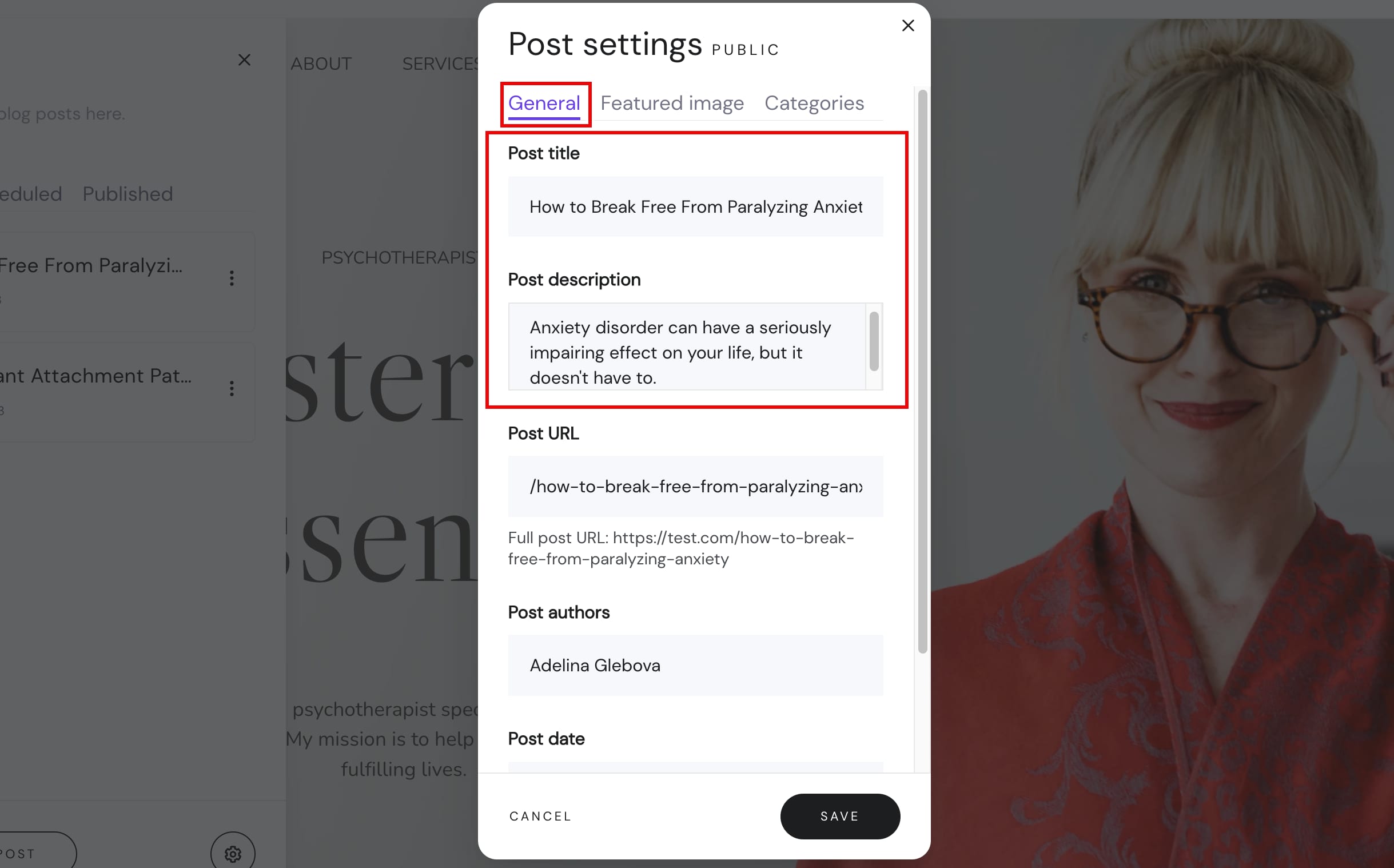
You can change the title and/or description of your blog post in its general settings.
NOTE: Blog post title and description are automatically used as meta title and description
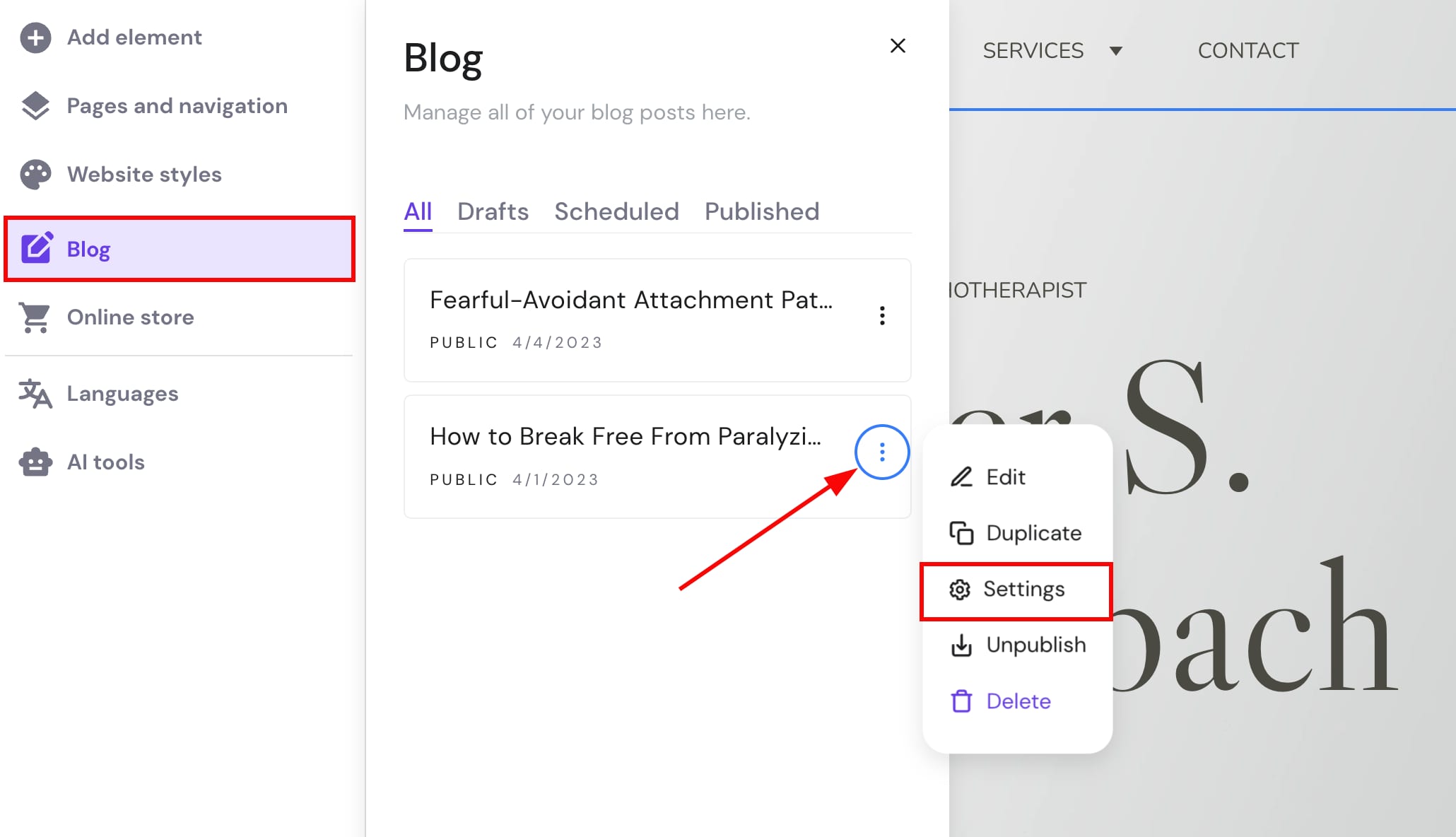
Within the builder, expand the blog management panel on the left and find a post that you want to edit. Click on the ellipsis button ⋮ and open the blog post settings:
Change the title and/or description in the General tab:
Save the changes and update your website for the changes to reflect online.