You can easily delete any blog post anytime!
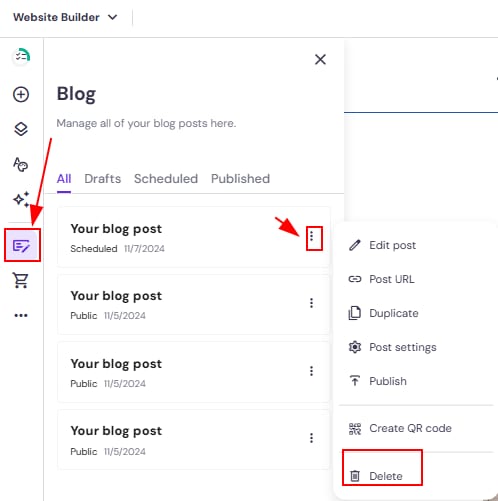
Within the editor, open the blog management panel on the left and find a post that you want to delete. Click on the ellipsis button ⋮ next to its title and click Delete:
Finally, update your website for the changes to reflect online.