You can easily turn a published article into a draft anytime. This way, the article won’t be available online until you publish it again.
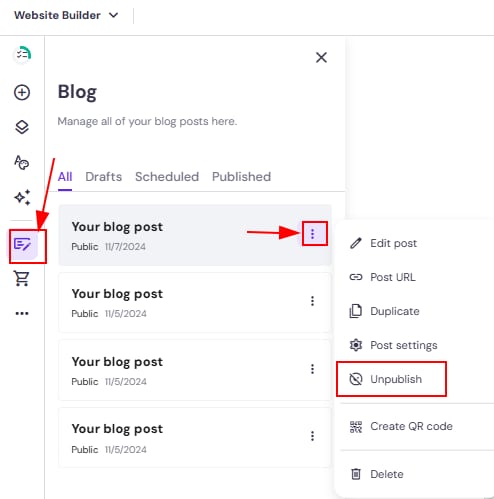
Within the editor, open the blog management panel on the left and find a post that you want to unpublish. Click on the ellipsis button ⋮ near the blog post title, click Unpublish, and your article will become a draft:
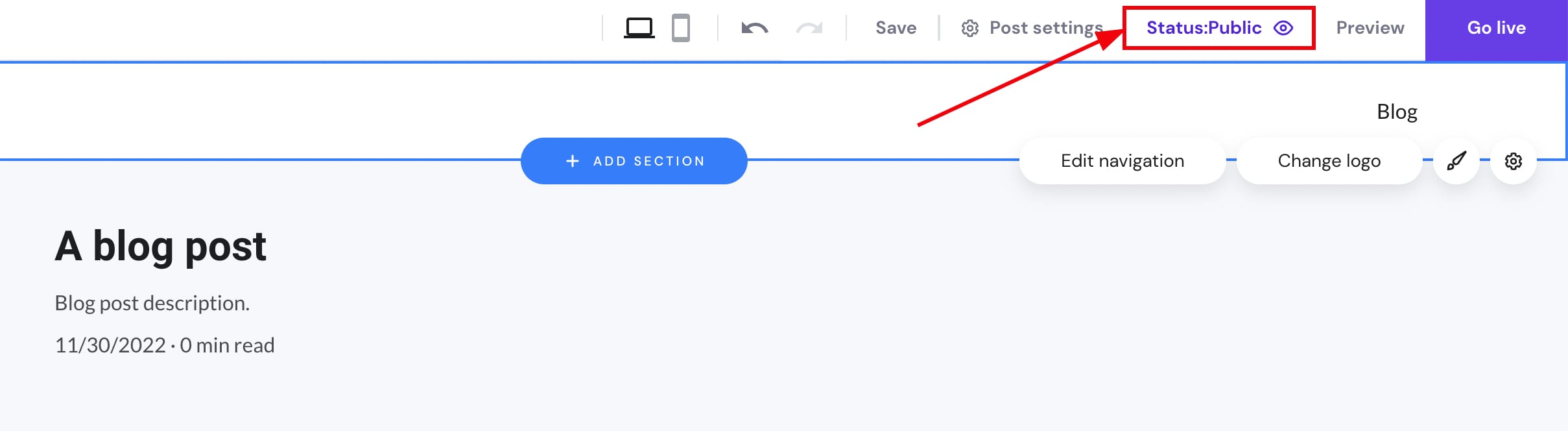
You can also unpublish it within the blog post editor. In the top toolbar, click on the Status:Public, and it will turn into a draft:
After making the changes, remember to update your website.