In Hostinger Website Builder, you can easily rename the pages of your site.
Within the editor, click Pages on the left and find the page you want to rename. Click on the settings ellipsis (…) next to the page title and select Rename:
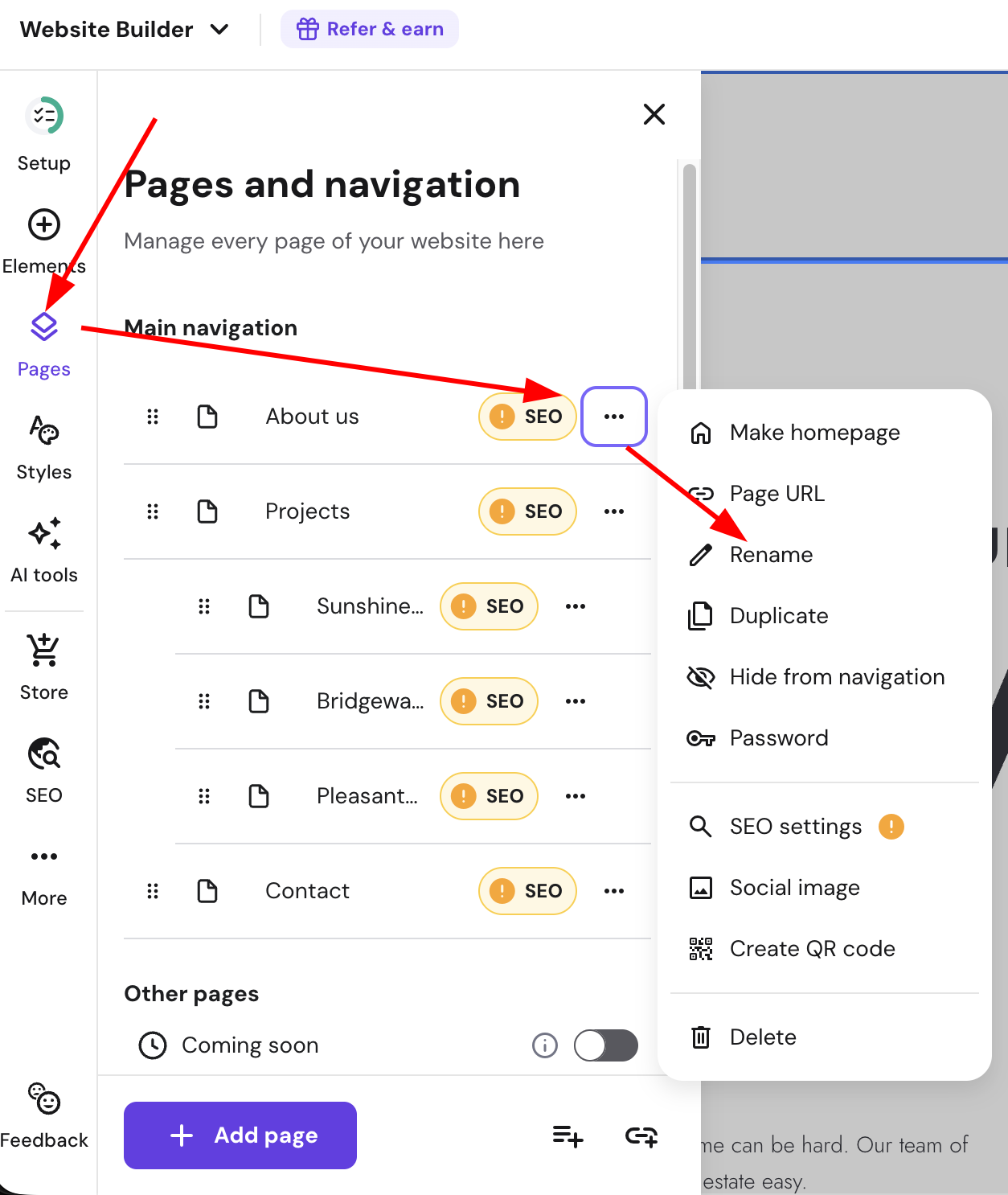
Insert a new page title, save the changes, and update your website for the changes to reflect online.
NOTES
-
If you change the page title, the page URL is updated automatically
-
To change the meta titles of your pages, refer here