If you use Hostinger Website Builder and want to delete a page from your website, follow the steps below 👇
Expand the Pages and navigation panel on the left and find the page you want to remove from your website. Click on the settings wheel next to the page title and select Delete:
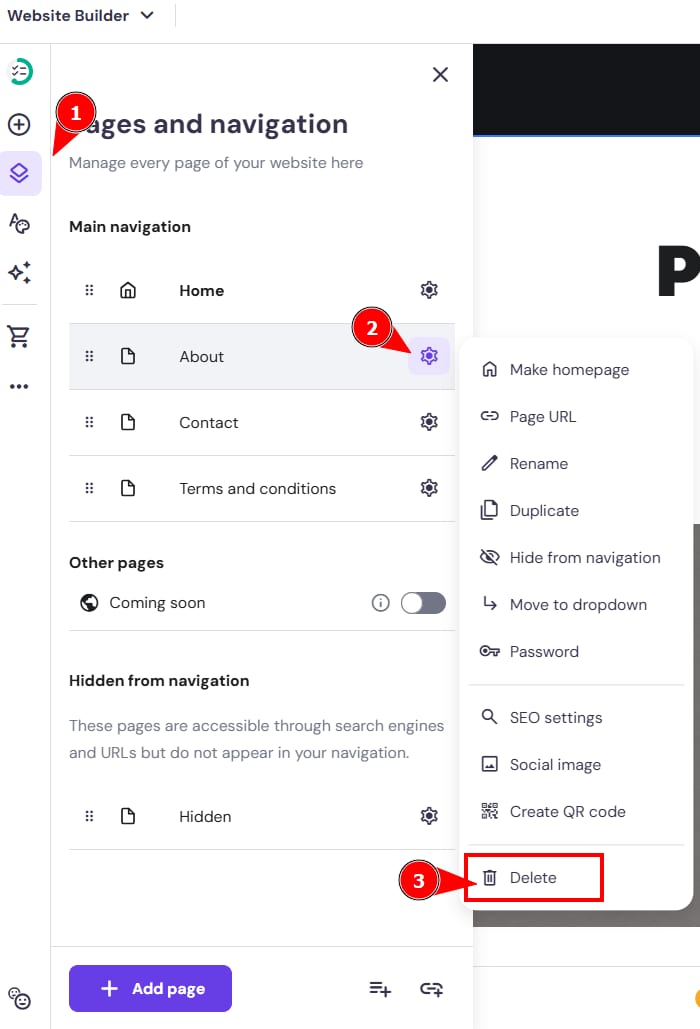
Confirm the action by clicking on Delete again. Finally, update your website for the changes to reflect online.
NOTES
-
To delete the homepage, first set another page as the homepage
-
To delete a product page, delete the product in the product management area