Hostinger Website Builder: How to Edit the URL of a Blog Post

Learn how to edit the link of your blog post using Hostinger Website Builder

Updated 2 weeks ago

With Hostinger Website Builder, it’s easy to edit the URL of your blog posts ✍️

Within the builder, open the blog management panel on the left. Find the blog post you want to edit, and click on the ellipsis button ⋮ next to its title:
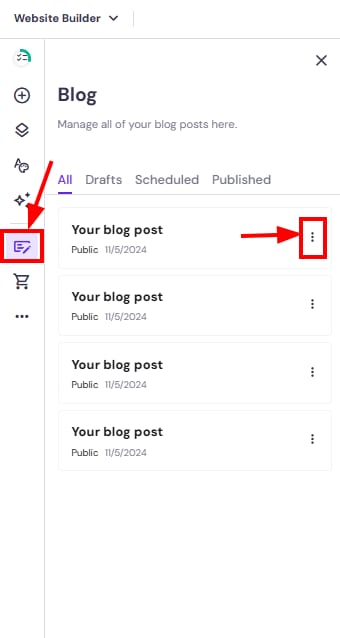
Hostinger Website Builder blog list with a post options menu highlighted

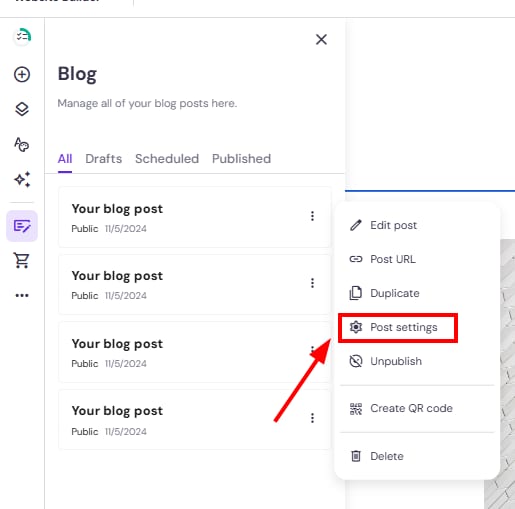
Then, open the blog post settings:

Hostinger Website Builder blog menu with Post settings highlighted in the post options panel

In the General tab, edit the post URL:
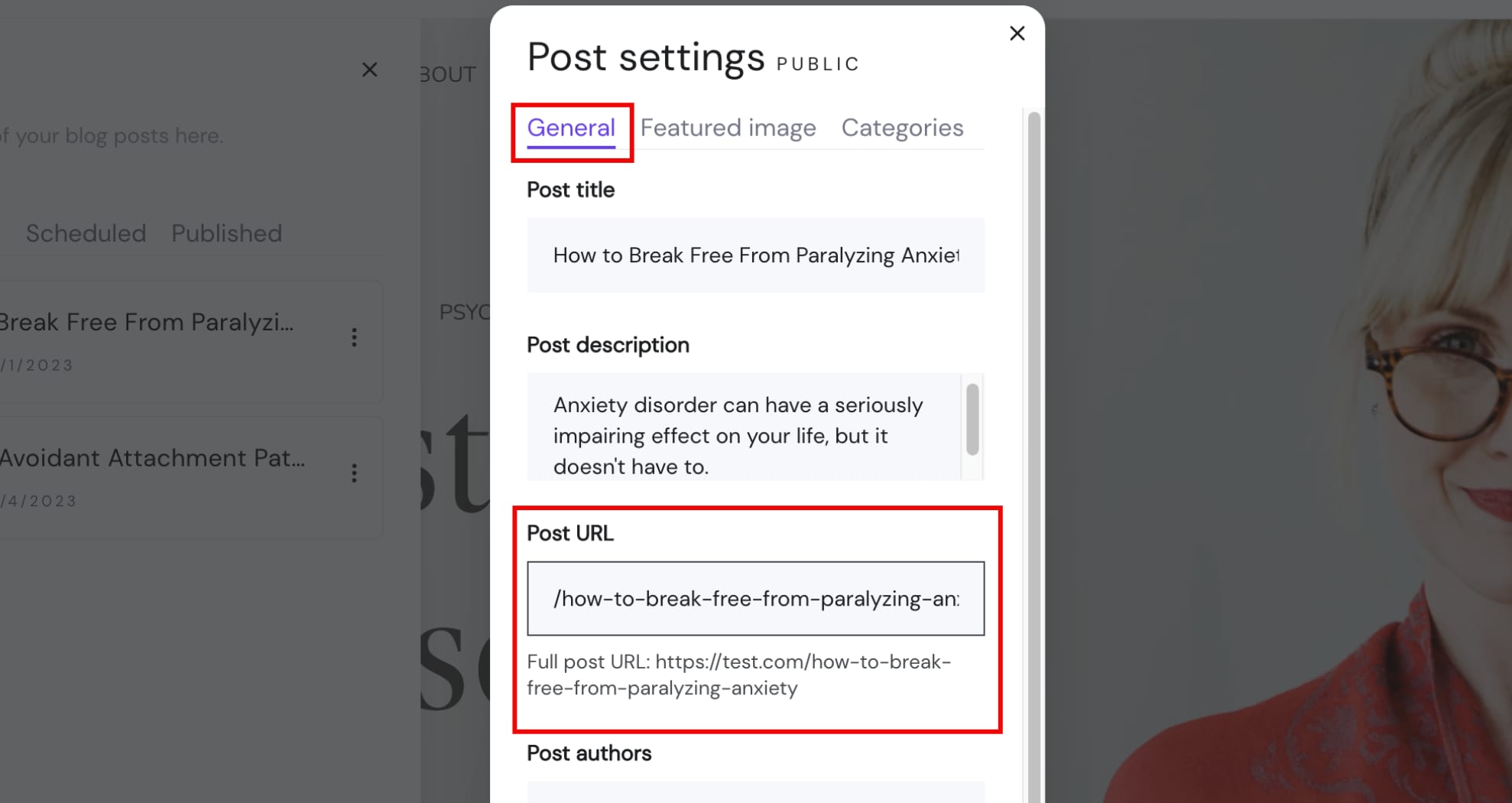
Hostinger Website Builder post settings with General tab and Post URL field highlighted

Finally, save the changes and update your website.