To display blog posts on a website created with Hostinger Website Builder, it’s necessary to add a blog section to your preferred website page(s).
Within the editor, click on the Add section button that’s between any two sections:

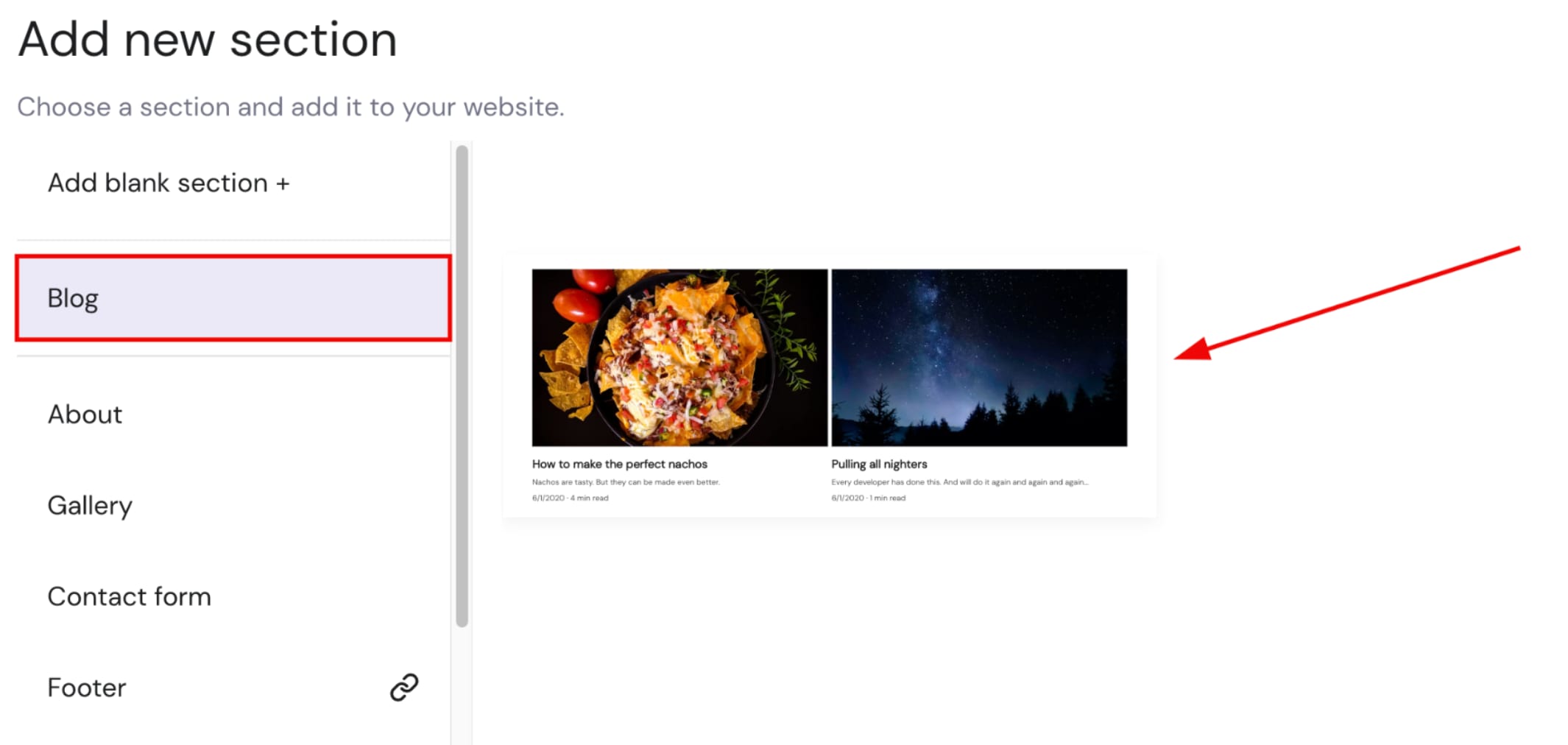
From the menu of sections, select Blog, click on the section thumbnail, and a blog section will be inserted below:
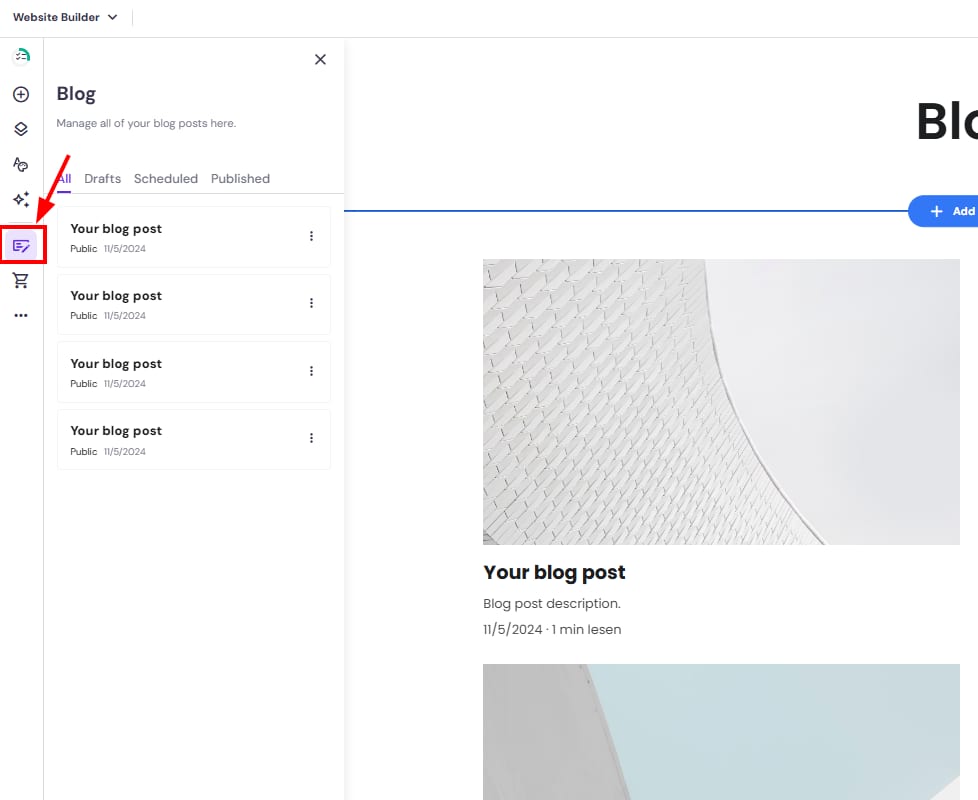
You can manage blog posts and their categories via the blog management panel on the left:
After making any edits, update your website for the changes to reflect online.