If you are registering a .br domain (including .com.br, .org.br, etc.) and get an “Invalid CPF Number” message:
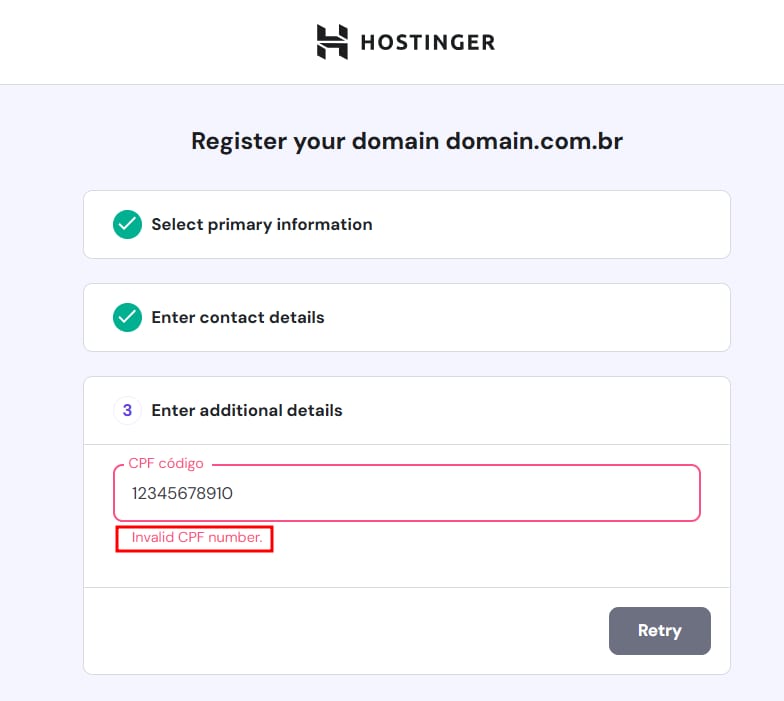
As well as “The given data was invalid“, or “The document is irregular to SRF“, this can be due to the following reasons:
-
The CPF entered belongs to a person under 18 years old
-
A different name was used instead of the registered CPF name
-
A restricted CPF/CNPJ was entered
Registro.BR (the .br registration authority) requires domain owners to be of legal age, use their correct contact information, and have a CPF/CNPJ with regular status on the Brazilian Federal Revenue Office, which can be consulted on the Receita Federal website for CPF, or on this page for CNPJ:
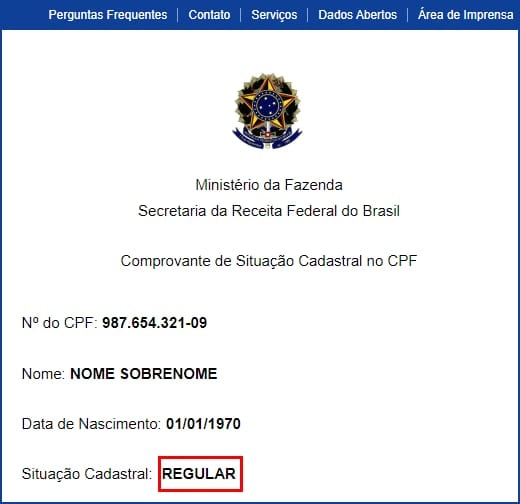
If your CPF status appears like this:

Or any status other than “Ativa” for CNPJ, it is necessary to contact the Brazilian Federal Revenue Office and request regularization before using it for domain registration. Alternatively, you can consider using a different one, as long as all the data are correct and CPF/CNPJ is regular/active.
Once you have a CPF or CNPJ that meets the requirements, create a new profile for your domain’s contact details, verify that the domain’s contact details correspond to that of the CPF/CNPJ, then click on Complete Registration to register the domain with the new contact details.