PageSpeed Insights is a web development tool that can help you measure your website’s speed on both mobile and desktop devices. It also provides you with suggestions on how you can improve your website’s performance.
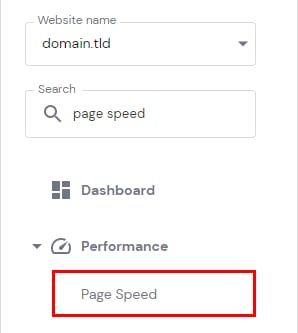
You can easily access PageSpeed Insights and generate reports by navigating to the Websites → Manage, search for Page Speed on the left sidebar and click on it:
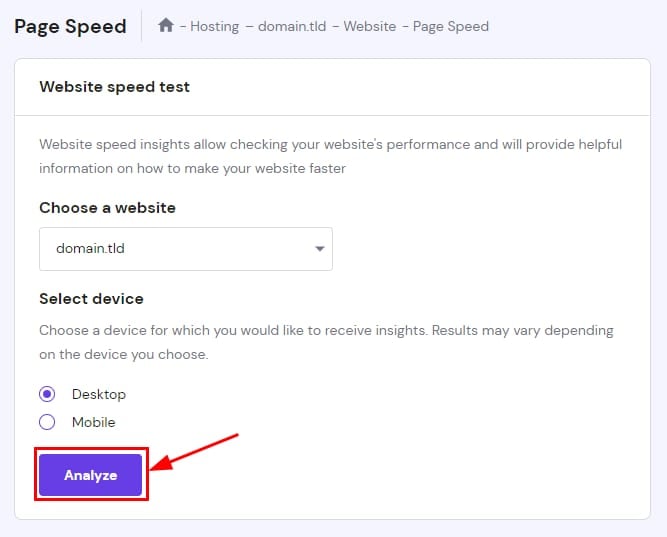
There, you will find the following options:
-
Choose a website – select the domain or subdomain from the dropdown list for which you want to run a test. It must be pointing to Hostinger for it to appear on the list
-
Select device – you can run the analysis for desktop or mobile
Next, click on Analyze to start the process.
How to Read the Report
Once the report is generated, you will see three sections:
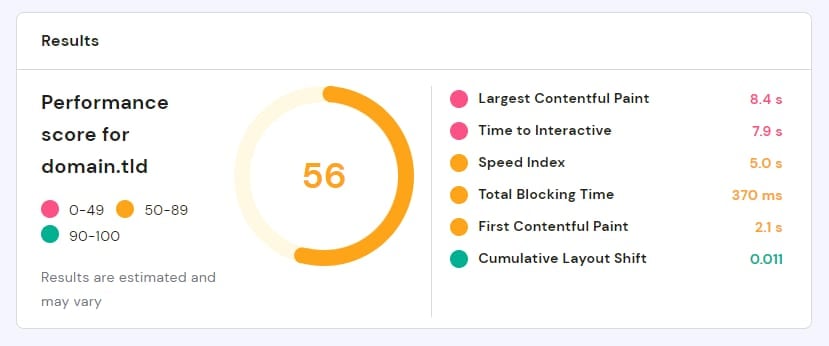
Results
This section provides a glance at your website’s overall speed score, as well as the results of the aspects analyzed by PageSpeed Insights:
Diagnostics
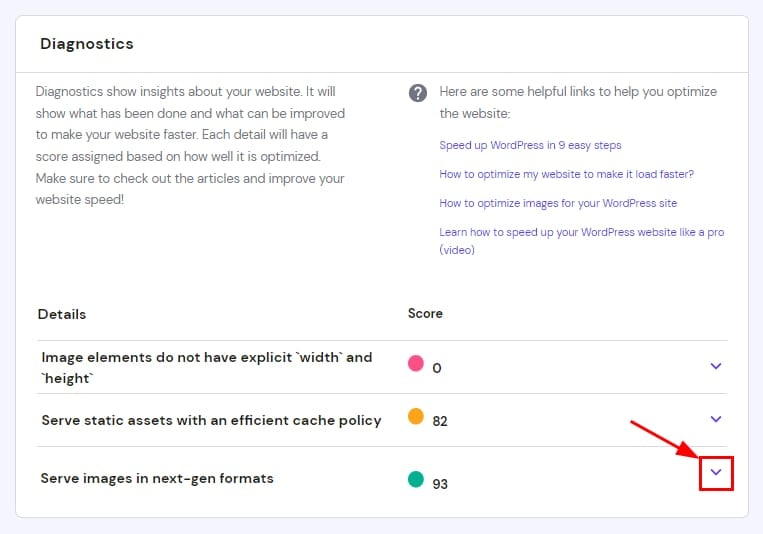
This section goes into the results in more detail. It will also contain useful articles and guides that will surely help you improve your website’s speed!
You can click on each item for a description and links to learn more about it:
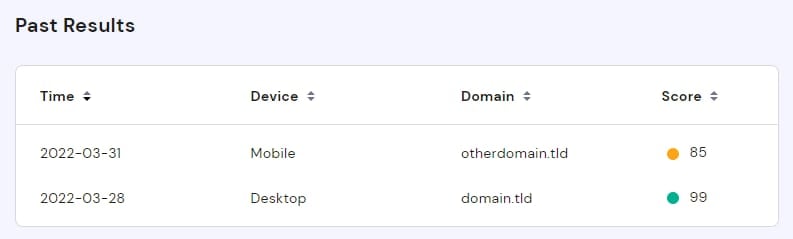
Past Results
Here you will find a summary of previous tests:
How to Improve Your Website’s Score
If the report shows that your website can improve, you can check our optimization guides. They will definitely help your website go even faster:
In case your website is already optimized and growing at a fast pace, you can also consider an upgrade to your hosting plan! This way, you will get more resources for even better performance.
By combining optimization as well as an upgrade, you can be sure that your website will reach the best possible speed 😊