If you uploaded your website and after doing so you encounter the so-called Index of issue, where your website looks similar to this instead of the uploaded content:
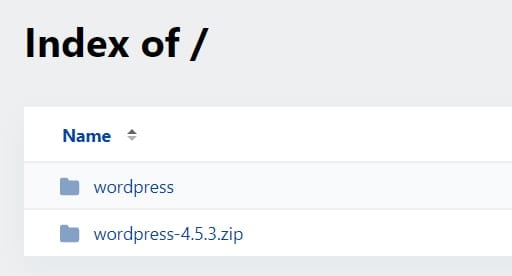
You can quickly resolve it by moving your website to the proper directory, which is called public_html, also known as the document root by following these steps:
-
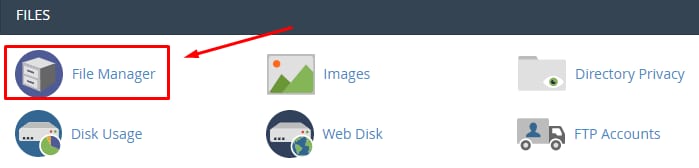
Open your cPanel → File Manager:
-
Once inside the File Manager, open the
public_htmldirectory: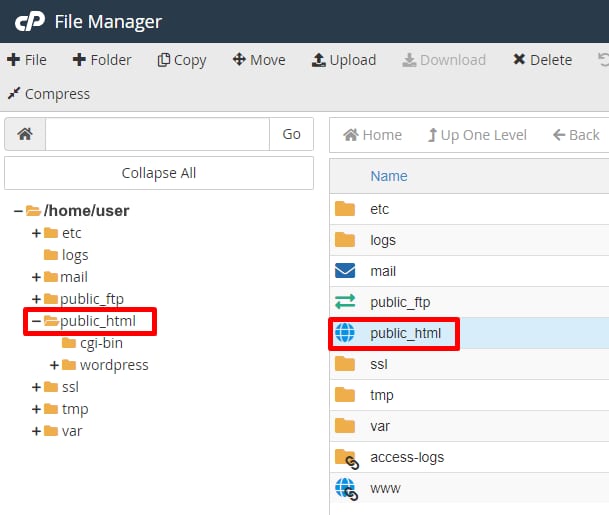
-
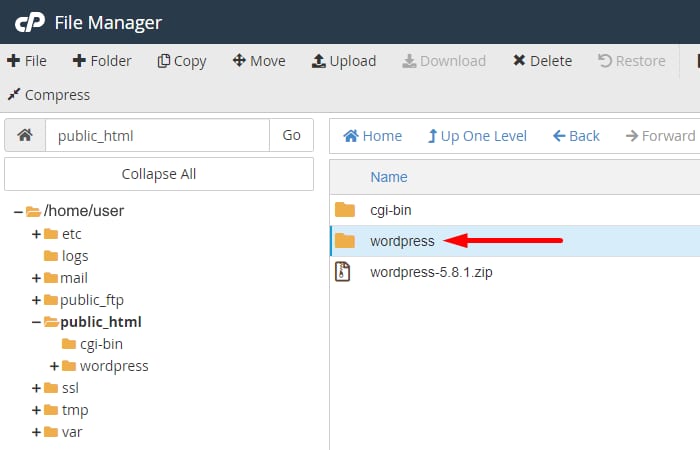
Open the subfolder that you see inside the public_html directory (in our case, it is wordpress):
-
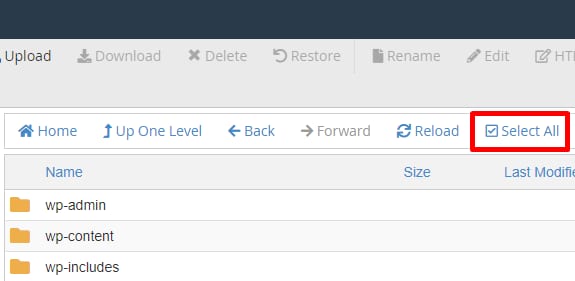
You should see all of your website’s files. You will know if you are in the right place if you see a file named index.php or index.html. Select all the files and folders by clicking Select All:
-
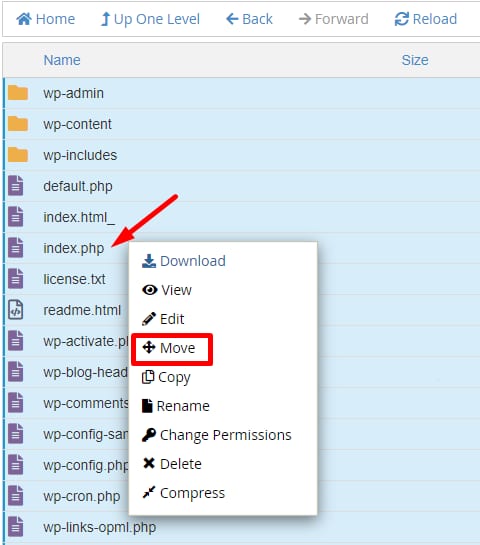
Right-click one of them and select Move:
-
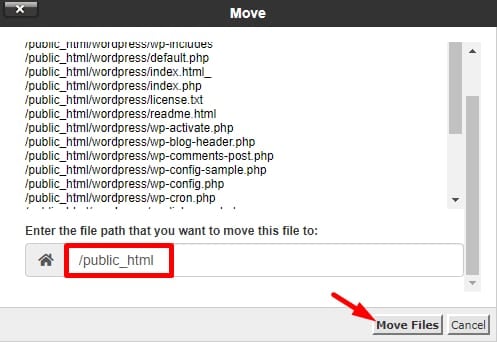
Next, specify the location where you would like the files to be moved. For the main domain of your account, this is /public_html, and click on Move Files:
-
After the files are moved, navigate back to /public_html and remove any leftover files and folders, (in our example, wordpress-5.8.1.zip, and the wordpress folder).
-
Finally, access your website in your browser after clearing the cache and check that everything works correctly.
That’s it! You have successfully moved your website from a subfolder to the base domain 😊
NOTES:
-
If you have already installed a software package (for example, WordPress) into a subfolder, it is usually much easier to delete the installation and then re-install it into the public_html folder