To migrate emails from Gmail to Hostinger Email, follow the steps below 👇
Step 1 – Prerequisites
To properly migrate email accounts from Gmail, take care of the following points:
-
Make sure IMAP is turned on in your Google Admin console account – applicable for Google Workspace email accounts only
-
Make sure the 2FA authentication is enabled for your Google account, as it’s a must for app passwords to work
-
Generate an app password for the account; it would look something like this:
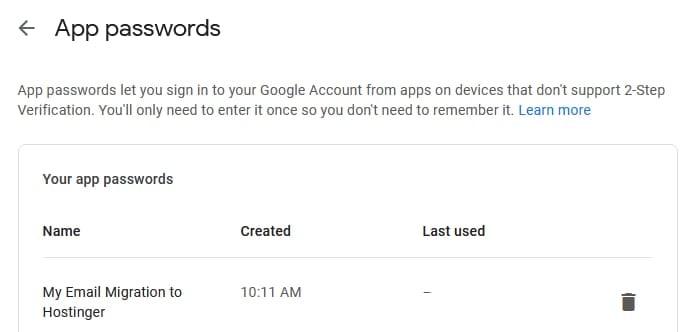
Make sure to save the app password – it’s only shown once! If you missed it, delete it and generate a new one 💡
Step 2 – Gather Details
To successfully migrate your accounts to us, gather these details from Gmail:
-
Source email account – your email account address
-
Source email password – the generated app password
-
Mail Server (IMAP) name – for Gmail, it’s imap.gmail.com
Step 3 – Initiate Migration
Finally, once the above steps are taken care of, access the Email Import tool and initiate the migration 😊