A DNS resolver is a server that converts domain names into IP addresses. Without it, your website would not be accessible. At Hostinger, we provide our own recommended DNS resolvers for your VPS by default.
How to change the DNS resolvers
While not recommended, you can still use your own DNS resolvers by navigating to the VPS section and choosing Manage next to your chosen server: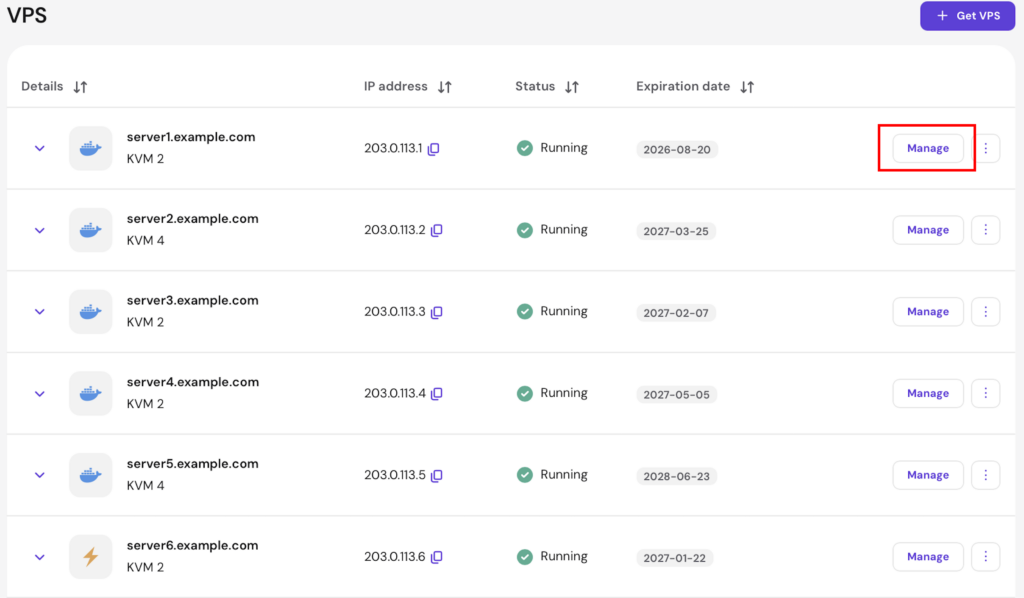
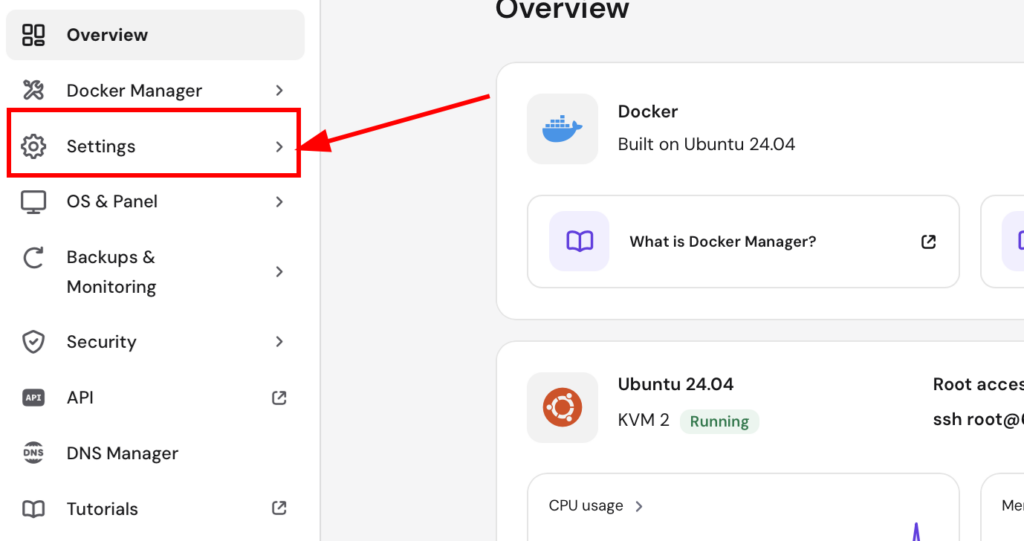
Then, open the Settings page:
Next, scroll down and select Change DNS resolvers:
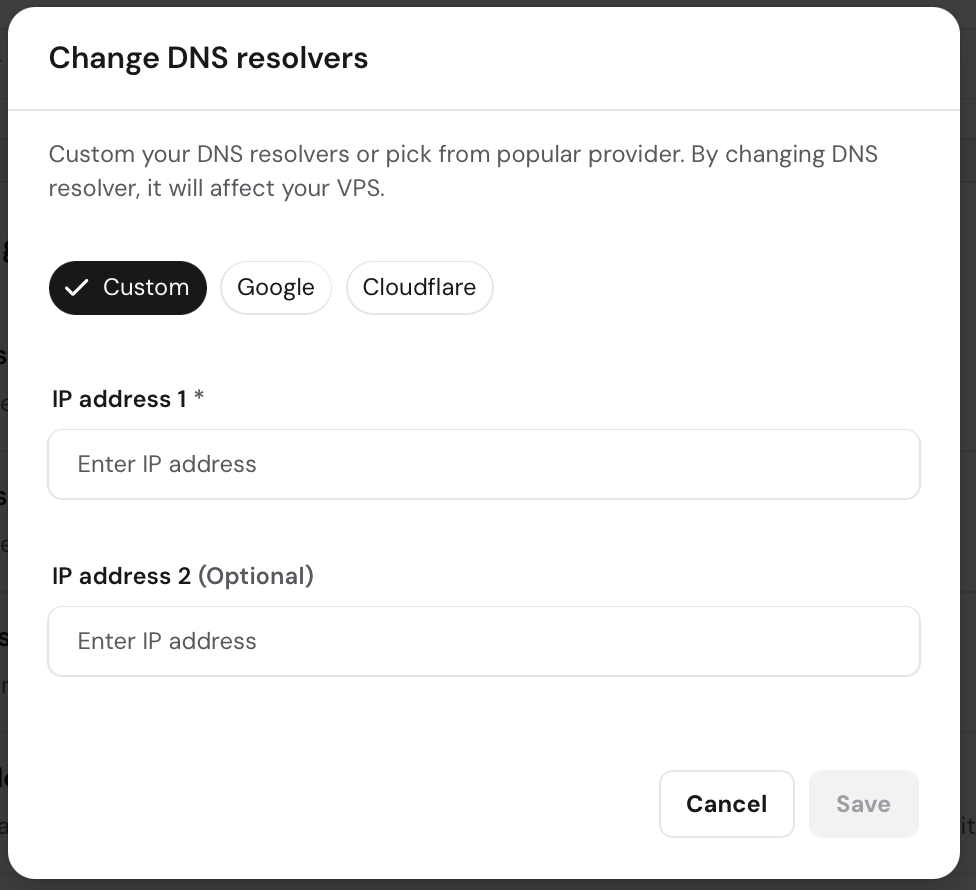
Enter the new DNS resolvers on the IP address 1 and IP address 2 fields and click on Save DNS resolvers.
This feature works by automatically updating the resolv.conf file on your VPS; therefore, you won’t need to edit this file manually when specifying the new DNS resolvers.