The Add Website feature allows you to have several websites under the same control panel. Keep in mind, that domain has to be purchased first.
How to add a domain
There are two ways to add a domain to CyberPanel:
-
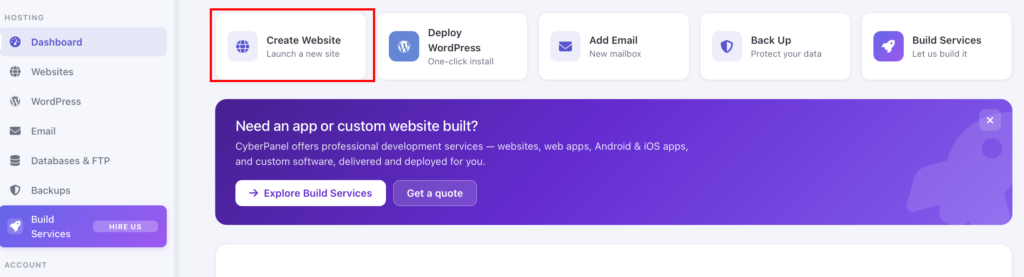
In the Cyberpanel dashboard, click on Create a Website:
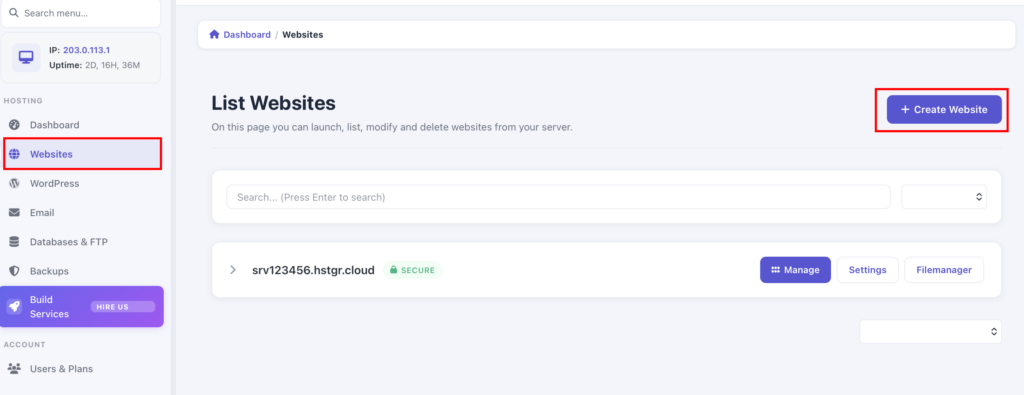
- Or in the left side of the Dashboard, choose Websites → Create Website
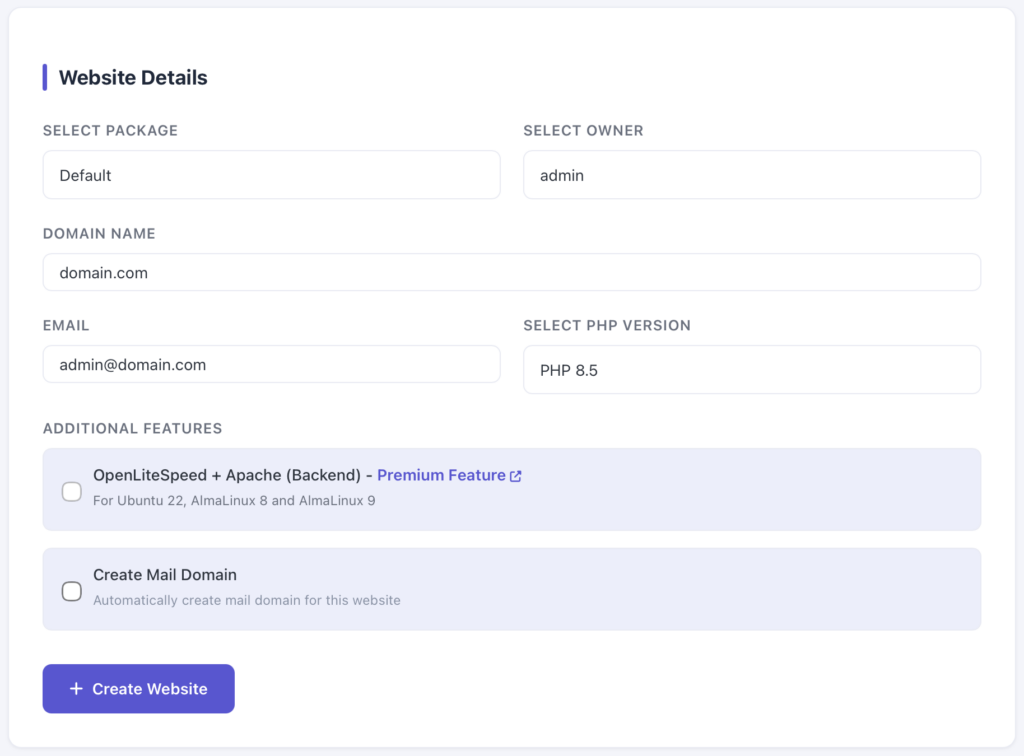
You will reach the Website Details page. Insert the following information:
-
Choose the package (you can choose default if none are created)
-
Choose the admin as the owner
-
Enter the domain name of the website you want to add to CyberPanel
-
Enter an email address
-
Choose the PHP version of your website
-
Choose the additional features
NOTE
These parameters can be edited later.
When everything is set, click on Create Website.
How to find the websites list
You can obtain the list of websites added to the CyberPanel on Websites:
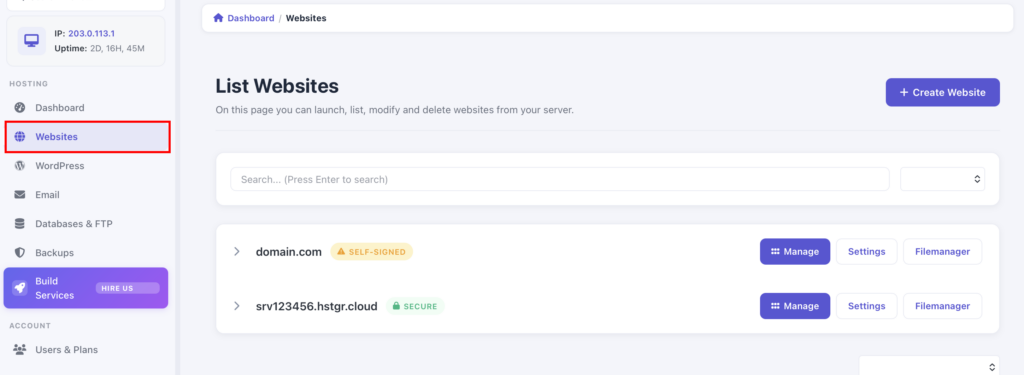
This page shows the website or accounts you have added to CyberPanel. You can also manage your websites here, including adding a new website.