Email headers contain technical information about an email’s delivery path, sender, and authentication.
They are often required when troubleshooting delivery issues, spam problems, or when contacting support.
This guide shows you how to open the email source and view email headers in Hostinger Mail, including how to copy them or download the full .eml file.
Option 1: Check Email Headers via Hostinger Mail Webmail
The easiest way to view email headers is through the Hostinger Mail web app.
Step-by-step instructions
- Log in to Hostinger Mail webmail.
- Open the email you want to inspect.
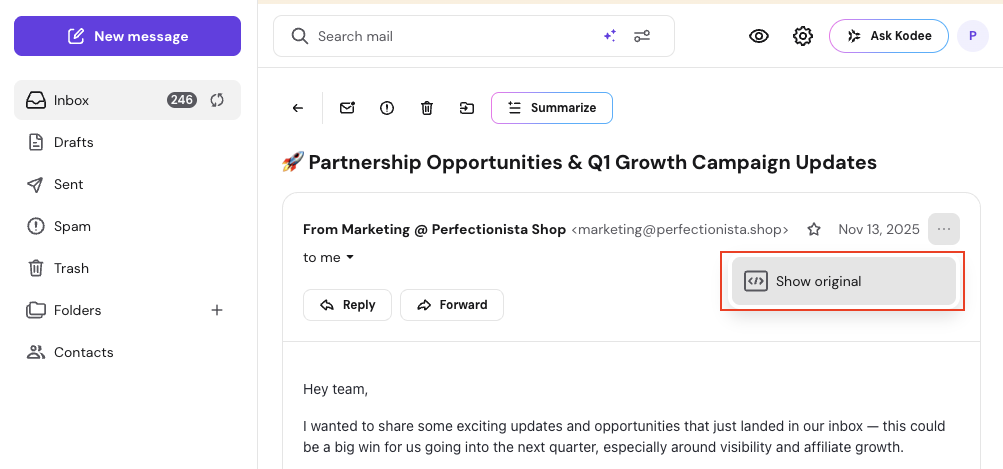
- Click the three dots (More options) in the top-right corner of the email.
- Select Show original.
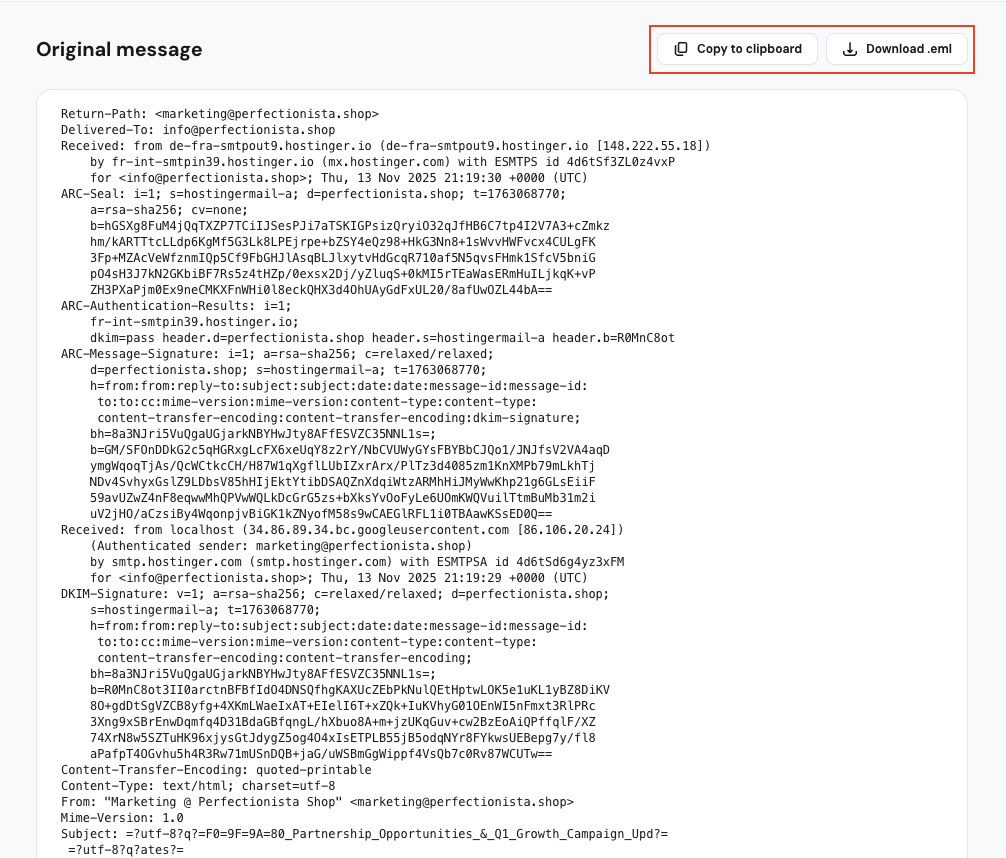
This opens the original email source, including full headers and message content.
From here, you can:
- Click Copy to clipboard to copy all headers and content
- Click Download .eml to save the email as a file
The .eml file can be shared with support teams or opened in other email tools for analysis.
Option 2: Check Email Headers Using Third-Party Email Apps
If you access your email using a third-party email application, you can still view headers.
The exact steps depend on the app you are using.
See the following guides for detailed instructions:
- How to view email headers in Gmail
- How to view email headers in Outlook
- How to view email headers in Apple Mail
- How to view email headers in iCloud
- Mozilla Thunderbird – use the shortcut Ctrl+U (Windows/Linux) or Cmd+U (Mac)
When You May Need Email Headers
Email headers are commonly requested when:
- An email is marked as spam
- An email is delayed or not delivered
- You need to verify sender authentication (SPF, DKIM, DMARC)
- You are reporting an email delivery issue
Troubleshooting
- I don’t see the “Show original” option:
Make sure the email is fully opened and click the three dots inside the message view. - The .eml file won’t download:
Try refreshing the page or using a different browser. - Copied headers look incomplete:
Use Download .eml instead for full data.
Learn more: What Are Email Headers? A Comprehensive Guide 💡