You can easily expand your Google Workspace service by adding more mailboxes to an existing subscription. This allows you to create new email addresses for new team members or departments while maintaining your current configuration.
To add new email accounts, follow these steps:
- Go to hPanel → Emails.
- Locate your domain name and click Mailboxes next to it.
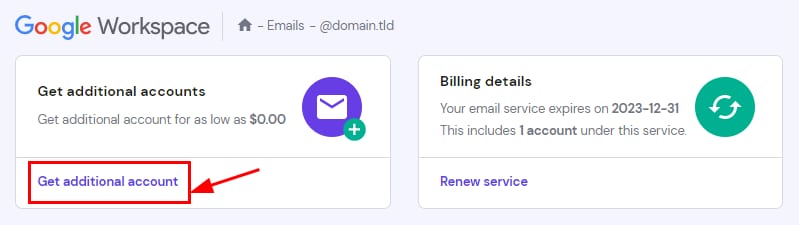
- Click Get additional account.

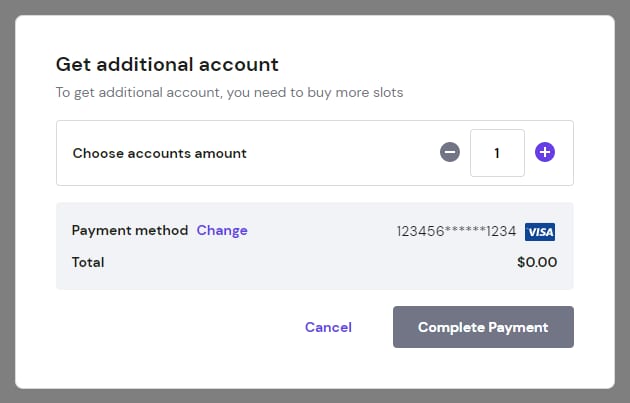
- In the pop-up window, select the number of mailboxes you want to add. Select your preferred payment method and click Complete Payment.

The new mailboxes will be available as soon as the transaction is successfully processed. You can then proceed to create and configure the individual email addresses.