There are two alternative methods to verify what is your cPanel username:
Option 1 – From hPanel
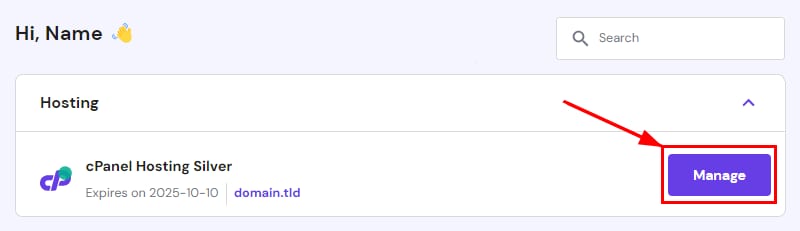
On the Home page of your hPanel, click on Manage next to your cPanel hosting:
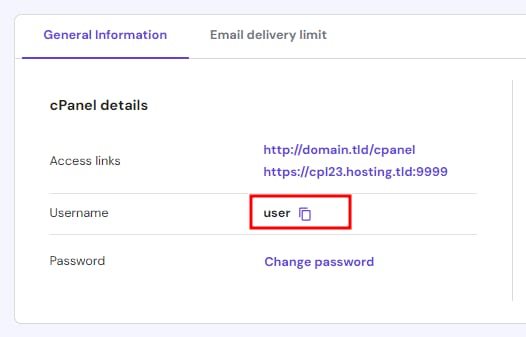
Srcoll down to the General information area. You will find your username there:
Option 2 – From cPanel
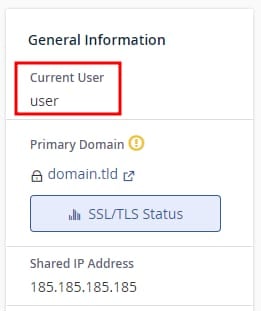
You can also check your cPanel username by logging in to your cPanel account. Once there, username will be shown on the right section of your screen under General information:
That’s it! Now you know how to check your cPanel username at Hostinger.
The username is fixed after setting up your cPanel and cannot be changed 💡