Before pointing a domain to Weebly, make sure that you have an active Weebly account.
As soon as you have one, you can point your domain there this way 👇
Step 1 – Change Domain Name on Weebly
To find the required A records navigate to the Settings section:

Set the Site Address:
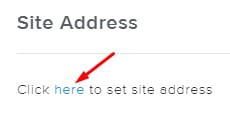
Insert your domain name, and click on connect or transfer it now:

Enter your domain name one more time, and click on Connect your domain:
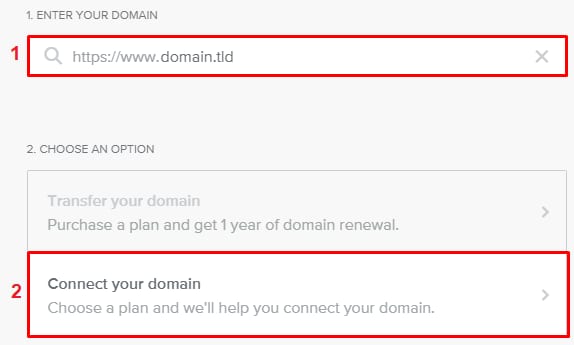
Now, purchase the preferred Weebly subscription. Once done, you’ll receive the required A record.
Step 2 – Create an A Record
Once you have the A record from Weebly, add it to your domain’s DNS zone.
Once you create the A record, DNS propagation will start. This process can take up to 24 hours. During this time, it’s expected that your website won’t work, but give it some time, and it will get online soon.
That’s it! Now you know how to connect your domain to Weebly 😊
NOTE