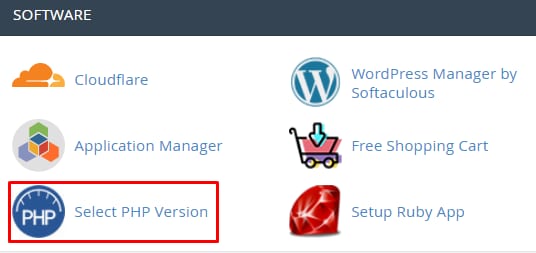
Your Hosting Account’s PHP version can be changed at any time, in order to do that simply access your cPanel → Software section → Select PHP Version:
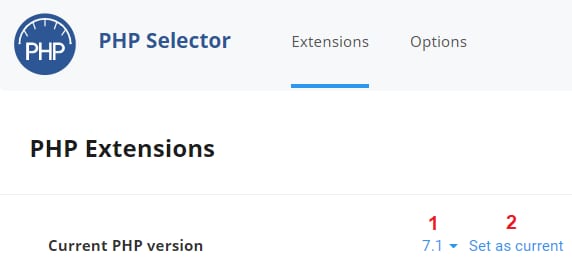
On the newly opened page, you can select the PHP version you wish to use and click on Set as current:
That’s it! Now you know how to change your PHP version 😊
NOTE: