If your website is blocked by Facebook, you will get the following error upon sharing the URL: “Your message couldn’t be sent because it includes content that other people on Facebook have reported as abusive”:

To fix it, head to the Facebook Sharing Debugger tool to identify the issue. Just enter your domain name and click on Debug:

Now follow the options below according to the result of the debugging process:
Option 1 – Website Doesn’t Meet Community Standards
The most common reason why a website URL is blocked is that it doesn’t follow Facebook’s Community Standards, so make sure to check them thoroughly.
Once you’ve made sure that your website doesn’t violate any of the standards, or you have removed content that Facebook would find inappropriate, click on let us know and request a review:

This will lead you to a form where you can submit a short message explaining why your site should be unblocked:
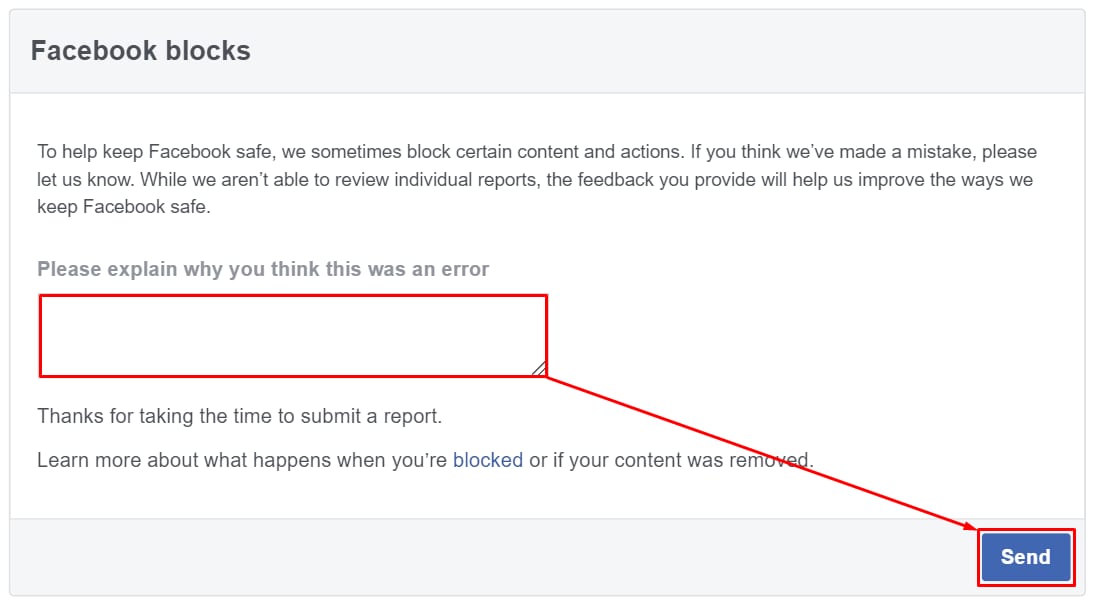
Once you have submitted this form, allow for a few days until Facebook reviews your report.
Option 2 – Warnings That Should Be Fixed
If there is a Warnings That Should Be Fixed tab after debugging, it means that there is an issue with a specific URL from your website, its content, or a general development issue. For example:

If you are not experienced in website development, you can consider hiring a professional developer to take care of this process, or research using specialized forums, such as StackOverflow – it’s a great place to get development support.
After fixing all the reported issues, you can request for Facebook to scrape the URL again:

Once the scrape is completed, you can share your website using Facebook 😊