DKIM or Domain Keys Identified Mail record is a TXT record that adds digital cryptographic signatures to email messages, which means that it ensures that the email comes from a trusted source and hasn’t been changed or forged in transit between the sending and receiving servers 😊
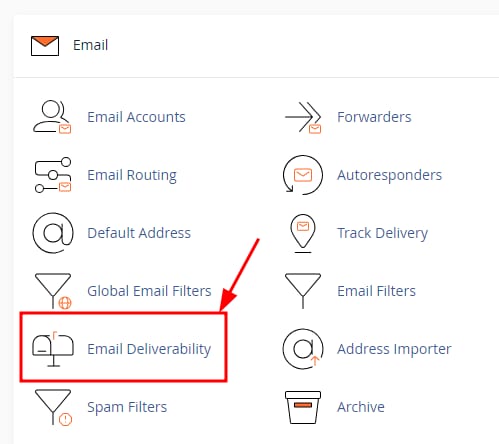
You can easily enable DKIM on cPanel by going to Email Deliverability, located in the Email section:
Click on the Manage button for the domain you wish to enable the DKIM record for:

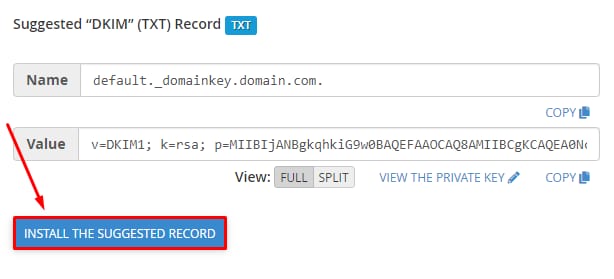
If you want to set a default DKIM record, scroll down to Suggested DKIM Record and click on the Install button:
And if you would like to add custom DKIM records from your current email provider, you can do this by editing your TXT records.
After DKIM is enabled or added, a new DKIM TXT record will appear in your DNS zone, so please give it up to 24 hours to propagate fully, and you will be good to go! 😊