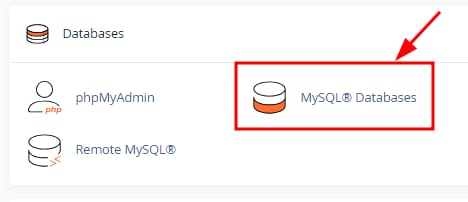
You can easily create a new MySQL database by opening your cPanel and clicking on MySQL Databases section:
Once there, enter the database name and click on Create Database:
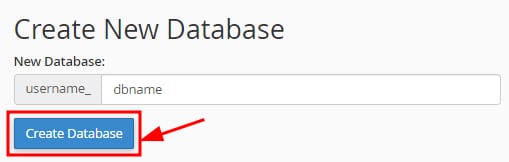
By default, the prefix will be your cPanel username followed by an underscore. eg. user_
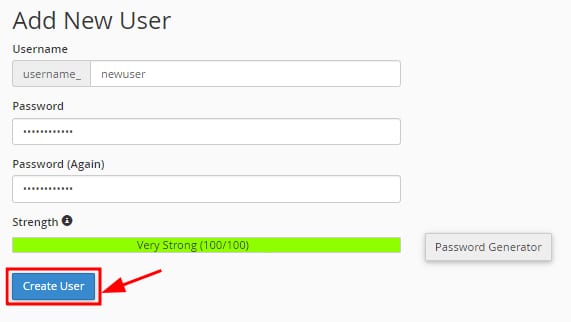
Select to Go Back after creating the database and scroll down to the Add New User section, taking the following into consideration:
-
The username name will have the same prefix as the database
-
Enter the database password twice. It is recommended to use the password generator tool to ensure a strong password is used
Next, click on Create User:
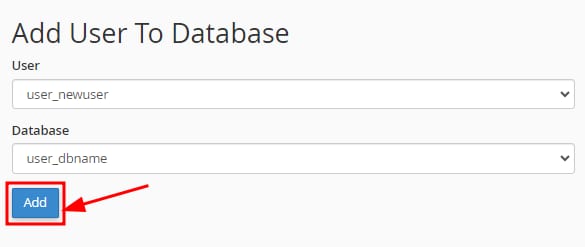
Finally, on the Add User To Database section right below, connect your newly created user with the database. Select the user and database from the dropdownl ist and click on Add:
That’s it! Your MySQL database will be created with a user correctly associated with it.