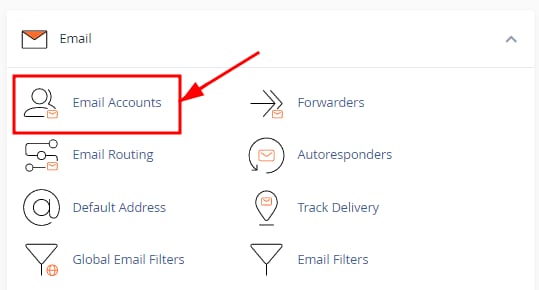
To locate the IMAP/POP and SMTP configuration details of your email accounts, log into your cPanel, head to the Email section and select Email Accounts:
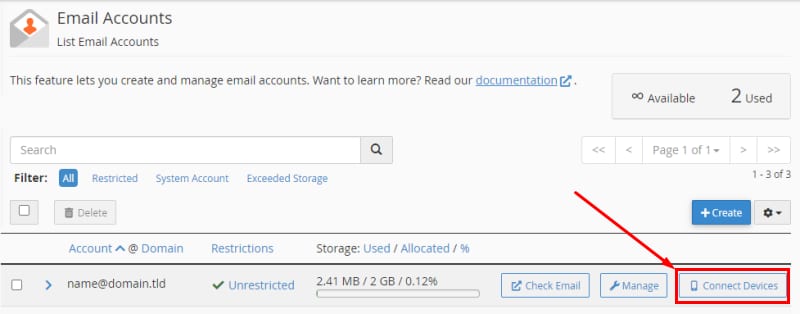
Once there, locate the desired email account and click on Connect Devices:
You will find the IMAP/POP and SMTP Configuration under Mail Client Manual Settings:
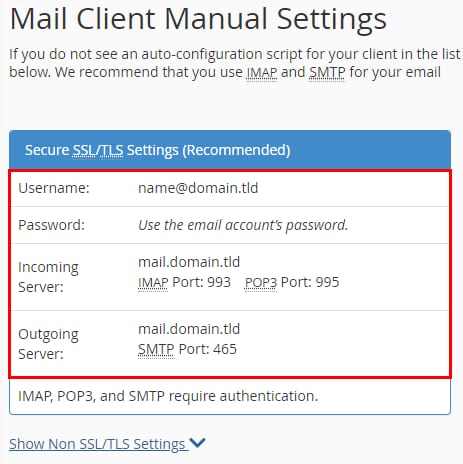
Always use the Secure SSL/TLS settings 💡
You can set up your cPanel email on your devices and email applications with these parameters 😊