Some PHP functions on our Web and Cloud hosting plans are disabled by default in concern of your website security. However, some of them can be enabled manually:
system, exec, shell_exec, passthru, mysql_list_dbs, ini_alter, dl, symlink, link, chgrp, leak, popen, escapeshellcmd, apache_child_terminate, virtual, mb_send_mail, proc_open
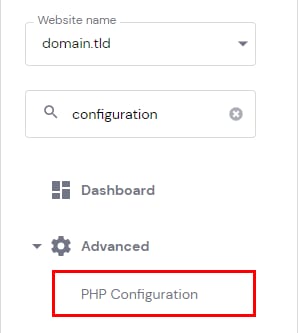
To enable any of these functions, go to Websites → Dashboard, search for PHP Configuration on the sidebar and click on it:
Open the PHP options tab, and scroll to the disableFunctions section:
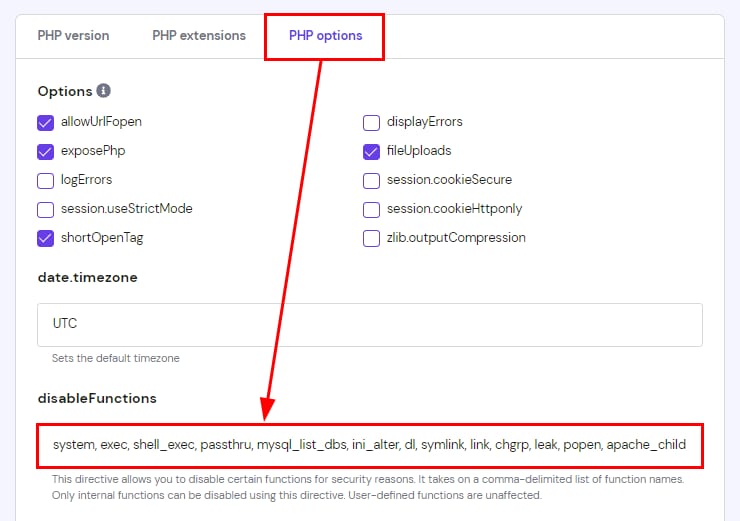
All you need to do is remove the needed function from the list and save changes. Your PHP function will start working after this 😊
Note: proc_open is disabled by default for all newly created accounts. Existing accounts are not affected. If a plugin or script requires proc_open (including WP-CLI commands run via SSH), remove it from the disableFunctions list using the steps above.