There are several ways to build a website, and at Hostinger, you have different options for that.
Use a Content Management System
If you wish to create your site using a CMS, you can find the most popular ones, such as WordPress, Joomla, or Drupal, within the Auto Installer on the hPanel.
Just navigate to Websites → Manage, search for Auto Installer on the left sidebar, and click on it to start the process:
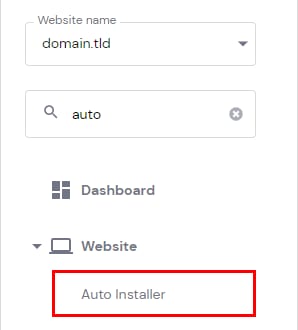
Choose your desired application and start building your website. If you use WordPress, check this video on how to create your website easily:
Upload a Website
If you have already built a website, you can upload your website files using File Manager. Go to Websites → Dashboard, and on the left sidebar, click on Files → File Manager.
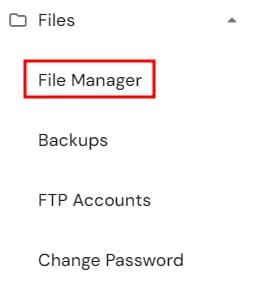
You can use this feature for files up to 100GBs. Larger files can be uploaded via FTP.
Keep in mind that if your website requires a database, you will need to import a database with phpMyAdmin.
Alternatively, you can create a migration request, and our team will migrate the website for you. To migrate a website, go to the Websites section and click on + Add website → Migrate website:
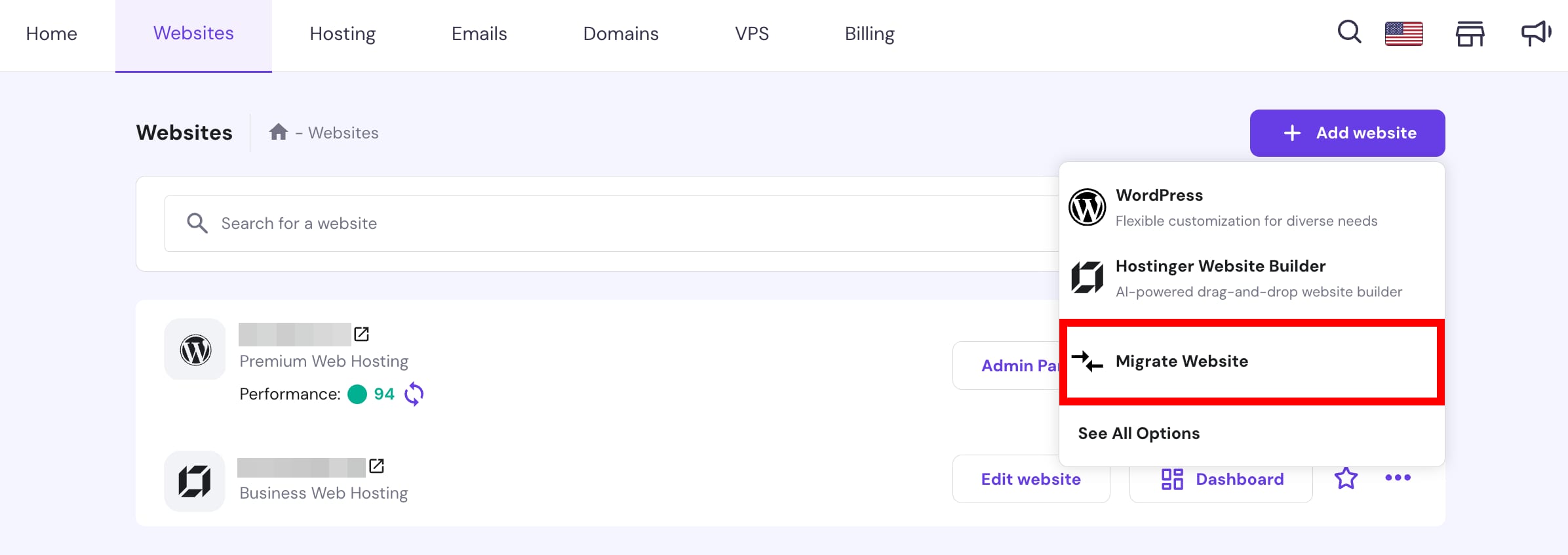
Fill in all the migration details, and we will take care of the rest.
Create a Website With Horizons or Hostinger Website Builder
If you are looking for an option that does not require a lot of development knowledge, you can use Horizons or our Website Builder — it will make creating a website a breeze! 😊
To start, go to the Websites section and click on + Add website → Hostinger Horizons or Hostinger Website Builder
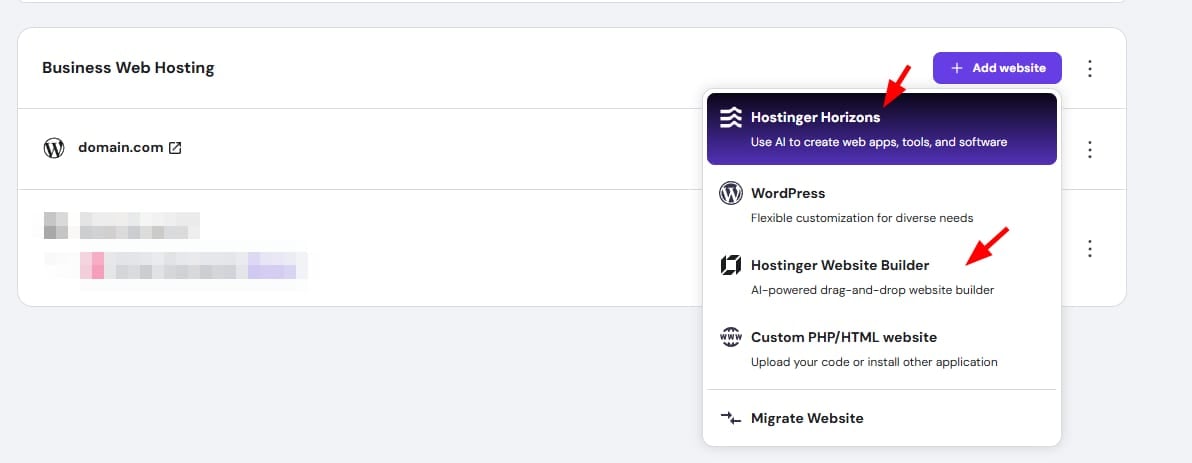
For a more thorough guide on building a website, have a look at this article – How to Make a Website From Scratch: A Beginner’s Guide.