At Hostinger, we provide weekly backups for all of our hosting plans, as well as daily backups for Web Business and greater hosting plans.
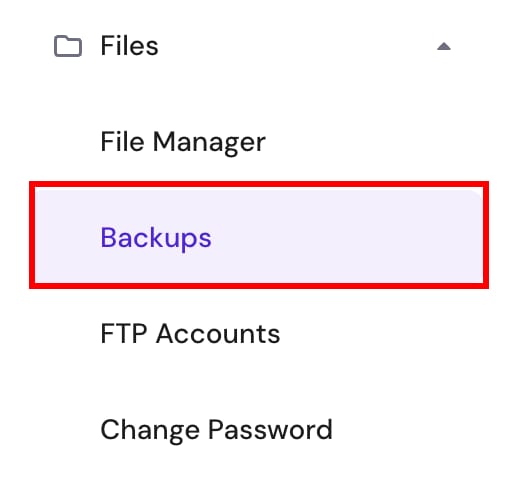
If you have a Web Single or Premium plan and want to have daily backups, you can easily purchase this feature. Just navigate to Websites → Dashboard and click on Backups under the Files menu on the left sidebar:
Next, click on the Add Daily Backups button:

Select the duration and payment method, and that’s it! Your hosting plan will start generating daily backups. These backups are stored separately from your hosting, so they don’t take up space on your disk quota 🚀
Daily backups are created and stored for the last 7 days. After that time, they are automatically deleted.
Manual deletion of these backups is not supported.
Alternatively, you can get daily backups by upgrading your hosting plan to Business Web Hosting or above.
Daily Backups for VPS
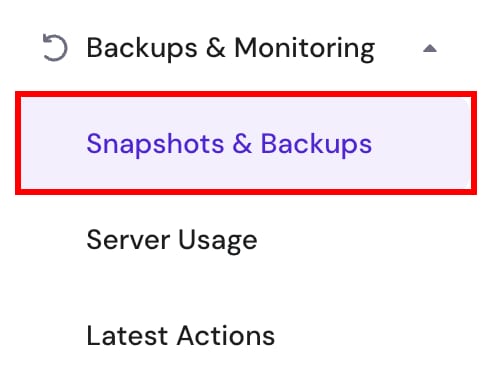
To activate daily backups for a VPS, go to the VPS section of hPanel, choose the server in question, and click on Snapshots & Backups in the left sidebar under the Backups & Monitoring menu:
Once there, click Upgrade under Daily Backups:

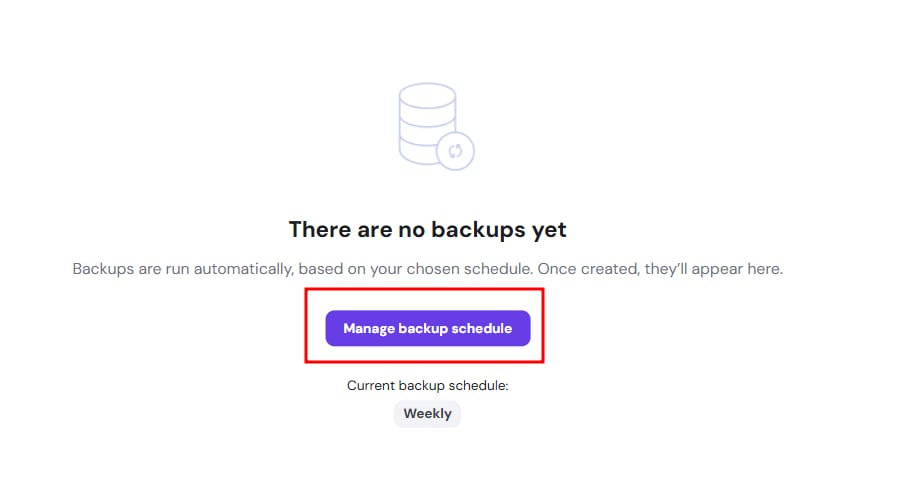
Or, click on Manage backup schedule here:
Select the duration and payment method, and you’re all set! Your VPS will now begin storing daily backups. These backups are stored separately from your hosting, so they don’t take up space on your disk quota 🚀
Daily backups are created and stored for 2 most recent daily backups and 2 most recent weekly backups. After that time, they are automatically deleted.
Manual deletion of daily VPS backups is not supported 💡