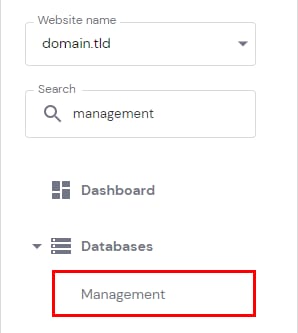
You can change your database’s password by navigating to Websites → Manage, searching for Databases Management on the left sidebar, and clicking on it:
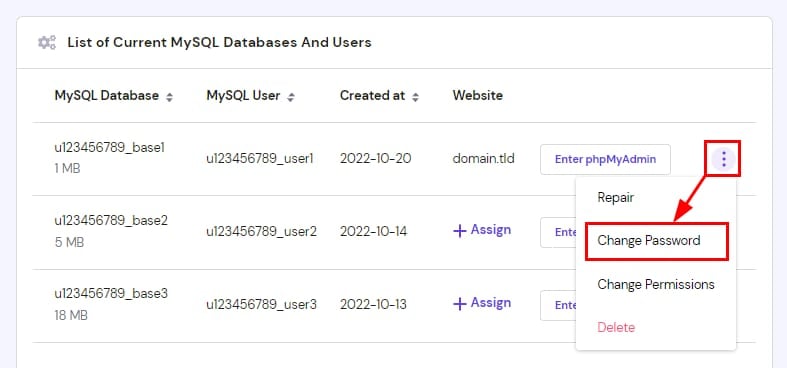
In front of the database in question, click on the Options button (⋮) and choose Change Password:
There is also an option to generate a strong password automatically 😊
NOTES:
-
Changing your database password may disconnect it from your website. To fix it, refer to this article: How to fix “Error establishing a database connection”
-
If your List of Current MySQL Databases And Users section is empty, you need to create a MySQL database first